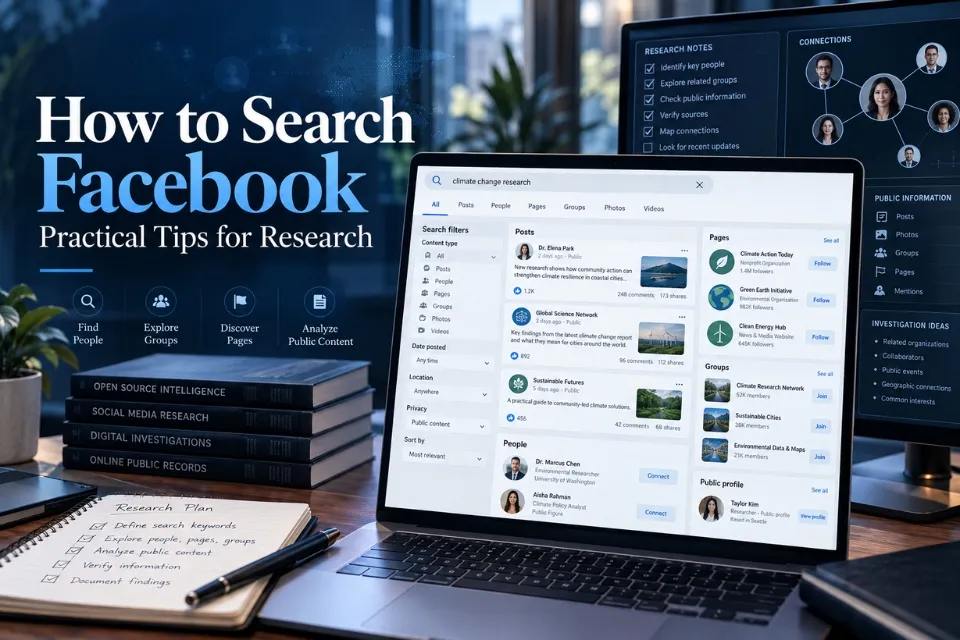
Facebook search has changed substantially from the days of Facebook Graph Search. In 2026, effective Facebook research depends less on special commands and more on choosing the right search category, using precise keywords, searching within relevant communities, and understanding what Facebook’s privacy and recommendation systems allow you to see.
For researchers, journalists, investigators, analysts, and anyone trying to verify public information, Facebook can still be a valuable discovery source. It can help locate public profiles, Pages, Groups, posts, videos, events, businesses, Marketplace listings, and community discussions. AOFIRS’s Social Media Intelligence 2026 guide provides a broader framework for treating social platforms as research sources while accounting for misinformation, AI-assisted investigation, and platform-specific limitations. A Facebook search result should therefore be treated as a research lead, not proof.
This guide explains how Facebook search works in 2026, which filters are actually useful, how desktop and mobile search differ, what happened to the old Graph Search techniques, and how to verify information you discover.
Quick Answer: How to Search Facebook
Enter distinctive keywords, select the relevant category, and use the filters Facebook currently displays. Search within a relevant Group when appropriate, then open the original result and verify important findings independently.
A Facebook search result is a lead, not proof.
How Does Facebook Search Work in 2026?
Facebook’s current search experience is primarily based on keywords, search categories, personalized ranking, privacy permissions, and increasingly AI-assisted information retrieval.
A practical search usually follows this process:
- Enter a person, organization, topic, phrase, place, product, or other keyword in Facebook Search.
- Review the initial results or search predictions.
- Select the appropriate result category, such as People, Posts, Groups, Pages, Photos, Videos, Events, or Marketplace when that category is available.
- Apply any additional filters Facebook provides for that type of result.
- Refine the query if the first search is too broad.
- Verify relevant findings independently before drawing conclusions.
The exact categories, filters, and their placement can vary according to the Facebook interface, account, device, location, language, and feature rollout. Researchers should therefore rely on the controls currently displayed in their account rather than instructions based on an old screenshot.
This shift from simple keyword matching toward semantic and AI-assisted retrieval is part of a wider change in modern search technology. The AOFIRS research report Information Retrieval in the age of AI examines how semantic search, conversational querying, automated synthesis, algorithmic bias, and source reliability are changing the way researchers discover and evaluate information.
What Can You Search for on Facebook?
Depending on visibility and account access, Facebook Search can help locate several types of information.
Common searchable categories include:
- People and public profiles
- Posts you are allowed to view
- Facebook Pages
- Public and discoverable Groups
- Photos
- Videos and Reels
- Events
- Marketplace listings
- Businesses and other public entities
- Conversations within Groups you can access
Search availability does not mean Facebook maintains a complete public index of everything published on the platform.
Posts may be missing because they are restricted to friends, limited to group members, removed, edited, deleted, excluded by search ranking, or otherwise unavailable to your account.
For research purposes, this creates an important distinction:
Not finding something on Facebook does not prove that it does not exist.
Start With Specific Facebook Search Queries
Broad searches usually produce broad results.
Instead of searching:
John Smithtry combining the name with information already known from another source:
John Smith Boston
John Smith Stanford
John Smith Acme Robotics
Or, when researching an organization:
Northshore Environmental Conferencemay produce better results than:
environment conferenceThis is not a special Facebook search syntax. It is simply better query construction. AOFIRS explains the wider research value of building structured queries, testing terminology variants, and adapting syntax between different platforms in its guide to Boolean search for social media monitoring and OSINT research. Distinctive terms help Facebook determine the subject you are trying to locate and help researchers separate relevant results from unrelated accounts, posts, Groups, and Pages.
Search from broad to narrow
A useful process is:
Entity → distinguishing detail → content category → verification
For example:
Maria Hernandez Denver architectureAfter submitting the query, switch to People if you are identifying a person, Posts if you are looking for a discussion, or Groups if you are investigating communities around the subject.
Do not add every known detail at once. A query that is too narrow can eliminate useful results.
How to Search for People on Facebook
Finding the correct person is one of the most common research uses of Facebook.
Start with the person’s full name and then select the People category when available.
If there are many people with the same name, add one identifying detail to the query, such as:
- City
- Employer
- School
- Profession
- Organization
- Event
- Nickname
Suppose you are researching a person named Daniel Carter who may work in renewable energy in Arizona.
Instead of repeatedly searching:
Daniel Cartertry:
Daniel Carter Arizona solarand:
Daniel Carter renewable energyThen compare likely profiles.
Do not conclude that two profiles belong to the same person simply because their names, locations, or employers match. The AOFIRS article on how professional researchers verify people-search results explains why names, usernames, photographs, biographies, and other profile details should be corroborated with independent identifiers before they are treated as evidence of identity.
Verify the profile
Look for several independent identifiers, such as:
- Consistent employment information
- Education
- Location
- Profile username
- Organization affiliations
- Public posts
- Public comments
- Linked websites
- Other public social profiles
One matching detail is generally weak evidence. Several consistent identifiers provide a stronger basis for identification.
Even then, record the conclusion according to the strength of the evidence rather than presenting an assumption as fact.
How to Search Facebook Posts
Posts are often more useful for research than profiles because they can provide context around an event, organization, location, product, announcement, or public discussion.
Start with distinctive words likely to appear in the post.
For example:
Riverdale council redevelopmentis more useful than:
redevelopmentWhen the Posts category is available, select it instead of browsing mixed search results.
Depending on your account and current Facebook interface, Facebook may provide additional refinements for posts. These controls can change, so researchers should use only the filters visible in the current interface rather than assuming that an older filter still exists.
Useful query elements include:
- Organization names
- Event names
- Distinctive phrases
- Product names
- Locations
- Names of people involved
- Dates or years as keywords when relevant
If you remember an unusual phrase from a post, search the most distinctive portion of the wording.
Do not assume Facebook supports exact-match searching in the same way as a conventional search engine simply because quotation marks are entered. Treat quotation marks as part of query experimentation, not as a guaranteed operator.
Search Within a Facebook Group
If you already know which Group is likely to contain the information, searching within that Group is usually more efficient than searching all of Facebook.
A typical workflow is:
- Open the Group.
- Use the Group’s search control.
- Enter a distinctive keyword or phrase.
- Review matching posts and discussions.
- Apply any additional filters currently offered.
- Open the full post and examine its context.
Facebook Groups can be especially valuable for community-level research because local experience, specialist knowledge, complaints, event information, and eyewitness discussion may appear there before they reach conventional websites. The Social Media Intelligence 2026 guide places this type of platform research within a wider intelligence workflow that also considers misinformation risks and verification.
Facebook Group search has also become more sophisticated technically. Semantic retrieval means unsuccessful exact-keyword searches should not be the only strategy. Try conceptually related terms as well.
For example, if searching for:
rental fraudalso test:
apartment scam
fake landlord
deposit scam
Different members may describe the same issue using different language.
How to Find Facebook Groups
Groups can provide valuable community knowledge, particularly for local research, specialist industries, hobbies, consumer experiences, professional communities, events, and regional issues.
Search for the subject and choose Groups when that result category is available.
Rather than:
photographytry:
wildlife photography Floridaor:
historic preservation ChicagoEvaluate a Group before relying on information found inside it.
Check:
- Group name
- Description
- Public or private status
- Geographic focus
- Recent activity
- Community rules
- Who appears to administer it
- Whether the discussion relates directly to your research question
Membership in a Facebook Group does not establish a person’s beliefs, occupation, expertise, or involvement in everything discussed there.
Treat group membership as contextual information unless stronger evidence supports a more specific conclusion.
How to Search Facebook Pages
Pages are useful when researching:
- Companies
- Government agencies
- Nonprofits
- News organizations
- Public figures
- Brands
- Community organizations
- Institutions
- Events and campaigns
Search the organization’s complete name and select Pages when available.
Pay attention to similarly named Pages.
A convincing-looking logo or name is not enough to establish authenticity. Fake and impersonating social accounts can reproduce profile images, biographies, names, posting styles, and engagement patterns. The AOFIRS guide The Invisible Threat: Why Fake Social Media Accounts examines indicators researchers can use when assessing whether a social account is authentic.
Compare:
- Page username
- About information
- Website links
- Posting history
- Contact information
- Verification indicators where applicable
- References from the organization’s official website
This is particularly important when researching businesses, political organizations, public figures, charities, or crisis events where impersonation can create misleading results.
Searching Photos and Videos
Visual material can provide important research clues, but searching visual content on Facebook has significant limitations.
When the interface provides Photos or Videos as search categories, use them after entering the topic, person, organization, or location.
For example:
Harbor Festival Portlandfollowed by Photos or Videos may surface publicly visible material connected with the event.
A photo appearing in search does not establish:
- When it was taken
- Where it was taken
- Who originally created it
- Whether the caption is accurate
- Whether it has been reposted from somewhere else
Researchers should verify the original post, upload date, source account, surrounding comments, and independent evidence before using visual content as evidence. When manipulated, AI-generated, or recontextualized media is a concern, the AOFIRS Identifying Fakes in the AI verification era provides a complementary visual-verification framework.
Search Facebook Events
Facebook Events can help researchers discover public information about:
- Conferences
- Demonstrations
- Community meetings
- Entertainment
- Fundraisers
- Classes
- Professional gatherings
- Local activities
Search the event name, organization, venue, or topic, then select Events if Facebook provides that category.
If searching for an event that has a common name, combine it with a city, organization, venue, or year.
For example:
Green Technology Summit Seattle 2026is more precise than:
Green Technology SummitCheck the organizer and venue independently before relying on an Event page.
Searching Facebook Marketplace
Marketplace is a separate search environment within Facebook and is more suitable for product and local-listing research than the main Facebook search box.
Marketplace commonly provides its own refinements, such as location, price, categories, and other listing-specific options. Availability varies by product category and location.
For research, use Marketplace itself when you need to inspect actual listings, sellers, prices, descriptions, locations, and dates.
Never treat a Marketplace listing as proof that a product is genuine, available, legally owned by the seller, or accurately described.
Facebook Search Filters in 2026
Facebook does not expose one permanent, universal set of filters for every query.
The available controls depend on what you search for and which Facebook surface you are using.
Broad result categories commonly encountered across Facebook include:
| Search category | Useful for |
|---|---|
| People | Profiles and identity research |
| Posts | Public or otherwise accessible discussions |
| Pages | Organizations, businesses and public entities |
| Groups | Communities and specialist discussions |
| Photos | Publicly accessible visual material |
| Videos | Videos and related public content |
| Events | Public events and activities |
| Marketplace | Products and local listings |
Some searches may expose additional categories or refinements.
Researchers should avoid publishing instructions that assume a particular filter is permanently available.
A safer rule is:
Run the query first, select the relevant content category, and then use the refinements Facebook currently presents for that category.
This approach remains useful even when Facebook changes its interface.
Facebook Search on Desktop vs Mobile
The underlying research method is similar on desktop and in Facebook’s mobile apps, but the interface is not identical.
Desktop
On desktop, researchers generally have more screen space for:
- Reviewing multiple results
- Comparing profiles
- Opening sources in separate tabs
- Recording URLs
- Taking research notes
- Examining long discussions
- Switching between categories
Filters and category controls may also be easier to see because they do not need to fit into a narrow mobile interface.
Mobile
In the Facebook app, search controls are optimized for touch screens. Categories and refinements may appear as horizontally scrolling tabs, buttons, menus, or context-specific controls.
Mobile can be useful for quickly checking:
- Profiles
- Pages
- Groups
- Events
- Nearby Marketplace listings
- Videos and Reels
However, for evidence-heavy research, desktop is often easier because researchers can compare multiple sources and preserve documentation more efficiently.
Researchers should therefore avoid instructions such as “this filter is always on the left” or “tap this exact button in this exact position” unless the interface has been tested immediately before publication.
Do Old Facebook Graph Search Commands Still Work?
No. Researchers should not treat the old Facebook Graph Search system as the current way to search Facebook.
Facebook Graph Search was an earlier search system that became widely known for allowing structured natural-language queries around connections, interests, locations, Pages, photos, and social relationships.
Older research guides may still contain examples built around searches such as:
People who work at [company]
Photos liked by [person]
Friends of people who live in [city]
People who like [Page]
These should not be presented as supported Facebook search commands in a current 2026 guide.
Modern Facebook search is built around keyword queries, result categories, personalized ranking, privacy permissions, recommendation systems, and newer AI-assisted discovery.
Avoid legacy URL tricks
Researchers may also encounter old guides containing manually constructed Facebook URLs intended to force specific Graph Search categories or parameters.
Do not build a current research workflow around undocumented Facebook URL structures.
Even when an old URL happens to redirect or produce results, that does not make it a supported search feature. Internal routes can change without notice.
Use Facebook’s current interface instead.
Facebook Search Is Becoming More Semantic
One of the most important developments in 2026 is the shift from purely lexical search toward search systems that better understand meaning.
Semantic search can reduce the gap between the exact words entered by a researcher and the terminology used in relevant posts.
For researchers, this creates both an advantage and a limitation.
The advantage is better discovery of relevant material even when vocabulary differs.
The limitation is that researchers cannot assume every result contains the literal terms entered.
Therefore, always open the source and determine why it is relevant rather than inferring relevance from the result position alone.
AI Is Changing Facebook Search and Discovery
AI-assisted search changes the research process because a system may increasingly interpret a question, identify related concepts, retrieve community content, and summarize information rather than simply return literal keyword matches.
AOFIRS explores this wider evolution in its Paradigm Shift to Agentic AI and Methodologies, which examines how AI, OSINT systems, predictive analysis, and social-platform extraction are becoming integrated into modern intelligence workflows.
For researchers, it is essential to separate:
AI-assisted discovery from source verification.
An AI-generated answer can suggest topics, terminology, communities, accounts, or possible sources. It should not replace examination of the underlying evidence.
Why Facebook Search Results Differ Between Researchers
Two researchers can search the same words and receive different results.
Possible reasons include:
- Privacy permissions
- Group membership
- Geographic context
- Language
- Account activity
- Connections
- Personalization
- Search ranking
- Content availability
- Platform experiments
- Different application versions
- Different feature rollouts
Facebook is therefore not a neutral database with a single universal result set.
That matters when documenting research.
Instead of writing:
“Facebook contains no results for this person.”
a more defensible conclusion is:
“No relevant result was identified in the Facebook search available to this researcher at the time of the search.”
The second statement reflects what the evidence actually establishes.
Privacy Determines What Facebook Search Can Reveal
Facebook search does not provide a legitimate method for bypassing privacy settings.
Information can be absent because its audience does not include you.
Researchers should therefore distinguish between:
not publicly visible
and:
nonexistent
These are completely different conclusions.
The same principle applies to private and hidden Groups, friends-only posts, restricted photos, and other audience-controlled information.
Do not attempt to circumvent those restrictions.
Can Google Search Facebook?
Google and other web search engines can sometimes help locate publicly indexed Facebook material.
Useful searches can include a site: restriction combined with the name, organization, topic, or distinctive phrase being investigated.
For example, a researcher may use Google to restrict results to Facebook when Facebook’s internal search is noisy or when trying to find a public Page or Group.
The AOFIRS guide to Google Search Operators in 2026 explains current operator behavior and, importantly, warns researchers that a site: query is a discovery mechanism rather than a complete inventory of everything indexed from a domain.
External search engines are not an alternative path into private Facebook content.
Google’s index and Facebook’s live visibility should also not be assumed to be identical.
Use Facebook Search as a Research Lead, Not Proof
Finding a result is the beginning of investigation, not its conclusion.
Suppose Facebook search identifies a profile with:
- The correct name
- The expected city
- The expected employer
That is promising evidence, but it may still be another person.
Professional OSINT follows a structured process of collection, source evaluation, corroboration, analysis, evidence preservation, and reporting. The AOFIRS OSINT practitioner’s guide expands this methodology and explains why social-media posts and search results should be treated as information that still requires evaluation before it becomes defensible intelligence.
A professional verification process should move through six stages:
Discover → Identify → Contextualize → Corroborate → Document → Assess
1. Discover
Use Facebook search to identify possible profiles, posts, Pages, Groups, media, or events.
2. Identify
Determine who or what created the information.
Check usernames, Page names, account history, profile details, organizational relationships, and other identifiers.
3. Contextualize
Read the complete post or discussion.
Do not rely only on:
- Search snippets
- Screenshots
- Isolated comments
- Reposts
- Cropped images
4. Corroborate
Look for independent evidence.
Depending on the research question, corroboration may come from:
- Official websites
- Government records
- Company websites
- News archives
- Academic sources
- Other social platforms
- Public databases
- Primary documents
5. Document
Record enough information to reproduce the finding.
Depending on legal, ethical, and organizational requirements, documentation may include:
- URL
- Profile or Page name
- Date accessed
- Publication date
- Relevant quotation
- Screenshot
- Research notes
6. Assess
State what the evidence supports and what remains uncertain.
Avoid turning correlation into identification or inference into fact.
Verify Screenshots Carefully
Screenshots from Facebook are especially easy to misunderstand.
A screenshot may have been:
- Cropped
- Edited
- Reposted
- Taken from an impersonation account
- Removed from its original context
- Captured before a post was edited
- Fabricated entirely
Whenever possible, locate the original Facebook post.
Compare:
- Account identity
- Username
- Post date
- Text
- Images
- Comments
- Linked sources
- Surrounding activity
Synthetic media, fake identities, and impersonation make this process increasingly important. The AOFIRS Identifying Fakes in the AI era toolkit provides additional checks for manipulated and AI-generated visual material, while its guide to fake social-media accounts focuses specifically on account authenticity.
If the original cannot be found, clearly state that the screenshot could not be independently verified.
What Facebook Search Cannot Reliably Do
Facebook search should not be described as an unrestricted people-search database.
It cannot reliably:
- Reveal private posts
- Search hidden Groups you cannot access
- Restore deleted content
- Bypass audience restrictions
- Prove a person’s identity
- Prove relationships simply because accounts interact
- Guarantee a complete chronological index
- Guarantee identical results to every researcher
- Guarantee that the highest-ranked result is the most authoritative
- Validate the truth of a post
Search ranking is about retrieval and relevance, not factual verification.
Practical Facebook Research Checklist
Before accepting a Facebook finding, ask:
| Question | Why it matters |
|---|---|
| Am I looking at the original account? | Reposts and impersonation can mislead researchers. |
| Is the information public and legitimately accessible? | Privacy boundaries must be respected. |
| When was it published? | Old information may no longer describe current circumstances. |
| Who created it? | Source identity affects credibility. |
| Is the full context visible? | Search snippets and screenshots can omit critical information. |
| Can another source confirm it? | Independent corroboration reduces false conclusions. |
| Could this be another person with the same name? | Name matches alone are weak identity evidence. |
| Am I documenting uncertainty? | Research conclusions should reflect evidence strength. |
Better Facebook Search Habits for Researchers
The most effective Facebook researchers do not depend on secret commands.
They use disciplined search habits.
Start with several variations of the same research question.
If searching for an organization, test:
organization name
organization name city
organization name director
organization name event
organization name project
Then search different Facebook content categories.
If researching an event, look separately at:
- Event pages
- Organizer Pages
- Public posts
- Groups
- Photos
- Videos
Search terminology should also be adapted to the system being used rather than assuming syntax works the same way everywhere. AOFIRS’s work on Boolean search for social-media emphasizes testing terminology variants, documenting queries, and translating search logic between platforms instead of blindly reusing one universal command.
Most importantly, keep discovery separate from verification.
Frequently Asked Questions
Does Facebook Advanced Search still exist in 2026?
Facebook provides search categories, contextual filters, Group search, Marketplace search, and increasingly AI-assisted discovery, but it does not operate like the historical Facebook Graph Search system. The current approach is to enter a query, select the appropriate content category, and apply the filters Facebook currently makes available.
Does Facebook Graph Search still work?
The historical Graph Search experience and many of the natural-language commands described in older tutorials should be considered obsolete for modern research. Do not rely on legacy commands, Graph Search URLs, or undocumented shortcuts in a current 2026 workflow.
How do I search Facebook posts?
Enter distinctive keywords into Facebook Search and select Posts when available. Add useful context such as a person, organization, event, product, or location, then apply whatever additional post filters Facebook currently displays.
Can I search Facebook posts by date?
Date-related filtering may appear in some search contexts, but researchers should not assume that a universal date filter will be available for every account, device, or query. When no suitable filter is shown, add a relevant year or time-related term to the query and corroborate dates by opening the original posts.
How can I find someone on Facebook with limited information?
Start with the person’s name and add one reliable distinguishing detail such as a city, employer, school, profession, or organization. Compare several identifiers before concluding that a profile represents the person you are researching. The same principle is explored in AOFIRS’s guide to professional people-search verification.
How do I search posts inside a Facebook Group?
Open a Group you are permitted to access and use its internal search feature. Search distinctive keywords or concepts and use the additional filters Facebook presents when available.
Can Google find Facebook posts and profiles?
Google can sometimes index publicly accessible Facebook Pages, profiles, Groups, or other public material. A domain-restricted search can help with discovery, but it does not provide access to private Facebook information and should not be interpreted as a complete index.
Can Facebook Search be used for OSINT?
Yes. Facebook can support legitimate open-source research involving publicly available people, organizations, events, communities, media, and discussions.
Conclusion
Facebook search in 2026 remains useful for finding public profiles, posts, Pages, Groups, events, videos, Marketplace listings, and community discussions, but researchers should not rely on outdated Graph Search commands or unsupported shortcuts. The most effective approach is to use clear keywords, choose the most relevant search category, apply the filters currently available in the interface, and adjust the method depending on whether the search is being performed on desktop or mobile.
For research purposes, finding information on Facebook is only the first step. Search results can be influenced by privacy settings, account access, personalization, ranking systems, and content availability, so a result should be treated as a lead rather than proof. Important findings should be checked against the original source, reviewed in context, corroborated with independent evidence, and documented carefully before they are used to support a conclusion.