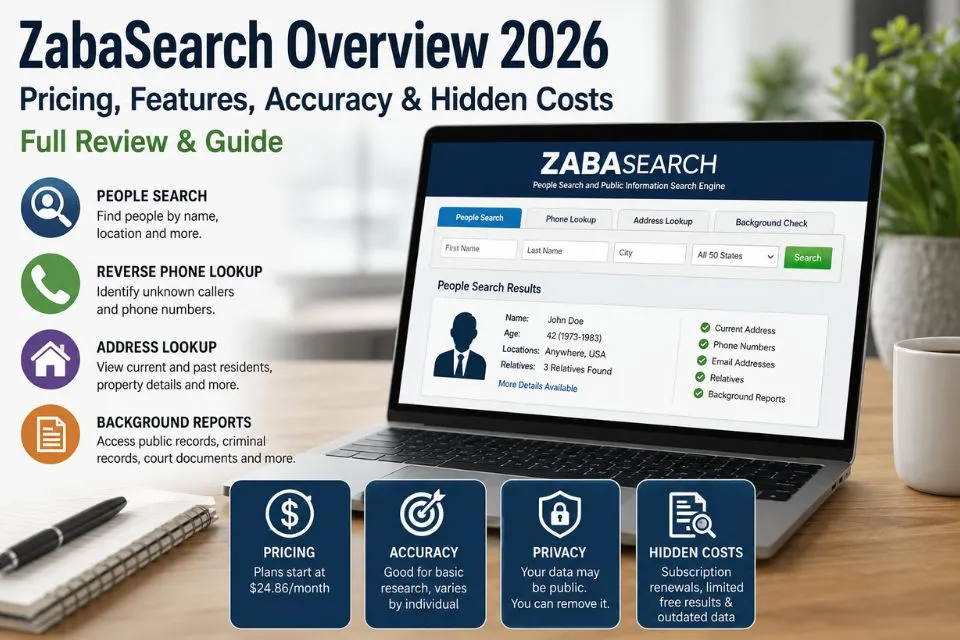
ZabaSearch is a U.S. people-search engine that draws on public records and other data sources. Basic searches may show limited information. More detailed background reports may require payment.
This guide explains what a ZabaSearch result can tell you, how to verify it, and how to request suppression of your own listing. For a fuller method, see verify people-search results.
ZabaSearch at a Glance
| Feature | Details |
|---|---|
| Service type | People-search engine |
| Free search | Limited results |
| Reverse phone lookup | Yes |
| Address search | Yes |
| Background reports | Payment may be required |
| Data sources | Public records and aggregated commercial databases |
| Current price | Unverified. Check the total and renewal terms at checkout. |
| Opt-out | Start with the site’s official privacy link. |
How ZabaSearch Works
The FTC notes that people-search sites can combine public records and third-party data. Common sources across the industry include:
- public records
- property records
- telephone directories
- court records
- government databases
- marketing databases
- historical address records
A name search may return more than one person. Treat matches as leads and verify any detail that matters against an independent source.
What Searches Can Return
People Search
The core feature is a name search. Typical results may include full name, current and previous addresses, approximate age, known relatives and associated cities. It is useful for locating lost contacts or checking that a name, age and place belong together.
Reverse Phone Lookup
A phone search may return an owner name, a geographic location, possible address history and related records. It is often used to identify unknown callers. Because numbers are ported and reassigned, the name returned is a lead, not a confirmation.
Address Lookup
Address searches may show current and past residents, property-related information and associated individuals. Researchers use them to check residential history, always noting the date of each record.
Background Reports
Paid reports may include criminal records, court filings, bankruptcy records, liens and judgments, contact information and social profiles. Their coverage depends on state law and on the data sources available.
Public Records Search
Public-record data can support identity checks, research projects and genealogy. Using it for background screening is subject to the legal limits below.
Pricing and Subscription Terms
Basic searches typically show limited information. Check the price, billing interval, and renewal terms before purchasing a detailed report. Current ZabaSearch pricing could not be verified for this update.
- Check renewals. Monthly plans may renew automatically unless cancelled under the provider's terms. Review the renewal policy, billing schedule and cancellation procedure.
- Expect limited free results. A free search is usually a preview, not a complete record.
- Expect uneven depth. Report quality depends on state rules, public-record availability, data-source coverage and record age. Two people can produce reports of very different depth.
- Keep evidence. Save a dated screenshot of the price and terms shown at checkout.
How Accurate Is ZabaSearch?
No independent accuracy study of ZabaSearch was found for this profile. Because its information comes from many public and commercial sources, record freshness varies. Common problems in people-search results include:
- outdated addresses
- old phone numbers
- duplicate records
- missing recent data
- incomplete profiles
In 2023, the FTC alleged that TruthFinder and Instant Checkmate made misleading claims about report accuracy while relying on third-party data they had not verified. The companies agreed to a $5.8 million settlement (FTC, 2023).
How Accuracy Could Be Tested
This guide does not report hands-on test results. A repeatable evaluation would record:
- the test dates and the number of searches run;
- test subjects who consented, or the testers' own records, with known correct details;
- searches by name, phone and address for each subject;
- each returned item scored as correct, outdated, wrong or missing;
- whether the site shows record sources and dates, and the full price before checkout;
- how long an opt-out request took to take effect, and whether the listing reappeared within 90 days.
How to Verify Results
Treat ZabaSearch as a lead generator. A sound routine is:
- Run the search and save the results page with the date and time.
- Pick the identifiers that matter (name, age, address, phone) and confirm each in an independent primary source, such as a county property record, court docket or business register.
- Resolve duplicates by comparing dates of birth, middle names and address sequences, not by name alone.
- Treat a phone-to-name match as unconfirmed until you have checked it independently. See reverse phone lookup techniques.
- Record which details were confirmed, where and when, and which were not.
Legal Limits Under the FCRA
Do not use ZabaSearch results for employment, tenant screening, credit, or insurance decisions. The Fair Credit Reporting Act regulates consumer reports used for those purposes, including requirements around permissible purpose, accuracy, and disputes. In 2025, the CFPB withdrew a proposal to expand its rules governing certain data-broker practices under the FCRA.
Privacy Concerns
ZabaSearch can display information that people never knowingly gave to it, including addresses, phone numbers, relatives and historical records. The FTC warns that people-search reports can put survivors of domestic violence or stalking at particular risk (FTC, 2022). This is why opting out matters.
How to Opt Out
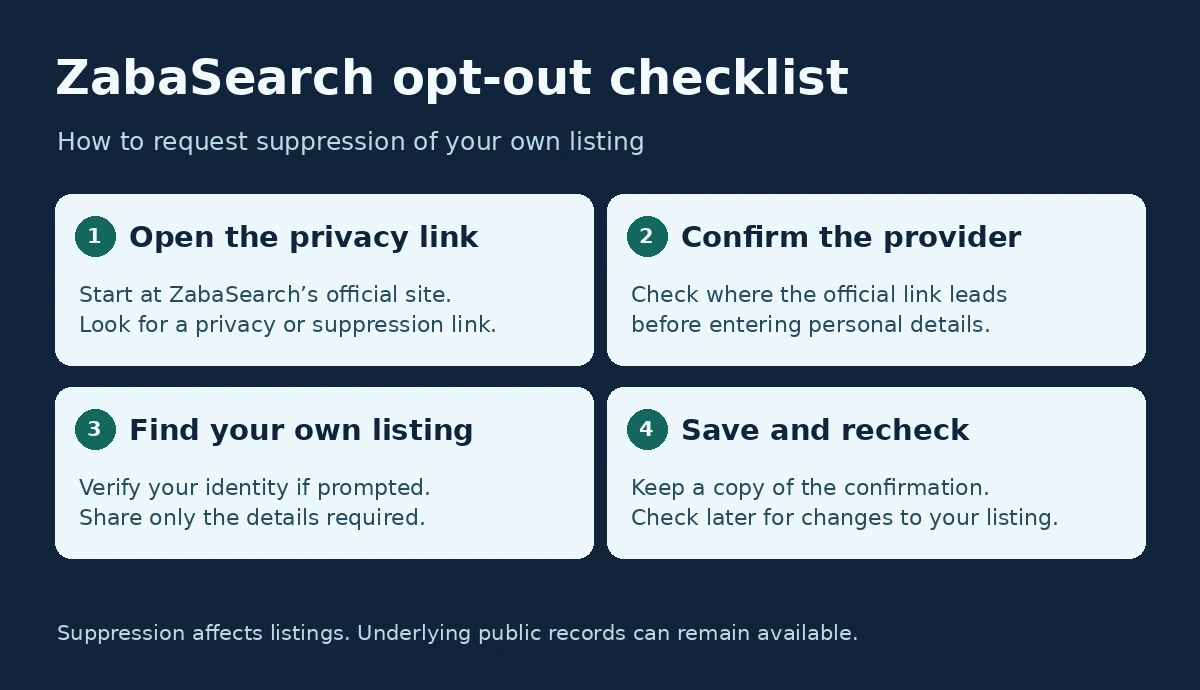
Start with the privacy links published by ZabaSearch. The PeopleConnect Suppression Center lists Intelius, TruthFinder, Instant Checkmate, and US Search as examples of covered sites. Confirm where ZabaSearch directs you before sharing personal information. The exact fields and steps can vary by provider.
Open the Privacy Link
Open the ZabaSearch website and scroll to its footer. Look for a privacy, data rights, or suppression link, and check the destination before entering any details.
Confirm Your Email
If the provider asks for an email address, follow the confirmation instructions sent to that address.
Provide Required Details
The privacy provider may ask for identifying information to find your record or verify that the request is yours. Provide only the information needed to complete the request.
Locate Your Record
Review the results and select your own profile. Check for duplicates if the portal lets you request suppression for more than one listing.
Verify Your Identity
You may be asked to verify by email or phone using a code or link.
Submit and Save Confirmation
Submit the suppression request. Save confirmation emails and screenshots of confirmation pages in case follow-up is needed.
Removal Timing and Durability
A processing time for ZabaSearch could not be verified. Keep the confirmation and check the listing again later. Information can reappear when a site receives updated records. Suppressing a listing does not remove the underlying public records (FTC, 2022).
Does Removal Cost Money?
No. The FTC advises that you can opt out of people-search sites yourself for free, although it can take time (FTC, 2022). Paid removal services exist. If you use one, ask how many sites it covers, whether it reports which sites it opted you out of, and how often it rescans.
California Residents and DROP
California residents can use the state’s Delete Request and Opt-out Platform (DROP) to send a free deletion request to active data brokers. Beginning August 1, 2026, covered brokers must access the platform at least every 45 days to process requests, subject to statutory exceptions.
Related AOFIRS Guides
For more information on verifying results and requesting removal, see the AOFIRS guides below.
Who Should Use ZabaSearch?
ZabaSearch can help internet researchers, journalists, genealogists, investigators, public-record researchers and people trying to reconnect with contacts, as a first step. It is less suitable for anyone who needs current, verified information, because record freshness depends on the underlying sources.
Conclusion
Use ZabaSearch as a starting point. Confirm important details independently, check current billing terms before paying, and use the official privacy link if you want to request suppression of your listing.
References
- California Privacy Protection Agency. Delete Request and Opt-out Platform (DROP). California DROP portal
- Consumer Financial Protection Bureau. (2025, May 15). Protecting Americans from harmful data broker practices (Regulation V); withdrawal of proposed rule. Federal Register, 90, 20568–20569. CFPB rule withdrawal
- Federal Trade Commission. (2016, April). What employment background screening companies need to know about the Fair Credit Reporting Act. FTC FCRA guidance
- Federal Trade Commission. (2022, August 25; updated 2024, November 15). What to know about people search sites that sell your information. Consumer Advice. FTC opt-out guidance
- Federal Trade Commission. (2023, September 11). FTC says TruthFinder, Instant Checkmate deceived users about background report accuracy, violated FCRA [Press release]. FTC settlement announcement
- PeopleConnect. Suppression Center. PeopleConnect Suppression Center