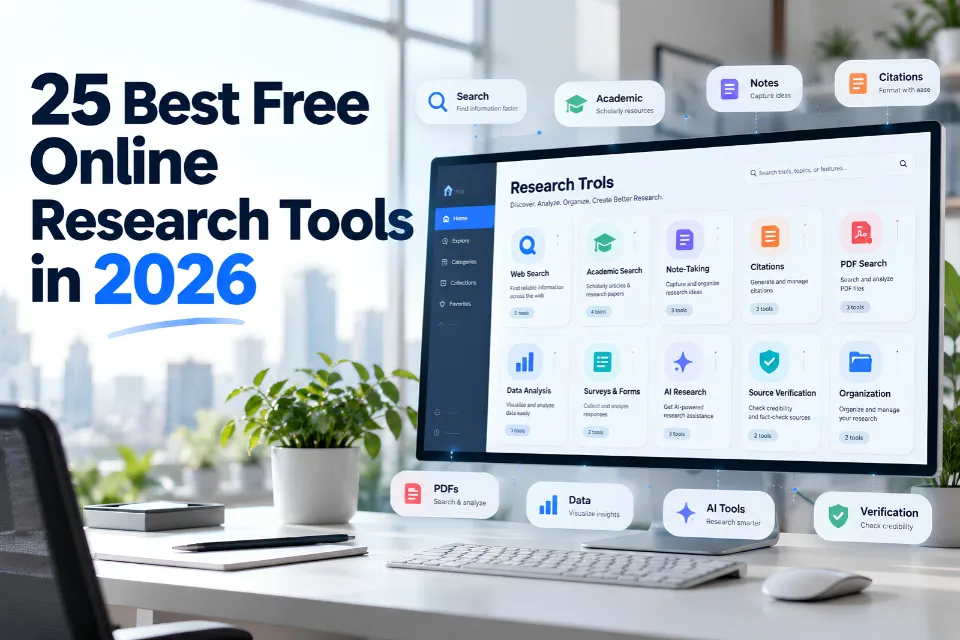
The best free online research tools help you find evidence, evaluate sources, organize references and analyze information. The right choice depends on your question and the type of material you need.
The best free online research tools in 2026 include Google Scholar for academic discovery, Semantic Scholar for scholarly literature, PubMed for medical research, Zotero for reference management, and Elicit for AI-assisted research. Other platforms specialize in fact-checking, public datasets, historical records, and research visualization.
In this guide, free includes services with no-cost core access and freemium tools with usage limits. Free discovery does not guarantee free full-text, unlimited exports, storage or advanced AI features.
This guide compares 25 tools by research task, explains their limitations and shows how to combine them into a practical workflow. The list is organized by purpose, not presented as a universal performance ranking.
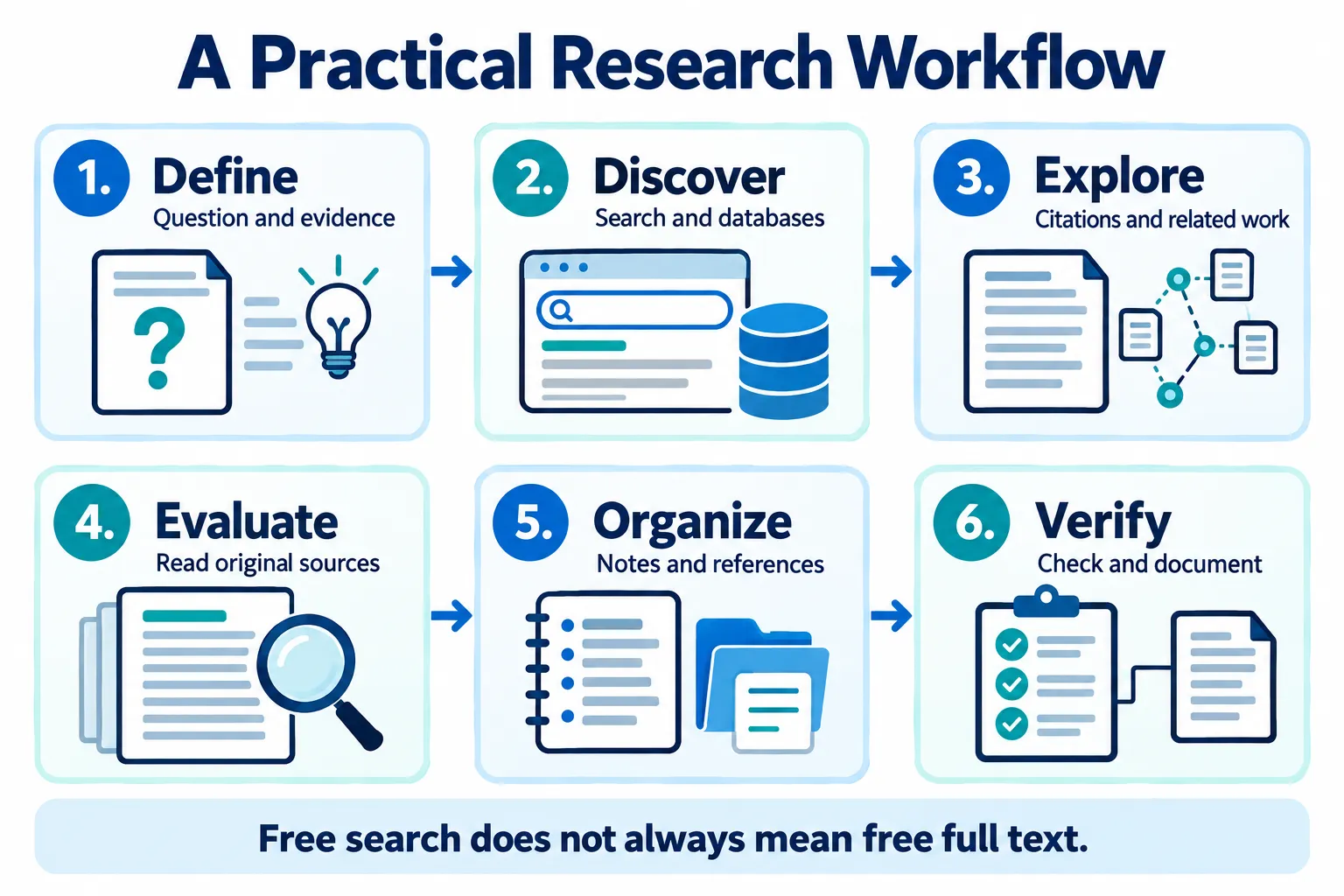
What Are Online Research Tools?
Online research tools support information discovery, source evaluation, organization, analysis and verification. Some specialize in academic literature; others help with public records, datasets, citations or monitoring.
These include academic search engines, specialist databases, AI research assistants, citation managers, fact-checking tools and data analysis applications.
In contrast to general web searching, there are specialist tools which are designed for particular types of research. A good example of this is the use of academic databases which will allow you to find and retrieve peer-reviewed literature. You’ll also have reference management tools which will assist in the management of your citations and your references throughout the course of your research.
A robust research methodology will generally employ a number of tools rather than just one.
Why Online Research Tools Matter in 2026
Research often involves websites, scholarly publications, public datasets and AI-generated information. Each source type calls for different checks.
AI tools can be used to help researchers find relevant publications, to summarize the literature and to explore links between studies. The problem with automated summaries is that they can lose context, misrepresent findings or get the references completely wrong.
Traditional research databases remain an indispensable resource. You can look at the metadata, you can get at the actual papers, you can look at the supporting evidence for the claims that are made.
Effective online research relies on three core skills:
- Information discovery: Finding relevant documents and datasets.
- Source evaluation: Checking authorship, publication details, evidence, and credibility.
- Research organization: Saving information, tracking references, and documenting findings.
The combination of these competencies with appropriate research tools leads to a research process that is more transparent, more reliable and more reproducible.
Quick Comparison: 25 Best Free Online Research Tools
| Research Tool | Best For | Access |
|---|---|---|
| Google Scholar | Academic literature searches | Free search |
| Semantic Scholar | Scholarly discovery | Free |
| PubMed | Biomedical research | Free |
| DOAJ | Open-access journals | Free |
| ERIC | Education research | Free |
| OpenAlex | Scholarly metadata | Free basic access |
| CORE | Open-access research discovery | Free search |
| arXiv | Scientific preprints | Free |
| Elicit | AI-assisted literature review | Freemium |
| Consensus | Research-based AI answers | Freemium |
| ResearchRabbit | Literature mapping | Freemium |
| Connected Papers | Research relationship graphs | Freemium |
| Google Advanced Search | Targeted web searches | Free |
| DuckDuckGo | General web research | Free |
| Wayback Machine | Historical website research | Free |
| Zotero | Citation management | Free core software |
| Mendeley | Research reference management | Free basic plan |
| FactCheck.org | Public claim verification | Free |
| Snopes | Viral claims and misinformation | Free reading |
| Google Fact Check Explorer | Finding published fact-checks | Free |
| Our World in Data | Data-driven global research | Free |
| World Bank Open Data | International development data | Free |
| Data.gov | US government datasets | Free |
| Google Sheets | Research data organization | Free personal use |
| Feedly | News and source monitoring | Freemium |
Access notes reviewed on October 28, 2026. Check each provider’s current terms before a major project; free allowances, registration requirements and features can change.
Best Academic Research Tools and Search Engines
Academic discovery tools help identify publications, explore research relationships and find gaps worth investigating. Database coverage and access vary.
1. Google Scholar
Official resource: Google Scholar.
Best for: Finding academic articles, theses, books and conference papers.
Google Scholar is a searchable index of scholarly literature across a wide range of subjects. You can use it to find related publications, follow the citation trail and see different versions of a paper.
Key features:
- Scholarly search and citation data.
- Related articles and cited by links.
- Search alerts and publication discovery.
Free access: searching is free, though some publisher-hosted articles will require payment or institutional access.
Research example: A university student can come across a study on renewable energy policy and then follow the citations to find the original work.
Limitation: The indexed content varies in terms of quality and accessibility. Inclusion in the index does not mean that every document has been subject to peer review.
2. Semantic Scholar
Official resource: Semantic Scholar.
Best for: Looking at the literature and the research links.
Semantic Scholar is a scholarly search engine that uses machine learning to aid research discovery.
Its search and paper information features will allow researchers to explore the related work, find the key papers and investigate the citation relationships.
Free access: core search functionality is free.
Research example: A researcher doing a literature review on natural language processing could use the related paper suggestions to broaden their review.
Limitation: coverage and the automatically generated research insights may vary by discipline.
3. PubMed
Official resource: PubMed.
Best for: Biomedical, healthcare and life sciences research.
PubMed is a free search resource from the US National Library of Medicine. It’s a bibliographic database of the biomedical and life sciences literature.
Researchers can use subject headings, publication filters and advanced queries to narrow their results.
Free access: search and article records are free. full-text access is publication dependent.
Research example: A healthcare researcher can identify clinical studies on diabetes prevention.
Limitation: PubMed records don’t automatically give you access to the full-text of every article.
4. Directory of Open Access Journals (DOAJ)
Official resource: DOAJ.
Best for: Finding peer-reviewed open access journals.
DOAJ indexes open access journals that meet its inclusion criteria.
Researchers can find journals and the articles available in them across all the different subject areas.
Free access: the directory and the indexed open access content are all freely accessible.
Research example: An environmental researcher could identify open access journals that publish work on climate adaptation.
Limitation: DOAJ doesn’t cover every reputable academic journal.
5. ERIC
Official resource: ERIC.
Best for: Education policy, teaching methods and educational research.
ERIC (the Education Resources Information Center) provides access to bibliographic records and to educational research.
It’s very useful for looking at classroom practice, learning outcomes, the programs themselves and policy development.
Free access: database searching is free and full-text is available for selected records.
Research example: An education specialist could look at studies which compare online and face-to-face instruction.
Limitation: some of the indexed publications are only available via the external publisher.
6. OpenAlex
Official resource: OpenAlex access.
Best for: Scholarly metadata, citation analysis and research mapping.
OpenAlex is an index of scholarly works, authors, research institutions, publishers and topics.
OpenAlex offers scholarly discovery and API access for research analysis. Its API uses a free allowance with paid options for additional usage; check the current access rules before planning large-scale collection.
Free access: scholarly discovery and a limited API allowance are available. API keys, rate limits and paid usage options depend on the access method.
Research example: An analyst can look at publication trends across research institutions.
Limitation: the metadata may contain missing records and/or incorrectly matched records and should be checked prior to any formal analysis.
7. CORE
Official resource: CORE.
Best for: Finding open access research papers.
CORE aggregates research content from repositories and from academic publishing sources.
It helps researchers to find accessible versions of journal articles and to explore the open research.
Free access: public search is available without a subscription.
Research example: a student could look for papers on sustainable construction that are freely available.
Limitation: availability of full-text documents and advanced data services varies.
8. arXiv
Official resource: arXiv.
Best for: Early scientific research in mathematics, physics, computing, and related disciplines.
arXiv hosts research preprints and other scholarly manuscripts.
It enables researchers to track the progress of developments prior to formal publication in a journal.
Free access: papers and the basic search functionality are free.
Research example: A computer scientist can go and have a look at some of the recent machine learning preprints.
Limitation: many preprints have not gone through journal peer review. Treat the findings as provisional until they have been properly peer-reviewed.
Best AI Research Tools in 2026
AI-powered research tools can assist with literature discovery, answer research questions and help to organize the published evidence.
Their outputs should be treated as research assistance rather than as a replacement for reading and assessing the original sources.
A Prompt for Evidence Discovery
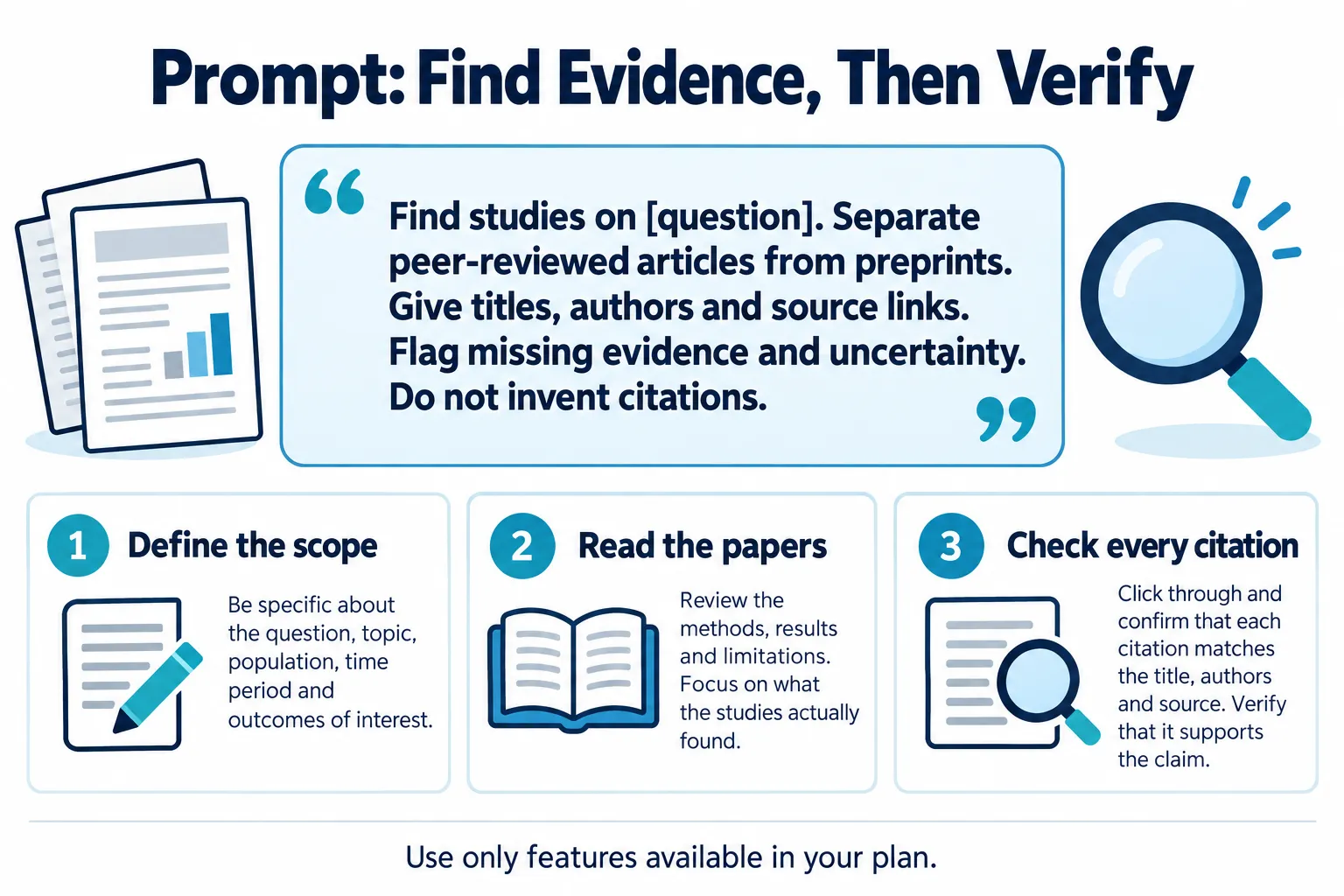
Find studies on [question]. Separate peer-reviewed articles from preprints. Give titles, authors and source links. Flag missing evidence and uncertainty. Do not invent citations.
Use the prompt in a tool that supports this workflow. Specify the population, date range and study type, then confirm every reference and material claim in the original publication.
9. Elicit
Official resource: Elicit plans.
Best for: AI-assisted literature searches and research synthesis.
Elicit enables users to search the academic literature and look at the results of research using AI-assisted workflows.
Researchers can go on to look at the relevant literature and make use of the features available to them in order to structure their findings.
Free access: Elicit offers a Basic plan. Search and selected paper features are available, while advanced workflows, exports and higher usage depend on the plan.
Research example: A student could search for studies on the relationship between sleep and academic performance.
Limitation: the AI-derived findings must be checked against the original papers.
10. Consensus
Official resource: Consensus plans.
Best for: Using the literature to explore your research questions.
Consensus is an AI-powered interface for finding research on a given question.
It’s useful for initial exploration of a topic where there is already published scientific evidence.
Free access: Basic access is available, premium features are subject to plan restrictions.
Research example: A researcher could look at the published evidence on exercise and cognition.
Limitation: a summary answer may not reflect the differences in methodology, study quality or conflicting evidence.
11. ResearchRabbit
Official resource: ResearchRabbit plans.
Best for: Visual literature discovery and citation exploration.
ResearchRabbit enables researchers to find related publications and create reading collections.
Its visual approach is useful when you’re moving out from a known article to the related literature.
Free access: ResearchRabbit offers a free discovery plan with collections and core search settings. ResearchRabbit+ adds advanced controls and larger workflows.
Research example: a postgraduate student could start with a seminal paper and then go on to find the other papers that it references in order to do their literature review.
Limitation: the value of the recommendations is in part dependent on the original papers and the citation data available.
12. Connected Papers
Official resource: Connected Papers plans.
Best for: visualizing the relationships between scholarly publications.
Connected Papers builds visual graphs to help researchers explore the publications connected to a given paper.
It can be used to identify clusters of related work and to suggest alternative research directions.
Free access: Connected Papers offers five graphs per month on its free tier. Check the current plan before starting a large mapping project.
Research example: A researcher looking at renewable energy storage might look at papers linked to a seminal paper.
Limitation: Visual similarity in no way equates to research quality or agreement and free graph generation is restricted.
Best Free Search Engines and Web Research Tools
13. Google Advanced Search
Official resource: Google Advanced Search.
Best for: Finding specific information on the public web.
Google Advanced Search has filters for exact phrase, domain, language and a number of other search conditions.
Researchers can take a very broad topic and hone it down to a specific government, academic or organization website.
Research example: A policy analyst could limit a search for environmental regulations to government domains.
Limitation: The search results are dependent on what Google discovers and indexes. Not all relevant information will be in the public search results.
14. DuckDuckGo
Official resource: DuckDuckGo.
Best for: general web research via a privacy-focused search service.
DuckDuckGo is a search engine that’s all about minimizing search tracking.
It can also provide a different angle when looking at the results from different search engines.
Research example: A journalist can compare the results of a search for a public issue across different search engines rather than just relying on one.
Limitation: privacy-focused search does not offer complete anonymity and will not prevent websites you visit afterwards from tracking you.
15. Internet Archive Wayback Machine
Official resource: Wayback Machine.
Best for: Researching historical versions of websites.
The Wayback Machine enables researchers to look at archived versions of web pages.
It’s useful for looking at how the public information, the organization’s statements and the website content has changed.
Research example: An analyst can compare the current policy page with a version from an earlier year (archived).
Limitation: not every site or page is archived and captures may lack images or other interactive content.
Best Free Citation and Reference Management Tools
16. Zotero
Official resource: Zotero.
Best for: Organizing sources and preparing academic references.
Zotero is a reference management application that helps researchers collect bibliographic information, organize sources, and create citations.
It supports a wide range of citation styles and integrates with common writing workflows.
Free access: Core software is free. Additional cloud storage may require payment.
Research example: A thesis writer can organize journal articles by chapter and generate a reference list.
Limitation: Imported metadata and generated citations should be checked for accuracy.
17. Mendeley Reference Manager
Official resource: Mendeley.
Best for: Managing academic references and research documents.
Mendeley provides tools for collecting publications, managing references, and integrating citations into writing workflows.
Free access: Basic reference management is available, with storage and service restrictions.
Research example: A postgraduate researcher can maintain a searchable library of papers for multiple assignments.
Limitation: Cloud storage allowances and supported workflows depend on the current product offering.
Best Free Fact-Checking and Verification Tools
18. FactCheck.org
Official resource: FactCheck.org.
Best for: Evaluating public and political claims.
FactCheck.org publishes research-based examinations of public statements and claims.
It can help researchers identify supporting evidence and investigate the accuracy of widely discussed assertions.
Free access: Published fact-checking material is freely available.
Research example: A policy researcher can compare a public official’s statement with an independent fact-check.
Limitation: Its coverage focuses on selected topics and claims. Researchers should still examine the underlying evidence.
19. Snopes
Official resource: Snopes.
Best for: Investigating viral stories, rumors, and misinformation.
Snopes examines the origins and accuracy of claims circulating online.
Its articles may provide background information, relevant context, and references useful for additional verification.
Free access: Snopes offers public fact-check articles, but reading conditions, ads and membership features may vary. Check access to the specific article before relying on it.
Research example: A journalist can investigate whether a widely shared image is associated with the correct event.
Limitation: Not every emerging rumor has been investigated, and access conditions may vary.
20. Google Fact Check Explorer
Official resource: Fact Check Explorer.
Best for: Discovering previously published fact-checking reports.
Google Fact Check Explorer allows researchers to search for claims reviewed by participating fact-checking publishers.
It supports source discovery rather than making independent judgments about every claim.
Free access: Search access is free.
Research example: A researcher can check whether a viral health claim has already been examined by fact-checking organizations.
Limitation: The absence of a result does not mean a claim is accurate.
Best Free Data Research and Analysis Tools
21. Our World in Data
Official resource: OWID datasets.
Best for: Exploring global trends through research-based datasets.
Our World in Data publishes visualizations and explanatory material covering health, population, energy, education, and other global topics.
Free access: Public charts and datasets are freely accessible.
Research example: A researcher can compare historical renewable energy trends across countries.
Limitation: Data coverage, reporting periods, and definitions differ between indicators.
22. World Bank Open Data
Official resource: World Bank data.
Best for: Economic and development research.
World Bank Open Data provides indicators related to economic activity, development, education, health, and infrastructure.
Users can examine country-level information and compare indicators across periods.
Free access: Public data access is free.
Research example: A market analyst can compare economic indicators across emerging markets.
Limitation: Some datasets have reporting delays or gaps, and estimates should not be confused with directly observed values.
23. Data.gov
Official resource: Data.gov.
Best for: Finding US government datasets.
Data.gov is a central catalog for discovering datasets from US government agencies and related sources.
It supports research involving public services, transportation, environmental conditions, and other government information.
Free access: Catalog access is free.
Research example: A researcher can locate public transportation datasets for a city-level analysis.
Limitation: Dataset quality, formats, access methods, and update schedules vary by publisher.
24. Google Sheets
Official resource: Google Sheets.
Best for: Organizing, cleaning, and analyzing smaller research datasets.
Google Sheets is a cloud-based spreadsheet application that supports formulas, filtering, charts, and collaboration.
It can help teams maintain research inventories, evaluate survey responses, and compare findings.
Free access: A free personal version is available.
Research example: A market researcher can analyze survey responses and produce basic charts.
Limitation: Large, complex datasets may require more specialized statistical or database tools.
Best Free News and Information Monitoring Tool
25. Feedly
Official resource: Feedly News Reader.
Best for: Following research sources and industry publications.
Feedly organizes content from websites and feeds into a central reading environment.
Researchers can follow relevant publications, review newly published articles, and organize information sources.
Free access: A basic free offering is available, while more advanced monitoring capabilities require paid access.
Research example: A technology analyst can follow selected publications covering artificial intelligence and cybersecurity.
Limitation: Access to premium monitoring features is restricted, and not every publisher supplies a complete feed.
How to Choose the Right Online Research Tool
Choose tools based on the research question, required evidence and output. Start with the task rather than the popularity of a platform.
| Research Goal | Recommended Starting Tools |
|---|---|
| Academic literature review | Google Scholar, Semantic Scholar, OpenAlex |
| Medical literature | PubMed |
| Education research | ERIC |
| Open-access scientific papers | DOAJ, CORE, arXiv |
| AI-assisted literature discovery | Elicit, Consensus |
| Research relationship mapping | ResearchRabbit, Connected Papers |
| Historical website verification | Wayback Machine |
| Fact-checking | FactCheck.org, Snopes |
| Citation management | Zotero, Mendeley |
| Public data analysis | World Bank Open Data, Google Sheets |
| Industry monitoring | Feedly |
Compare coverage, source provenance, full-text access, exports, privacy and free-tier limits before committing to a platform.
How to Combine Free Research Tools Into a Practical Workflow
A documented workflow makes the process easier to review and repeat. Record databases, queries, filters and access dates as you work.
Example: Research Online Learning
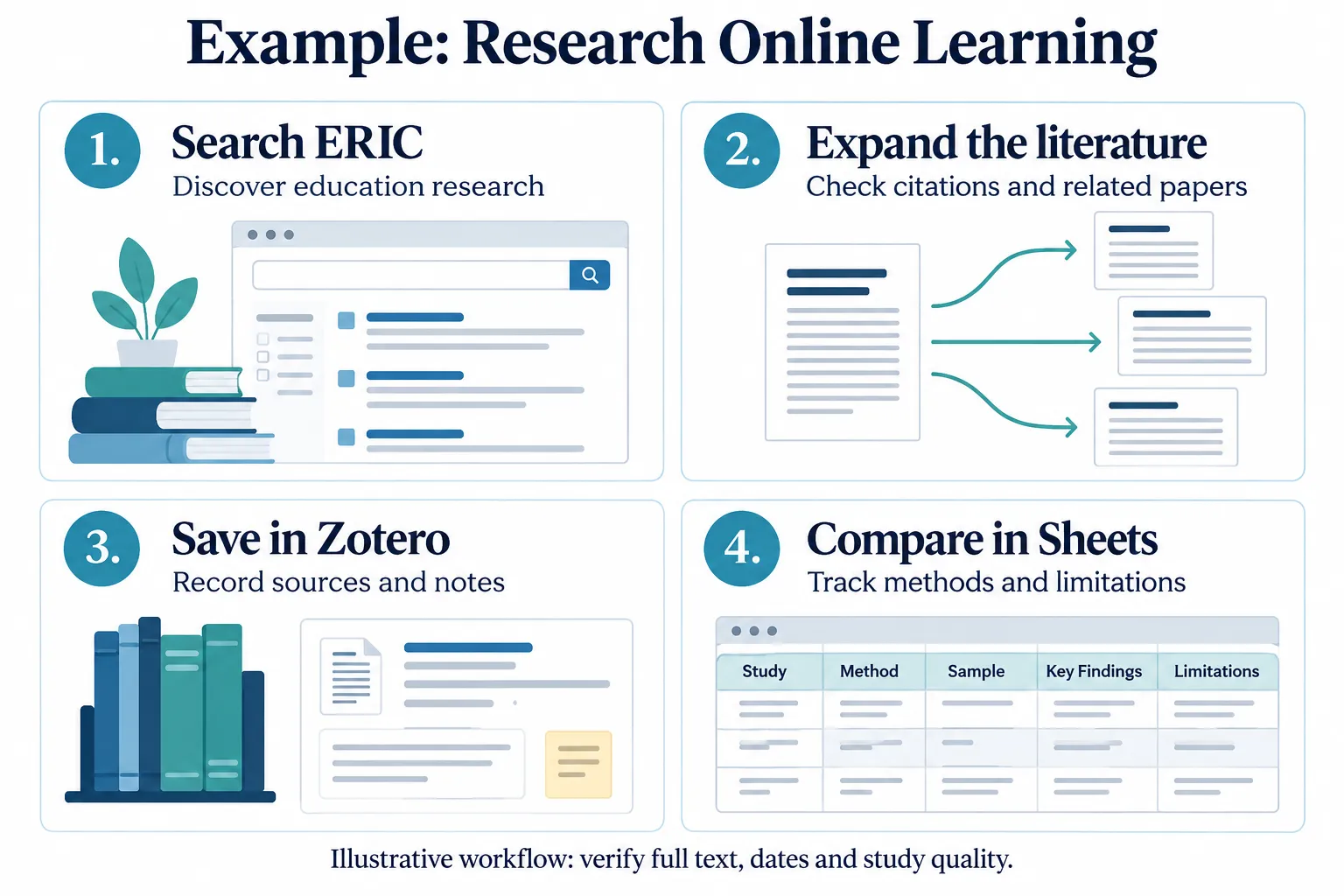
For a question about online learning, start with ERIC, document the search terms and filters, follow relevant citations, and save records in Zotero. Compare study methods and limitations in Google Sheets. This is an illustrative process, not a completed literature review.
Step 1: Define the research question
Write a specific question and identify the type of evidence required.
Step 2: Discover relevant information
Use Google Scholar, Semantic Scholar, or a subject-specific database to locate publications.
Step 3: Explore related research
Use ResearchRabbit or Connected Papers to investigate relationships between papers.
Step 4: Evaluate the original evidence
Read source documents, check publication dates, review methods, and identify limitations.
Step 5: Organize references
Save bibliographic records and research notes in Zotero or Mendeley.
Step 6: Analyze findings
Use Google Sheets or an appropriate data analysis platform to compare information.
Step 7: Verify and document conclusions
Check factual claims, record original sources, and distinguish findings from interpretations.
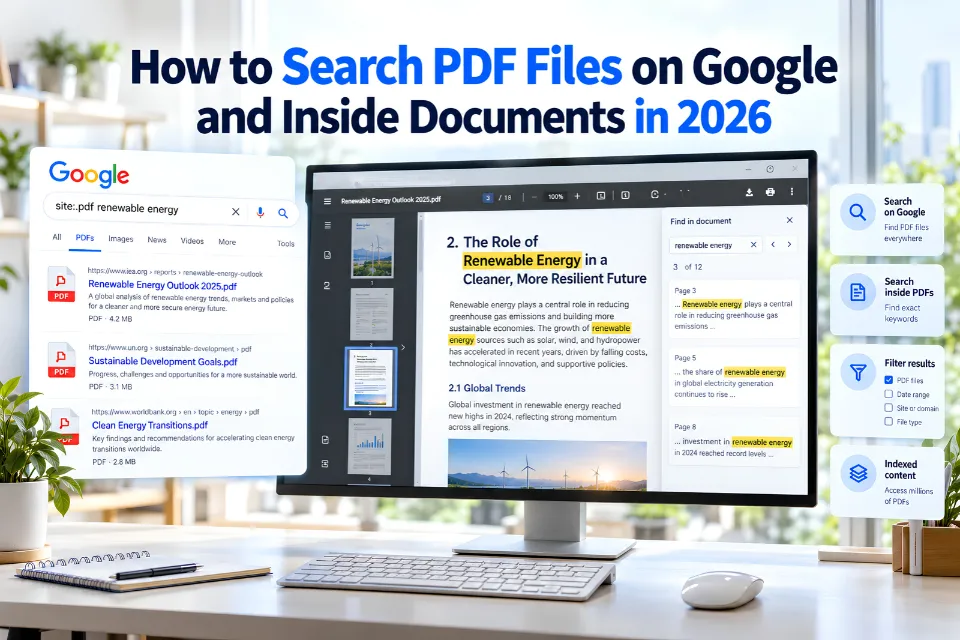
For broader methods, explore the AI research guide and PDF search guide.
AI Research Tools vs. Traditional Research Tools
AI-powered and traditional research tools serve related but different purposes.
| Feature | AI Research Tools | Traditional Research Tools |
|---|---|---|
| Research discovery | Natural-language and AI-assisted exploration | Keyword, field, and database searches |
| Summarization | Often automated | Primarily reader-directed |
| Source verification | Requires independent checking | Provides records for direct evaluation |
| Literature relationships | AI recommendations and visual discovery | Citations, indexing, and metadata |
| Main risk | Incorrect or incomplete generated answers | Incomplete coverage and search bias |
AI research tools can accelerate early discovery. Traditional databases remain important for evaluating source records and original evidence.
A reliable approach combines both while maintaining human oversight.
Limitations of Free and AI-Powered Research Tools
Free research platforms provide valuable access, but researchers should understand their limitations.
- Restricted features: Advanced exports, storage, or AI queries may require payment.
- Incomplete coverage: A database may omit relevant publications or disciplines.
- Publication barriers: Free search does not always include free full-text access.
- AI inaccuracies: Generated summaries can misinterpret findings or fabricate citations.
- Metadata errors: Publication details and author records may be incomplete.
- Privacy concerns: Uploading confidential documents to third-party AI services may introduce data protection risks.
Before citing AI-assisted findings, inspect the original publication, verify the author and title, check the research methodology, and confirm that the cited evidence supports the conclusion.
Frequently Asked Questions
1. What are the best free online research tools in 2026?
Google Scholar, Semantic Scholar, PubMed, Zotero, OpenAlex, and DOAJ are useful starting points for different research tasks. Elicit and ResearchRabbit add AI-assisted discovery capabilities. The best choice depends on whether the project requires academic publications, reference management, data analysis, or information verification.
2. Which free research tools are best for students?
Google Scholar and Semantic Scholar help students locate academic literature. DOAJ and CORE are useful for finding open-access publications, while Zotero helps organize references. Students should also use subject-specific databases and institutional library resources when available.
3. What are the best free AI tools for academic research?
Elicit, Consensus, ResearchRabbit, and Connected Papers offer AI-supported or computational approaches to research discovery. Free-plan features vary. Researchers should use these platforms to explore literature and then verify any summaries or conclusions against original studies.
4. Is Google Scholar completely free?
Google Scholar is free to search. However, some publications indexed by the platform are hosted by commercial publishers and require payment or institutional access. Researchers can also look for open-access versions in repositories or through available library services.
5. Can AI research tools replace academic databases?
AI research tools can support literature discovery and preliminary synthesis, but they should not replace original publications or well-designed database searches. Academic databases provide structured records and search capabilities that remain important for systematic and reproducible research.
6. How can researchers verify AI-generated citations?
Search for the article title, authors, DOI, and publication details in official publisher websites or scholarly databases. Confirm that the document exists and inspect whether the cited passage supports the claim. Never assume a reference is genuine solely because an AI system presents it confidently.
7. What is the difference between a research database and a search engine?
A research database typically organizes records according to a defined subject area or collection. A search engine discovers and retrieves information from indexed resources. Their coverage and search features overlap, but specialized databases can offer more focused filters and bibliographic information.
8. Which free tools help with citation management?
Zotero and Mendeley are widely used reference managers that provide free basic functionality. They can store bibliographic records and generate citations in supported styles. Researchers should always review automatically imported details and formatted references before submission.
9. Are free online research tools reliable?
Many free tools provide access to reputable information, but reliability depends on the original sources and the platform’s methods. Researchers should examine publication dates, authorship, evidence, editorial standards, and possible limitations before relying on any result.
10. How do I choose the right online research tool?
Begin by identifying your research question and the evidence required. Use scholarly databases for academic publications, data portals for statistical information, and fact-checking resources for disputed claims. Compare coverage, accessibility, accuracy, and privacy before selecting tools for a project.
Conclusion
The best free online research tools in 2026 support different stages of research, from discovering publications and evaluating claims to organizing sources and analyzing datasets. Academic platforms such as Google Scholar and PubMed help locate scholarly literature. AI-assisted tools can make research discovery more efficient, while citation managers and data platforms improve organization and analysis. No tool guarantees reliable results. Select appropriate sources, read the original evidence, document limitations and verify conclusions before citing or sharing them.