
Google is the default starting point for most searches, but it is one index with one ranking system. Other search engines crawl the web themselves, buy results from Google or Bing, sit behind a privacy layer, generate answers with AI, or search collections that general engines barely reach: journal literature, patents, court records, company registers and datasets. This directory lists 100 of those services and says plainly what each one is, where its results come from when the provider documents it, and what kind of research question it suits.
This is AOFIRS’s maintained general directory. Detailed comparisons sit in two companion lists: Privacy Search Engines for Researchers for private searching and Academic search engine directory for scholarly discovery. For narrow, single-subject engines, see Specialized Search Engines.
How This Directory Was Compiled
Review date: 9 November 2026. The directory’s documented checks use official websites or provider documentation. Entries marked Not re-checked retain details from the August edition. Confirm those details with the provider before relying on them.
An entry was included if it met all of these criteria:
- Live and publicly reachable on the verification date, with a search interface or a documented search API.
- A distinct source of results: its own index, a curated collection, a distinctive way of combining others’ results, or an AI layer that cites sources.
- Useful for a recognisable research task, such as verification, scholarly discovery, regulatory records or regional-language coverage.
- Documented by the provider, so that claims about where results come from can be checked.
Entries are grouped by type, not ranked. AOFIRS did not run comparative tests of result quality, so no entry is described as better than another. Features, partnerships, prices and regional availability change often; check the provider’s own pages before you depend on a feature.
The directory links to providers and documentation so readers can check coverage, availability and access terms directly.
Types of Search Systems
Traditional search engines
A traditional search engine crawls the web, builds an index and ranks pages against a query. Google and Bing are the largest; Brave Search and Mojeek also run their own indexes. Traditional search still matters because it sends you to the original page rather than to a summary of it.
AI search and answer engines
AI search engines combine retrieval with a language model. They interpret a conversational question, retrieve pages and write a synthesised answer, usually with citations. Perplexity calls this an answer engine: it searches the web, identifies sources and combines what it finds into one response instead of a list of links (Perplexity). Google’s AI Overviews and AI Mode, Copilot Search and Yahoo Scout work the same way on top of large existing indexes.
AI assistants with web search and deep research
ChatGPT, Gemini, Claude, Grok and similar assistants are general AI tools that can search the web when a question needs current information. Most now also offer a deep-research mode that plans a sequence of searches, reads many sources and writes a report. The assistant does more than retrieve: it interprets and transforms the material, which makes checking the cited sources essential.
Metasearch engines
Metasearch engines send a query to several search services and merge the results. They generally do not run a complete index of their own. They are useful when you want to reduce dependence on a single ranking system.
Vertical and specialist search
A vertical search engine covers one kind of information: biomedical literature, patents, court records, company filings, datasets, images or internet-connected devices. For its specialty, a vertical engine is usually more complete and more precise than a general one.
Search infrastructure for AI agents
A newer category serves software rather than people. Exa, Tavily, Parallel and You.com sell search and content-retrieval APIs designed for AI applications and agents. They matter to researchers because many AI tools now draw their web results from services like these.
Google’s Position in 2026
Google still handles the large majority of conventional web searches. In October 2026, StatCounter recorded Google at 91.05% of worldwide search engine market share, followed by Bing at 4.8%, Yahoo at 1.18%, Yandex at 1.14%, DuckDuckGo at 0.64% and Baidu at 0.42% (StatCounter Global Stats, 2026). On these figures, Bing remains the largest conventional competitor worldwide, but by a wide margin. StatCounter measures traditional search engines; it does not report how many questions now go to AI assistants instead.
Quick Glance: General and AI Search Services
| Service | Type | Own web index? | Cost model |
|---|---|---|---|
| Google Search and AI Mode | Search engine with AI features | Yes | Free |
| Bing and Copilot Search | Search engine with AI features | Yes | Free |
| Brave Search | Independent search engine | Yes | Free |
| Mojeek | Independent search engine | Yes | Free |
| Yep | Search engine (Ahrefs team) | Not stated on the page checked | Free |
| DuckDuckGo | Privacy search engine | Partly; web links largely from Bing | Free |
| Kagi | Subscription search engine | Partly; own indexes plus external providers | Subscription |
| Startpage | Privacy search proxy | No (not re-checked) | Free |
| Ecosia | Search engine funding environmental projects | No; Bing, Google and EUSP | Free |
| Qwant | European search engine | Partly; own index plus Microsoft partnership | Free |
| SearXNG | Open-source metasearch | No | Free, self-hostable |
| MetaGer | Nonprofit metasearch | No | Free; optional key for ad-free use |
| Perplexity | AI answer engine | Not documented on the pages checked | Free and paid plans |
| ChatGPT search | AI assistant with search | No; third-party providers including Bing | Free and paid plans |
| Gemini Deep Research | AI research assistant | Uses Google Search | Free and paid plans |
| Claude web search and Research | AI research assistant | Not stated on the page checked | See provider |
| Yahoo Scout | AI answer engine | No; Bing grounding API plus Yahoo data | Beta for US users |
Who Owns the Index?
A search service can look independent while relying almost entirely on another company’s index. The table below records what each provider says about its own sources. Where a provider’s documentation does not say, the table says so rather than guessing.
| Platform | Own web index? | Third-party sources | AI layer | Architecture |
|---|---|---|---|---|
| Yes | Not stated | Yes | Own index; AI Overviews and AI Mode grounded in it | |
| Bing | Yes (Bingbot crawler) | Not stated | Yes | Own index; Copilot Search on top |
| Brave Search | Yes, “built-from-scratch” | None stated | Yes | Independent index with Answer with AI |
| Mojeek | Yes (MojeekBot) | None for indexing or ranking | None stated | Independent crawler, index and ranking |
| Kagi | Yes, partly (Teclis web index, TinyGem news index) | Major result providers via anonymised API calls, Marginalia, Wolfram Alpha and others | Not re-checked | Hybrid of own indexes and external sources |
| DuckDuckGo | Partly (DuckDuckBot and own indexes) | Traditional links and images largely from Bing | Not re-checked | Own crawler plus partner results, proxied |
| Qwant | Partly (own indexing technology) | Microsoft partnership for results | Not re-checked | Own index plus partner results |
| Ecosia | No | Bing; Google in some regions; EUSP in France only | Not re-checked | Multi-provider |
| Startpage | No | Major search providers (not re-checked) | Not re-checked | Privacy proxy |
| SearXNG | No | Up to 260 search services | None stated | Metasearch |
| MetaGer | No | Several providers (see its transparency statement) | None stated | Metasearch |
| Perplexity | Not documented on the pages checked | Real-time web search | Core | AI answer engine that cites web sources |
| ChatGPT search | No | Third-party search providers, including Bing | Core | AI assistant that searches and cites |
| Gemini | Uses Google Search | Gmail, Drive, uploaded files and NotebookLM if the user adds them | Core | AI assistant grounded in Google Search |
| Claude | Not stated on the page checked | Web sources and connected integrations | Core | AI assistant with web search and multi-step Research |
| Yahoo Scout | No | Bing grounding API, Yahoo content and data | Core | AI answer engine using Anthropic’s Claude as primary model |
| Exa | Yes | None stated | Optional | Search API with its own index |
| Parallel | Yes | None stated | Optional | Search API with own crawler and index |
The provider sources cited below describe how their services obtain results. Some independent projects rely on Common Crawl, an openly available corpus of web pages.
The Directory
General web search engines
1. Microsoft Bing and Copilot Search
Best for: broad conventional search from the largest index outside Google. Bing runs its own crawler, Bingbot, and its own index, ranked by relevance, quality, freshness, location and other signals (Microsoft). Copilot Search, introduced in April 2025, combines traditional results with generated summaries that cite their sources inline (Microsoft Bing, 2025).
2. Brave Search
Best for: an independent index combined with private search and AI summaries. Brave says its results come from “its own, built-from-scratch index”. Answer with AI summarises results at the top of the page, based only on web results and with sources cited; Ask Brave adds follow-up chat (Brave, 2026).
3. Mojeek
Best for: results that owe nothing to Google or Bing. Mojeek uses its own crawler (MojeekBot), its own index of billions of pages and its own ranking algorithms, and does not track users (Mojeek). Its results often differ noticeably from the mainstream engines, which is useful for checking what they leave out.
4. Yep
Best for: watching an emerging independent search project. Yep was created by Dmytro Gerasymenko and built by the Ahrefs team. Its about page puts AI first, listing retrieval-augmented generation and deep research on its roadmap (Yep). The page does not say how Yep’s index relates to the Ahrefs crawler.
Privacy-focused search engines
These engines limit tracking and profiling. AOFIRS compares them in more detail in Privacy Search Engines for Researchers.
5. DuckDuckGo
Best for: everyday private searching with mainstream coverage. DuckDuckGo runs its own crawler (DuckDuckBot) and “many indexes”, but its traditional links and images are “largely” sourced from Bing. Requests to partners are proxied, and no unique identifiers such as your IP address are passed on (DuckDuckGo).
6. Kagi
Best for: ad-free, subscription-funded search with ranking controls. Kagi combines its own web index (Teclis) and news index (TinyGem) with anonymised calls to major result providers, the Marginalia index and vertical sources such as Wolfram Alpha and Wikipedia; a typical query calls “a dozen or so” sources (Kagi).
7. Startpage
Best for: mainstream results through a privacy intermediary. Startpage is a privacy search proxy rather than an independent index: it passes queries to major providers without building a personal profile of the user. Not re-checked: the site blocked automated access on 9 November 2026.
8. Ecosia
Best for: general search that funds environmental projects. Ecosia’s results and ads come from Microsoft Bing, Google and European Search Perspective (EUSP). Which provider you get depends on location, device and privacy settings: Bing is available to everyone, Google only in some regions and browsers, and EUSP currently only in France (Ecosia, 2026).
9. Qwant
Best for: a European, privacy-oriented alternative. Qwant says its results rely on “our own indexing technology” (Qwant), and its privacy policy states that it also has “a partnership with Microsoft for the provision of our search results” and for contextual ads (Qwant). Treat it as a hybrid, not a fully independent index.
10. Swisscows
Best for: family-oriented, filtered searching. Swisscows presents itself as a family-friendly search engine and states that it “does NOT store any data” from users (Swisscows). The page checked does not describe its paid tier, so the earlier description of Swisscows Pro has been removed until it can be confirmed.
Metasearch engines
AOFIRS covers this category in more depth in Metasearch and AI aggregators.
11. SearXNG
Best for: open-source, self-hosted metasearch. SearXNG is free software that combines results from up to 260 search services without tracking or profiling users (SearXNG, 2026). Privacy depends on who runs the instance: hosting your own gives far more control than using an unknown public one.
12. MetaGer
Best for: nonprofit European metasearch. MetaGer is a project of the German nonprofit SUMA-EV. It combines results from several sources; an optional key gives ad-free, anonymous searching (MetaGer).
13. Dogpile
Best for: quickly comparing results drawn from more than one provider. Dogpile is one of the longest-running metasearch engines. It is operated by Infospace Holdings, a System1 company, according to its footer; the homepage does not name its web result providers (Dogpile). Moved here from the small-web section, where the August edition listed it.
AI search engines, answer engines and assistants
Before relying on any AI answer, open the cited source and check that it says what the answer claims (see the FAQ below).
14. Perplexity
Best for: fast, cited answers and quick topic surveys. Perplexity searches the web in real time and gives answers with numbered citations to the original sources. Pro Search applies a deeper multi-source search automatically on eligible plans, and Research mode runs dozens of searches and reads hundreds of sources to produce a report in about two to four minutes. Pro subscribers can choose the underlying model (Perplexity).
15. ChatGPT search and deep research
Best for: conversational research that mixes current information with reasoning. When ChatGPT searches, its answers carry inline citations and a Sources list. OpenAI says it may share disassociated queries and general location with third-party search providers, including Bing (OpenAI). Deep research is a separate mode for multi-step investigations that produce a documented report; OpenAI describes it in its deep research FAQ. Deep research details not re-checked: OpenAI’s help page did not respond on 9 November 2026.
16. Google AI Mode and AI Overviews
Best for: conversational questions answered from Google’s own index. Google says its AI features are “rooted in our core Search ranking and quality systems”. They use retrieval-augmented generation, in which ranking systems retrieve current pages from the index and the model writes a response that links to them, and “query fan-out”, in which the model runs a set of related queries at once (Google Search Central, 2026).
17. Gemini Deep Research
Best for: long research reports grounded in Google Search. Deep Research uses Google Search by default; you can deselect it, or add Gmail and Drive (with Workspace connected), uploaded files and NotebookLM notebooks as sources. Users must be 18 or older and signed in (Google).
18. Claude web search and Research
Best for: reading, comparing and synthesising large amounts of material. Anthropic recommends web search for straightforward questions that need one or two searches, and Research for comprehensive tasks that typically involve five or more tool calls over one to three minutes and draw on the web and connected integrations (Anthropic, 2026).
19. Grok
Best for: current events and public discussion on X. Grok, from xAI, offers “real-time answers from the web and X” (xAI). Its X Search tool performs keyword, semantic and user search and fetches threads on X; web search is a separate tool (xAI). Treat X posts as leads, not evidence.
20. Yahoo Scout
Best for: AI answers that draw on Yahoo’s own content and data. Yahoo announced Scout on 27 January 2026 as a beta answer engine for US users. It draws on the open web, Yahoo content and data, and Microsoft Bing’s grounding API, and Yahoo chose Anthropic’s Claude as its primary model. Scout is being added across Yahoo Search, Mail, News, Sports, Finance and Shopping, and is available at Scout.Yahoo.com (Yahoo, 2026).
21. Mistral Vibe (formerly Le Chat)
Best for: a European AI assistant with web search. New in this edition. Mistral’s assistant, previously called Le Chat, is now part of Vibe. It can search the web, and its deep research feature compiles “sourced analysis” from the web, internal documents and connected tools. The free plan includes web search (Mistral AI).
22. DeepSeek
Best for: an alternative AI assistant built on open-weight models. New in this edition. DeepSeek offers a web chat and mobile app whose chat box includes a Search option; its developer API supports web search and fetch. The homepage named DeepSeek V4.1 Flash as its current model on 9 November 2026 (DeepSeek). Check the provider’s data-handling terms before entering sensitive material.
23. Andi
Best for: answer-first searching for quick exploratory questions. Andi describes itself as AI search that gives answers rather than only links, and as free, private and ad-free (Andi). Its stated accuracy figure is the company’s own and has not been independently checked.
24. Felo
Best for: searching across languages. Felo describes itself as a free AI platform for searching across languages and for producing slides, mind maps and documents from the results (Felo). The homepage no longer names the academic sources listed in the August edition, so that list has been removed.
25. iAsk
Best for: cited answers to study questions and document summaries. iAsk is a free AI search and homework-help engine that gives cited answers and can summarise URLs and files and analyse PDFs (iAsk). Its performance comparisons are self-reported.
26. LINER
Best for: AI search with an extended reasoning option. LINER presents itself as an AI search tool, with an Advanced Reasoning mode that runs on DeepSeek’s R1 model hosted in the US (LINER). The homepage checked did not mention the Deep Research and Scholar features described in the August edition, so they are not claimed here.
27. Kimi
Best for: long multi-step research and agent tasks. Kimi is Moonshot AI’s assistant. Its site lists Deep Research and agent features, plus document, spreadsheet and slide tools; the current model was Kimi K3.1 Pro on 9 November 2026 (Moonshot AI).
Search infrastructure for AI agents
These services are built for developers and AI systems rather than for people typing into a search box.
28. Exa
Best for: semantic web search and full-page retrieval for AI applications. Exa offers Search, Contents, Agent and Monitors APIs and calls its index “the world’s largest independent index”, with two trillion URLs tracked (Exa). That figure is the company’s own.
29. Tavily
Best for: giving AI agents current web information. Tavily provides Search, Extract, Crawl, Map and Research APIs. The site is now branded “Tavily by Nebius” and announces that Tavily is joining Nebius (Tavily).
30. Parallel
Best for: structured web results and deep-research tasks for agents. Parallel Web Systems offers Search and Extract for real-time retrieval, Task and FindAll for deep research and entity discovery, and Monitor for tracking, all on its own index of billions of pages updated daily (Parallel Web Systems).
31. You.com
Best for: web search and research APIs for AI applications. You.com now describes itself as “search and inference for AI”, offering Web Search, Contents, Answer and Research APIs, an MCP server and enterprise plans (You.com). Its homepage no longer promotes a consumer search product, so it has moved from the AI search section to this one.
Independent and small-web search engines
32. YaCy
Best for: running your own search engine or joining a peer-to-peer index. YaCy is free software you can run locally, as an organisation’s search portal, or as part of a decentralised peer-to-peer web index that no central provider controls (YaCy).
33. Marginalia Search
Best for: finding non-commercial, less search-optimised websites. Marginalia is an independent, open-source (AGPL) search engine run from Sweden, mainly by Viktor Lofgren, and funded by donations, grants and API deals rather than investors (Marginalia Search, 2025). Kagi uses it as one of its sources.
34. Mwmbl
Best for: following an open, community-built index. Mwmbl describes itself as an independent, open-source, nonprofit search engine. Users can help build the index, index dumps are published, and its Seed Search draws on EUSP results (Mwmbl).
35. Wiby
Best for: personal, hobbyist and early-web-style pages. Wiby surfaces personal, non-commercial pages that load on older computers. Its software is free under GPLv2 (Wiby).
36. Search My Site
Best for: personal websites, blogs and digital gardens. Search My Site is “an independent search engine dedicated entirely to personal websites”. It is open source and self-hostable; basic listing is free and a paid tier adds features (Search My Site).
Academic and scholarly search
This section is a short list. The full, maintained academic directory is Academic search engine directory.
37. Google Scholar
Best for: broad interdisciplinary discovery and citation chasing. Google Scholar searches “articles, theses, books, abstracts and court opinions” from publishers, professional societies, repositories and universities (Google Scholar). Use “Cited by” and “All versions” to find later work and open copies.
38. PubMed
Best for: medicine and the life sciences. PubMed, built and run by NCBI at the U.S. National Library of Medicine, contains more than 40 million citations and abstracts. It does not hold full text, but often links to it through publishers or PubMed Central (National Library of Medicine).
39. Semantic Scholar
Best for: AI-assisted discovery of scientific papers. Semantic Scholar is a free tool from the nonprofit Allen Institute for AI (Ai2) covering more than 200 million papers, with open datasets and APIs for researchers (Semantic Scholar).
40. OpenAlex
Best for: open bibliometric data and large-scale analysis. OpenAlex is “a free and open catalog of the world’s research” run by a small nonprofit team; its data is released under CC0 and its code is open source (OpenAlex). It links works to authors, institutions, sources, topics and funders.
41. CORE
Best for: locating open-access full text. CORE describes itself as the world’s largest collection of open-access research papers, aggregated from repositories and journals (CORE).
42. BASE
Best for: academic repository content worldwide. BASE, the Bielefeld Academic Search Engine, is run by Bielefeld University Library and aggregates metadata from academic repositories. Not re-checked: the site’s bot protection blocked access on 9 November 2026.
43. Consensus
Best for: questions about what the research evidence says. Consensus searches more than 220 million peer-reviewed papers, updated weekly and including all of PubMed. It combines semantic and keyword search, then re-ranks results by recency, citations and journal reputation (Consensus).
44. Elicit
Best for: literature reviews and systematic-review workflows. Elicit is an AI research platform with a research agent, semantic search across 138 million papers and 545,000 clinical trials, systematic-review support and cited reports (Elicit).
45. Scite
Best for: seeing how later papers treat a claim. Scite’s Smart Citations show whether later research has supported, challenged or discussed a paper, based on more than 1.6 billion citations. Scite is part of Research Solutions (Scite).
46. Asta
Best for: AI-assisted literature discovery from a nonprofit provider. New in this edition. Asta is Ai2’s scholarly research assistant. It draws on more than 108 million abstracts and 12 million full-text papers to help find, condense and examine research findings (Ai2).
47. The Lens
Best for: linking scholarly research with patents. The Lens covers patent documents from more than 100 countries and over 200 million scholarly records. Cambia, which built it, sold the business on 1 June 2026 to The Lens Limited, an Australian nonprofit (The Lens, 2026).
48. Dimensions
Best for: following research from grant to publication, patent, trial and policy. Dimensions, from Digital Science, links publications, grants, datasets, clinical trials, patents and policy documents (Digital Science).
49. Europe PMC
Best for: life-science literature plus preprints and full text. Europe PMC combines biomedical abstracts with full-text articles, preprints and open-access links, including PubMed and PubMed Central content. Not re-checked: the site did not respond on 9 November 2026.
50. DOAJ
Best for: finding peer-reviewed open-access journals. The Directory of Open Access Journals is a global, independent index of open-access journals run by a nonprofit Danish foundation (DOAJ).
51. ERIC
Best for: education research and policy. ERIC, the Education Resources Information Center, is sponsored by the Institute of Education Sciences at the U.S. Department of Education (ERIC).
52. arXiv
Best for: recent preprints in physics, mathematics, computer science and related fields. arXiv holds more than three million articles in eight subject areas. Volunteer moderators screen submissions, but arXiv does not peer-review them. In 2026 arXiv became an independent nonprofit organisation after decades hosted by Cornell (arXiv). Treat preprints as unreviewed until published.
53. SciELO
Best for: open-access research from Latin America, Spain, Portugal and other participating countries. SciELO is a scholarly communication programme with national collections such as SciELO Brasil and SciELO México (SciELO). It surfaces multilingual literature that English-language tools often under-represent.
54. OpenAIRE Explore
Best for: open-science discovery across publications, data, software and grants. OpenAIRE Explore searches publications, research data, research software, projects, data sources and organisations, all linked in the OpenAIRE Graph (OpenAIRE).
55. Crossref Metadata Search
Best for: verifying citations and finding DOIs. Crossref Metadata Search looks up metadata for journal articles, books, standards and datasets registered with Crossref (Crossref). It is not a full-text search engine, but it is a practical way to check that a reference exists.
56. ClinicalTrials.gov
Best for: trial protocols, recruitment status and submitted results. ClinicalTrials.gov is the official U.S. database of clinical studies and submitted results, often showing trials before they appear in journals. Registration does not mean the U.S. government has evaluated a study. Not re-checked: the page checked on 9 November 2026 returned only metadata.
57. ResearchRabbit
Best for: citation chasing from a seed paper or author. ResearchRabbit finds related papers, builds citation maps and tracks research trends across a database of more than 320 million papers. Its site footer now names Litmap Limited (ResearchRabbit).
58. Connected Papers
Best for: a visual map of literature around one known paper. Connected Papers builds visual graphs of related papers so researchers can explore a field from a single starting point (Connected Papers).
59. Litmaps
Best for: literature mapping and monitoring a topic. Litmaps is a literature-review assistant that finds key papers and shows a research topic as visual citation maps (Litmaps).
60. Scopus
Best for: formal reviews, citation analysis and author research. Scopus is Elsevier’s curated abstract and citation database, with more than 100 million records, 2.6 million preprints and 19.5 million author profiles. Scopus AI gives answers grounded in cited Scopus content (Elsevier). Subscription required.
61. Web of Science
Best for: citation tracking and bibliometrics. Web of Science is Clarivate’s curated citation platform built on the Web of Science Core Collection. Subscription required. Not re-checked: the pages opened on 9 November 2026 returned no content, so the AI features described in the August edition are not claimed here.
62. JSTOR
Best for: humanities, social sciences and primary sources. JSTOR is a nonprofit platform run by ITHAKA, offering journals, books, images and primary sources, with some AI-based research tools (JSTOR).
Reference, archive and verification tools
63. Wolfram|Alpha
Best for: computed answers and structured data. Wolfram|Alpha is a computational knowledge engine, not a web index. It computes answers from Wolfram’s algorithms and knowledge base, from mathematics to finance (Wolfram).
64. WorldCat
Best for: finding books and other materials held by libraries. WorldCat, run by OCLC, searches library holdings worldwide: books, articles, recordings, scores, maps and theses (OCLC).
65. Wayback Machine
Best for: seeing what a web page said in the past. The Internet Archive’s Wayback Machine shows archived versions of pages: deleted content, earlier policies, past company claims. Not re-checked: the site blocked automated access on 9 November 2026.
66. Openverse
Best for: openly licensed and public-domain images and audio. Openverse searches more than 700 million images and audio files from open APIs and Common Crawl. It succeeds Creative Commons’ CC Search, which moved to WordPress in 2021 (Openverse).
67. Europeana
Best for: European cultural heritage collections. New in this edition. Europeana gives public access to millions of digitised items from more than 2,000 galleries, libraries, archives and museums, gathered through a network of aggregators (Europeana).
68. TinEye
Best for: reverse image search and image provenance. TinEye lets you search with an image to find earlier, modified or higher-resolution copies. Not re-checked: only the page title could be read on 9 November 2026.
Code and internet-infrastructure search
69. GitHub code search
Best for: finding code in public and private GitHub repositories. GitHub code search supports regular expressions, Boolean operators, qualifiers and symbol search. You must be signed in to use it, including for public repositories (GitHub).
70. Sourcegraph
Best for: searching across many open-source repositories at once. Sourcegraph’s public code search covers more than two million open-source repositories for free (Sourcegraph).
71. Shodan
Best for: internet-connected devices and exposed services. Shodan indexes devices and services reachable on the internet, for exposure assessment and infrastructure research (Shodan). Use it only for lawful, authorised research.
72. Censys Platform
Best for: structured research on internet hosts, services and certificates. Censys scheduled the retirement of its Legacy Search at search.censys.io for September 2026 and made Censys Platform the basis of all its products, and Legacy Search API users must move to the Platform APIs (Censys, 2026). Updated from the August edition, which linked to Legacy Search.
Patent search
73. Google Patents
Best for: quick full-text prior-art searches. Google Patents offers full-text search of patents worldwide plus an index of non-patent literature for prior art (Google Patents).
74. USPTO Patent Public Search
Best for: authoritative U.S. patents and published applications. The USPTO’s official tool has Basic and Advanced interfaces. A 2026 notice says it “will soon require users to sign in with a USPTO account” (USPTO, 2026).
75. Espacenet
Best for: international patents and patent families. Espacenet is the European Patent Office’s free patent search, covering inventions worldwide from 1782 to today (European Patent Office).
76. WIPO PATENTSCOPE
Best for: PCT applications and multilingual patent search. PATENTSCOPE indexes PCT filings in full text as soon as they are published, plus national and regional collections. WIPO added AI-assisted search in July 2026 and offers WIPO Translate for patent text (WIPO, 2026).
Legal, government and corporate records
77. SEC EDGAR
Best for: primary filings of U.S. public companies. EDGAR full-text search covers the full text of electronic filings since 2001 (SEC filings guide). Check EDGAR before relying on secondary reporting about a listed company.
78. CourtListener
Best for: U.S. case law, federal dockets and oral arguments. CourtListener searches case law, the RECAP archive of federal dockets, financial disclosures and oral-argument audio. Not re-checked: the site did not respond on 9 November 2026.
79. GovInfo
Best for: authenticated official U.S. government publications. GovInfo, run by the Government Publishing Office, provides free access to official documents from all three branches; digitally signed PDFs let users confirm a file is unaltered (U.S. Government Publishing Office).
80. Congress.gov
Best for: U.S. bills, resolutions and legislative histories. Congress.gov is the Library of Congress’s official legislative information site. Not re-checked: the site disallowed automated access on 9 November 2026.
81. Data.gov
Best for: U.S. federal datasets. Data.gov is the U.S. government’s open-data platform, managed by GSA’s Technology Transformation Services. A next-generation catalogue is available at catalog.data.gov (Data.gov).
82. OpenCorporates
Best for: company verification across jurisdictions. OpenCorporates aggregates company records from official registries in more than 140 jurisdictions into one searchable database (OpenCorporates). Follow each record back to the source registry before citing it.
83. GLEIF LEI Search
Best for: legal entity identifiers and who-owns-whom data. The Global LEI Index holds current and historical Legal Entity Identifier records; anyone can search it free without registering, and its Level 2 data records parent relationships (GLEIF).
84. SAM.gov
Best for: U.S. federal contract opportunities and contractor records. SAM.gov is the U.S. government’s platform for federal contracting information, including opportunities, entity records and exclusions. Not re-checked: only page metadata could be read on 9 November 2026.
85. OpenSanctions
Best for: sanctions, watchlist and politically exposed person checks. OpenSanctions compiles sanctions lists, watchlists and PEP records from 487 sources, about 1.8 million entities in its default dataset. It is free for non-commercial use; businesses need a licence (OpenSanctions). Confirm any match against the official list before acting on it.
86. OCCRP Aleph Pro
Best for: investigative research into companies, people and leaked or public records. Aleph Pro is OCCRP’s rebuild of its Aleph investigative data platform, announced in April 2025 for launch in October 2025. Public data is open to anyone; journalists, researchers and activists can apply for wider access free of charge (OCCRP, 2025). The Aleph site itself did not respond on 9 November 2026.
Datasets and economic data
87. Google Dataset Search
Best for: datasets scattered across thousands of repositories. Google Dataset Search is a search engine for datasets published across the web. The service was live on 9 November 2026 (Google, 2026).
88. Kaggle Datasets
Best for: machine-learning and data-science datasets. Kaggle Datasets is a platform to “explore, analyze, and share quality data” (Kaggle).
89. Hugging Face Hub search
Best for: AI models, datasets and demo applications. Hub search is full-text search across models, datasets and Spaces, indexing model cards, dataset cards and Spaces code, with filters by type (Hugging Face).
90. GDELT
Best for: global news monitoring and event analysis. GDELT monitors broadcast, print and web news in more than 100 languages and publishes the extracted people, places, themes and events as open data, updated every 15 minutes (GDELT Project). Its blog was publishing new analyses in November 2026 (GDELT Project, 2026).
91. FRED
Best for: economic time series. FRED, from the Federal Reserve Bank of St. Louis, holds 853,000 economic time series from 127 sources, which can be downloaded, graphed and tracked (FRED database).
92. World Bank Open Data
Best for: country-level development indicators. World Bank Open Data gives free access to development data, with World Development Indicators browsable by country or indicator, and links to DataBank, Data360 and Microdata (World Bank).
Regional search engines
Local-language indexes surface sources that English-language global searching can miss.
93. Baidu
Best for: Chinese-language and China-focused web research. Baidu is one of China’s main search platforms, with web, image, news and maps search. Not re-checked: the site disallowed automated access on 9 November 2026.
94. Sogou
Best for: additional Chinese web, news and image search. Sogou offers conventional Chinese web search with news and image verticals and advanced query syntax. Not re-checked: the site disallowed automated access on 9 November 2026.
95. 360 Search
Best for: a further Chinese result set. 360 Search was serving its homepage on 9 November 2026, with news, video, image, health, maps, encyclopedia, Q&A and translation verticals (360 Search).
96. Naver
Best for: South Korean web, local, shopping and community content. Naver combines search with blogs, communities, news, shopping and local information. Not re-checked: the site blocked automated access on 9 November 2026, so the August edition’s statement about its AI search tab is not repeated here.
97. Yandex
Best for: Russian-language search. Yandex search was live at yandex.com on 9 November 2026, with images, video, maps, translation and a “Search with Yandex AI” option (Yandex).
98. Seznam
Best for: Czech-language and Czech-market search. Seznam runs web search alongside maps (Mapy), news (Novinky and Seznam Zprávy) and email (Seznam).
99. Cốc Cốc
Best for: Vietnamese-language search. Cốc Cốc runs a Vietnamese search engine alongside its web browser. Not re-checked: the site disallowed automated access on 9 November 2026.
100. Petal Search
Best for: app, web and image discovery on Huawei devices. Petal Search is Huawei’s search and discovery service for web, apps, news and images. Not re-checked: Huawei’s product page did not respond on 9 November 2026; confirm availability in your region.
Starting Points by Research Need
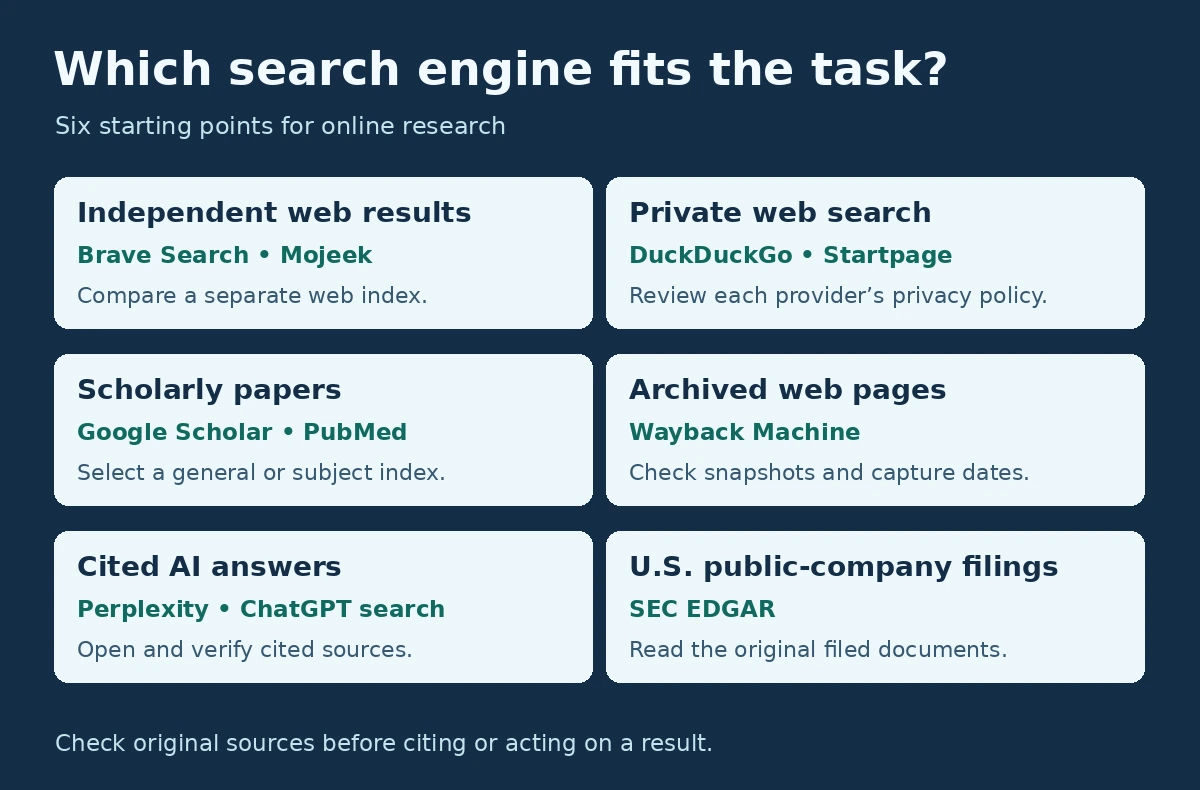
There is no single search engine for every task. The table pairs common research needs with reasonable starting points from this directory; it is a guide, not a ranking.
| Research need | Starting point | Why |
|---|---|---|
| Independent web index | Brave Search, Mojeek | Own crawlers and indexes |
| Largest conventional alternative to Google | Bing | Own index; second in market share |
| Everyday private search | DuckDuckGo | Proxied requests; mainstream coverage |
| Ad-free, user-controlled ranking | Kagi | Subscription model; domain controls |
| Open or self-hosted metasearch | SearXNG, MetaGer | Combine several engines |
| Quick cited AI answers | Perplexity, Copilot Search, Google AI Mode | Answers with source links |
| Multi-source research reports | ChatGPT deep research, Gemini Deep Research, Claude Research | Plan, search and synthesise |
| Broad scholarly discovery | Google Scholar, OpenAlex | Wide coverage; open data |
| Biomedical literature | PubMed, Europe PMC | Specialist indexes |
| Evidence questions and reviews | Consensus, Elicit | Search plus screening and summaries |
| How a claim was cited later | Scite | Citation context |
| Science linked to patents | The Lens | Scholarly and patent records |
| Past versions of web pages | Wayback Machine | Web archive |
| Image provenance | TinEye | Reverse image search |
| Code | GitHub code search, Sourcegraph | Code-aware search |
| U.S. company filings | SEC EDGAR | Primary filings |
| Company and entity verification | OpenCorporates, GLEIF | Official registry data |
| Internet-exposed systems | Shodan, Censys Platform | Host and service data |
A Better Research Strategy: Use More Than One Search Engine
Relying on one search engine means relying on one crawler’s coverage and one ranking system’s judgment. A practical search stack might include:
- Google for broad mainstream coverage.
- Brave Search or Mojeek for an independent second index.
- DuckDuckGo or Startpage when privacy matters.
- Perplexity or ChatGPT search for conversational exploration of a new topic.
- A deep-research mode for complex, multi-source questions.
- Google Scholar, OpenAlex or PubMed for scholarly sources.
- The Wayback Machine for pages that have changed or disappeared.
- TinEye for image verification.
- EDGAR, OpenCorporates and GLEIF for company records.
- WorldCat for library materials.
Run the same query in two engines with different indexes and compare what each returns. Results that appear in only one are worth a closer look. When an AI answer matters, open every cited source, check its date and authority, and confirm that it actually supports the claim.
Conclusion
The right search engine depends on the information you need. For serious online research, the most effective approach is not to replace Google with one alternative but to build a toolkit that combines conventional indexes, AI answer systems and specialist databases, and to know where each one gets its results. This directory will be re-verified periodically; the date at the top shows when every entry was last checked.
Frequently Asked Questions
What is the best alternative to Google?
It depends on the task. For an independent index, Brave Search and Mojeek run their own; for everyday privacy, DuckDuckGo; for ad-free search with user controls, Kagi; and for the broadest conventional alternative, Bing, which held 4.8% of worldwide search share in October 2026 against Google’s 91.05% (StatCounter Global Stats, 2026).
What is an AI search engine or answer engine?
A search system that writes a direct, synthesised answer from retrieved sources instead of mainly showing a ranked list of pages. Examples include Perplexity, Google AI Mode, Copilot Search and Yahoo Scout.
Which search engines have their own index?
Google, Bing, Brave Search and Mojeek run their own web indexes. Kagi combines its own indexes with external providers. DuckDuckGo runs its own crawler and indexes but sources traditional links and images largely from Bing (DuckDuckGo).
Is DuckDuckGo independent from Bing?
DuckDuckGo is an independent company, but not independent of Bing for results: its traditional web links and images are largely sourced from Bing, while its own crawler and indexes support other parts of the results page.
Is Brave Search independent?
Yes. Brave states that its results come from its own, built-from-scratch index (Brave, 2026).
Which private search engine should I use?
It depends on whether you want an independent index (Mojeek), everyday convenience (DuckDuckGo), mainstream results through a proxy (Startpage) or ad-free paid search (Kagi). See the AOFIRS privacy search engine comparison for detail.
Which search engine is best for academic research?
Google Scholar has the broadest general coverage. PubMed covers biomedicine, Semantic Scholar and OpenAlex offer AI-assisted and open-data discovery, Elicit and Consensus support evidence reviews, and Scite shows citation context. The AOFIRS academic directory covers the field in depth.
Are AI search engines replacing Google?
Not in conventional search share: Google held 91.05% of worldwide search engine market share in October 2026 (StatCounter Global Stats, 2026). StatCounter does not measure questions asked of AI assistants, so the shift of research questions toward ChatGPT, Perplexity, Gemini and Copilot is real but not captured in that figure.
How do AI search engines find information?
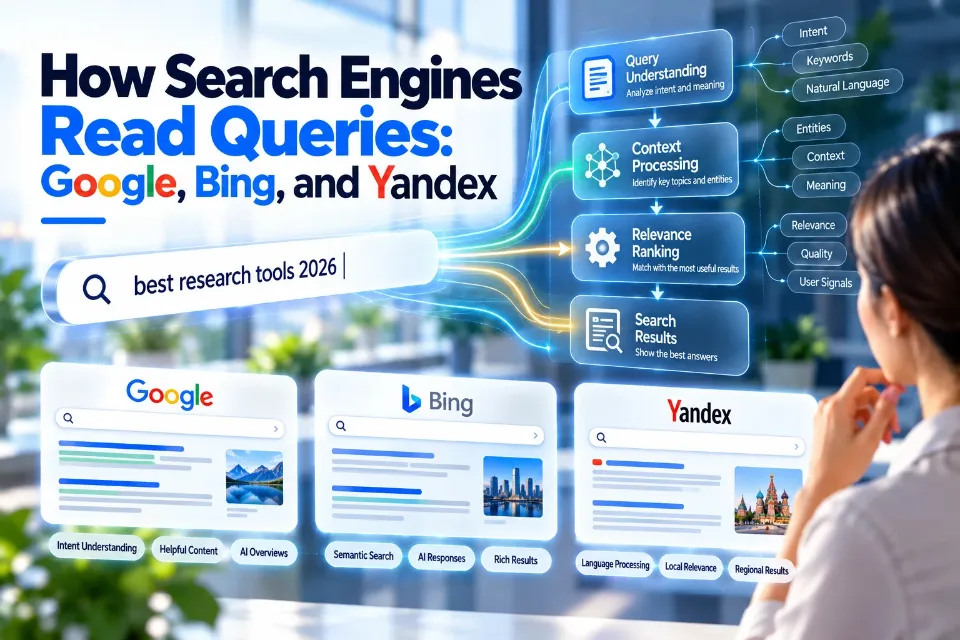
They combine web indexes or third-party search APIs with semantic retrieval, query expansion and a language model. Google, for example, describes retrieval-augmented generation and “query fan-out” (Google Search Central, 2026).
Does an AI citation mean the answer is accurate?
No. A citation shows where the system looked, not that the source supports the claim. Open important citations, check the source’s authority and date, and confirm that the AI interpreted it correctly.
What is the difference between AI search and deep research?
AI search answers a question quickly from a few sources. Deep research runs many searches, compares sources and writes a longer report, typically over minutes rather than seconds (Perplexity; Anthropic, 2026).
Is traditional web search becoming obsolete?
No. AI search depends on crawling, indexing and ranking to ground its answers; Google’s own AI features retrieve pages from its Search index. The two are converging rather than one replacing the other.