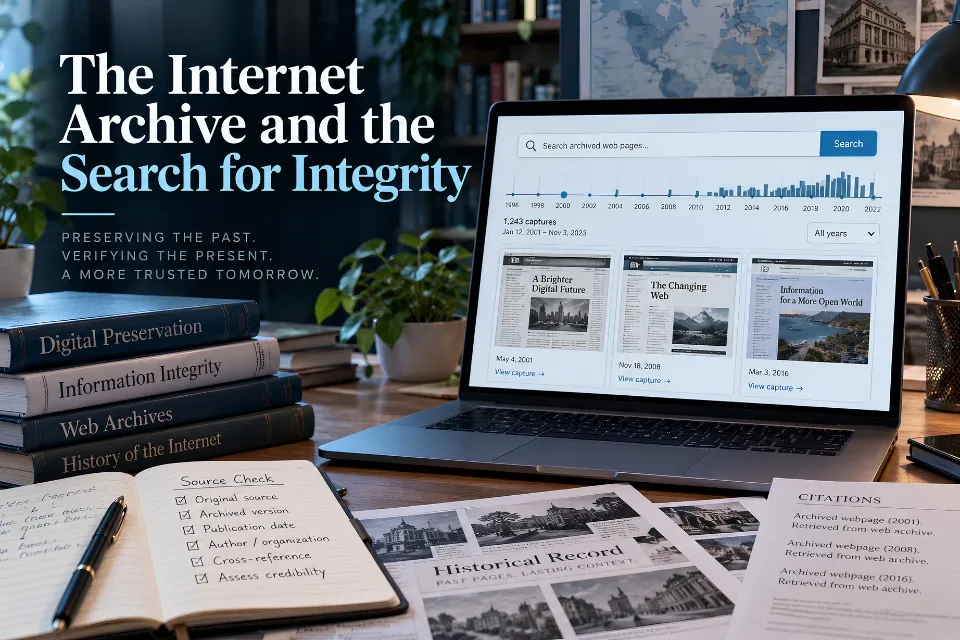
Quick answer: Internet Archive research combines historical retrieval with source verification. Locate the capture, check its date and completeness, compare versions, corroborate important claims, and cite the exact evidence you used.
Updated October 15, 2026. Our guide retains the original article’s emphasis on due diligence while replacing its obsolete search-tool instructions with current documentation and a practical verification workflow.
What is the Internet Archive?
The Internet Archive is a nonprofit digital library. Its collections include books, audio, moving images, software, and websites. The Wayback Machine is the service for browsing archived web pages. Choose the service according to the material you need:
- Wayback Machine: historical versions of web pages, usually located by their original URL.
- Archive.org collections: cataloged digital items and media, with distinct metadata and text-search options.
- Archive-It: an institutional subscription service for managing web-archiving projects, described in the Archive’s preservation guidance.
These services support research and accountability, but their search coverage and access conditions differ. Finding an item in one does not establish that its associated website has been preserved completely.
Why archived sources matter
Link rot occurs when a referenced resource becomes unavailable. Content drift occurs when material at the same address changes. A functioning link can therefore lead to different evidence from what an author originally consulted.
Klein and colleagues’ 2014 study of reference rot examined scientific literature published between 1997 and 2012. It documented a historical problem with revisiting web references, rather than measuring the entire web in 2026.
Archives can help journalists compare public statements, educators recover references, and investigators examine earlier organizational claims. They also preserve mistakes and misleading material. The researcher must still assess identity, context, and supporting evidence.
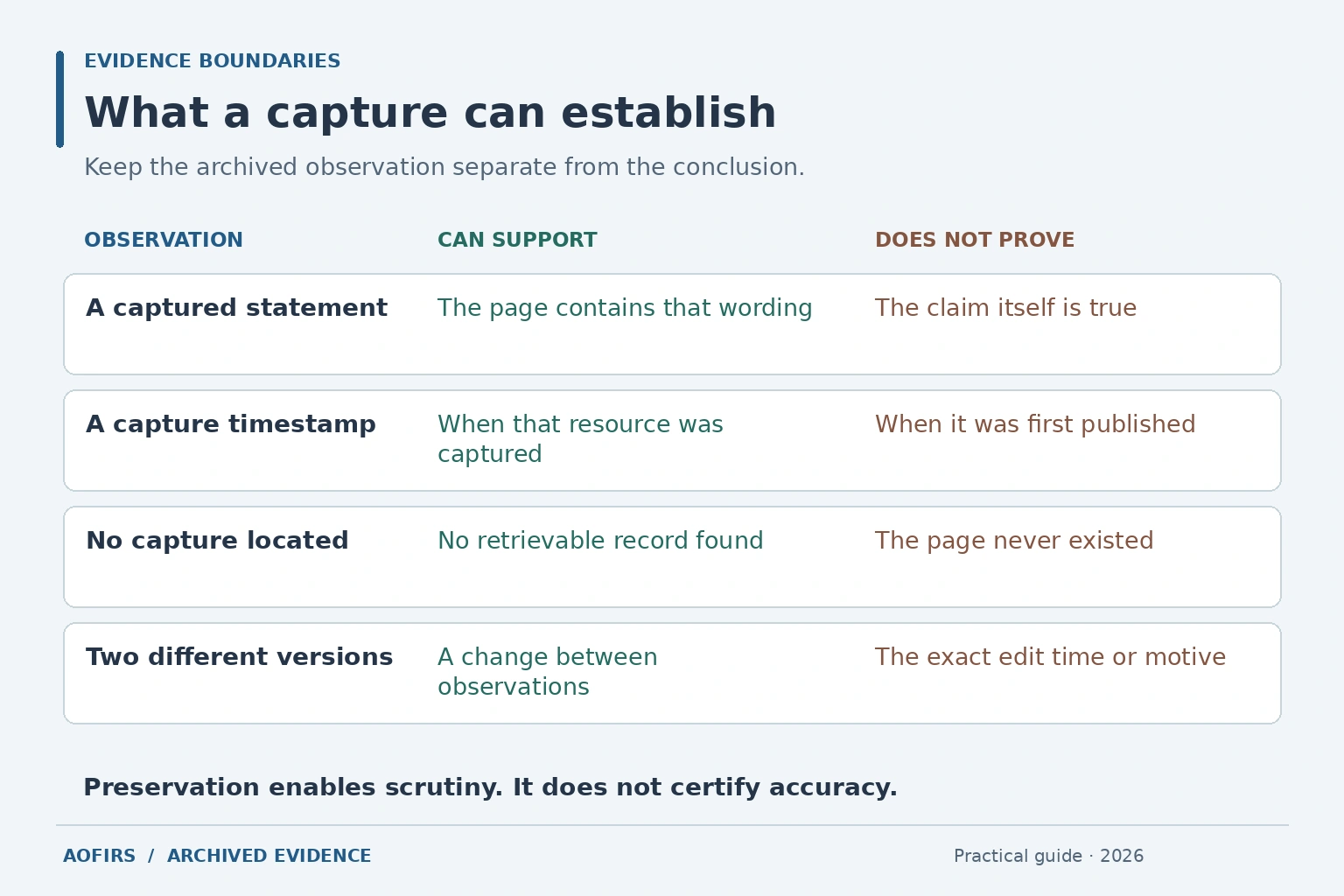
What a capture can and cannot prove
| Evidence | Can support | Cannot establish alone |
|---|---|---|
| Captured page | Wording associated with that archived URL | Truth of every statement |
| Capture timestamp | When that resource was captured | Original publication date |
| One archived URL | A record of that resource | Complete website preservation |
| No capture located | No retrievable record found in that search | Proof the page never existed |
| Screenshot | A visual record for comparison | Complete provenance or inspectable source context |
Pair screenshots with the exact archived URL and research notes. “The archived page contains this promise” is a narrower finding than “The organization fulfilled this promise.”
Understand capture, replay, and date gaps
Web archiving collects retrievable resources; replay presents them through a browsing interface. The Archive’s general information explains that forms, scripts and interactions with the original server may not work in an archived version.
A headline may survive while its video is missing. A login page, error or redirect may replace the intended document. Readability alone does not establish completeness.
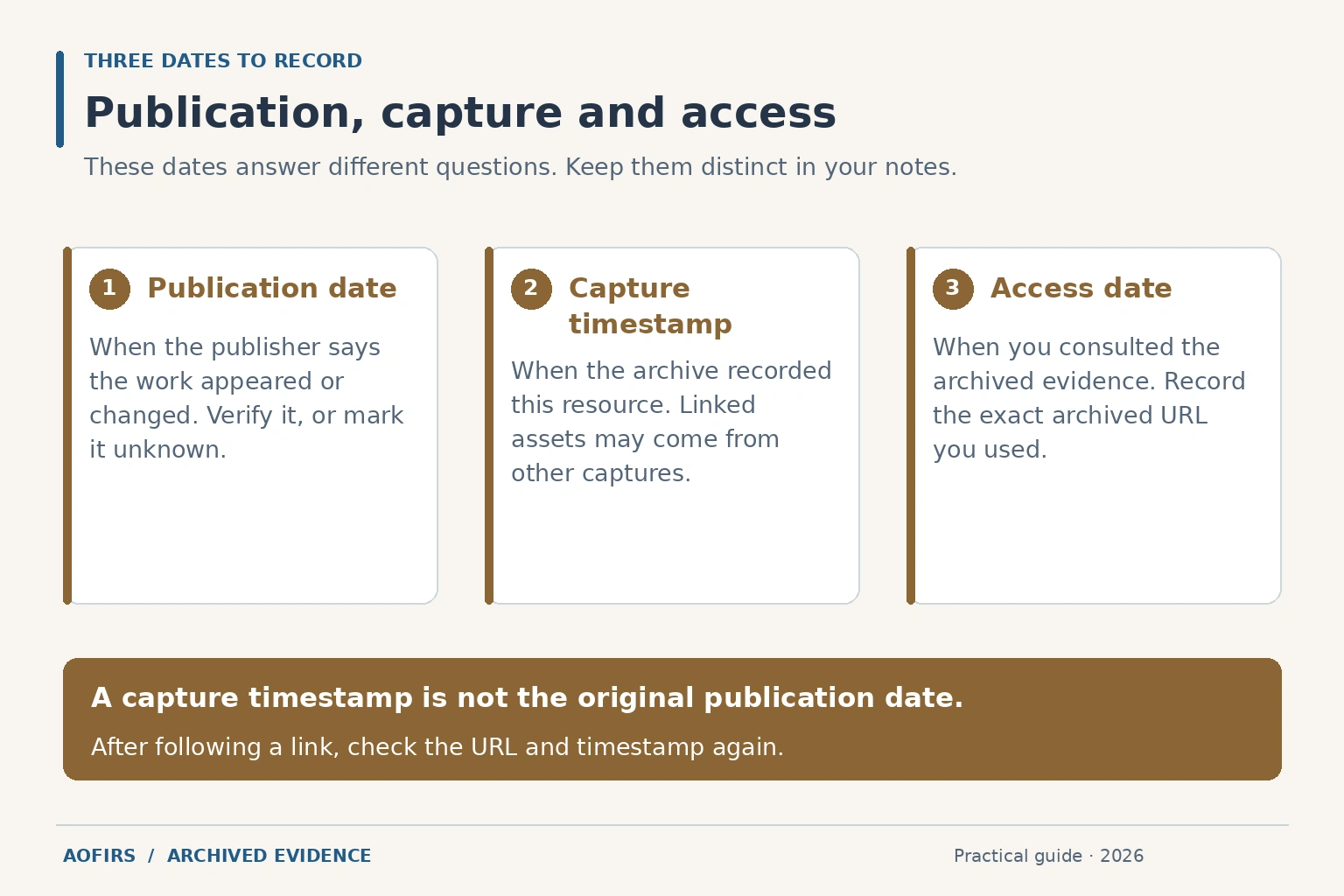
The Wayback Machine usage guide also warns that navigation can select a different available capture or reach live content. Recheck the actual URL and timestamp after following links. Do not assume that every image or linked document belongs to the date where you started.
- Publication or update date: the publisher’s date, verified where possible.
- Capture timestamp: when the archive recorded the resource.
- Access date: when you consulted it.
If the original publication date is unknown, please indicate this. Do not silently substitute the capture date.
Choose the right search method
Start with the exact original URL in the Wayback Machine and inspect available dates. If necessary, try verified former addresses, known hostname variants or linked document URLs. Document those searches rather than assuming that one unsuccessful query settles the question.
Archive.org’s search guide distinguishes item metadata, text contents, Bookreader and TV news-caption searches from archived-website lookup. Text searching can use OCR produced from scanned material. Verify consequential quotations against the page image. These options are not universal full-text search across every archived website.
The Wayback Availability API can help automated projects locate an accessible matching snapshot for a URL. Researchers must still inspect whether that capture contains the evidence they need.
For missing documents, combine archive lookup with the publisher’s site search and institutional repositories. Our guide to finding hidden PDFs and public web pages offers complementary discovery methods.
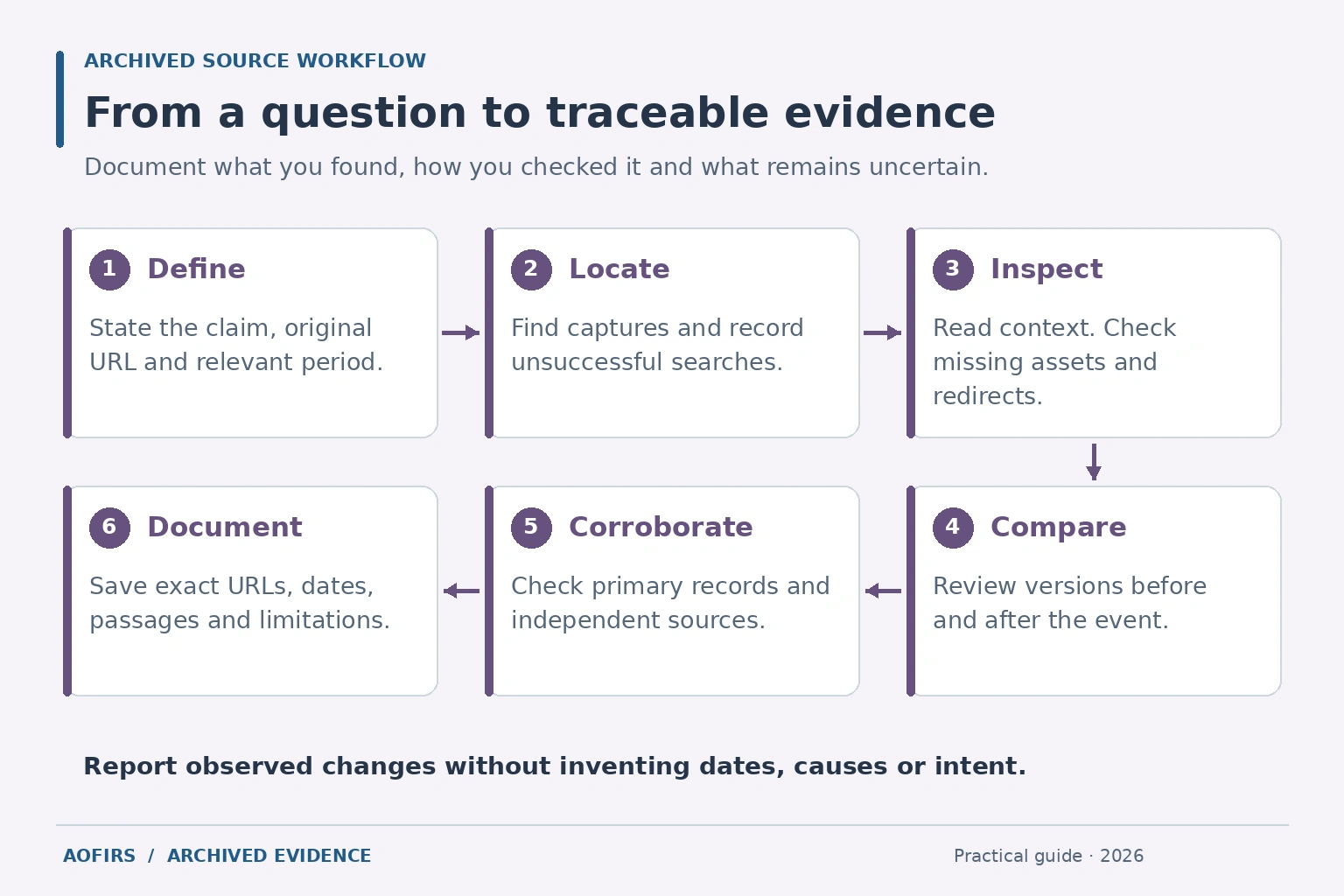
A six-step verification workflow
1. Define the claim and period
Write a focused question, such as whether a published policy changed between two announcements. Identify the organization, original URL, relevant dates and evidence needed. Avoid searching only for material that confirms a suspicion.
2. Locate captures and record gaps
Search for the precise resource first, then verify former URLs and related documents. Record unsuccessful attempts. Report “no capture located using these URLs and dates” instead of declaring that a page never existed.
3. Inspect context and completeness
Read the relevant passage and surrounding qualifications. Check the title, publisher, displayed dates, missing assets, redirects, and access barriers. Inspect linked evidence separately rather than assuming it was captured with the page.
4. Compare earlier and later versions
Examine observations on both sides of the event. Record additions, deletions, and wording changes. Two different versions may establish a change between captures without identifying the exact editing time or its cause.
5. Corroborate important findings
Corroborate important findings by reviewing primary documents, official announcements, repositories, or another archive. Several copies of one press release are not independent confirmation. Record disagreements and unresolved identity questions instead of choosing the most convenient account.
6. Preserve a research record
Keep the original and archived URLs, timestamp, access date, passage, comparison notes and limitations together. Where appropriate and permitted, retain supporting screenshots or local copies. Separate observations from interpretations so another researcher can retrace your conclusion.
Use Save Page Now carefully
Save Page Now requests preservation of a submitted page. It is not a promise to archive the entire website or every linked document. Crawling restrictions and technical failures can prevent a successful result.
- Submit the exact public URL.
- Retain the returned archived address.
- Open it and inspect the relevant passage.
- Check essential images, tables and downloads separately.
- Record missing elements or errors.
Saving a page today cannot recreate an earlier version that is no longer available. Do not submit private or sensitive material merely to create a public research record.
Two hypothetical research examples
A changed public statement
A February capture contains a company’s delivery commitment; an April capture uses different language. Report the wording and both capture dates. The evidence does not establish a particular March editing date or deceptive intent. Check dated announcements and explanatory corrections before drawing a broader conclusion.
A deleted academic reference
A report links to a missing technical guide. An archived landing page reveals its title, author and PDF address. Search for the PDF separately and compare its edition, date and passage if recovered. If it remains unavailable, the landing page establishes that the guide was described there, not what the guide demonstrated.
AI and preservation challenges in 2026
AI can organize notes or flag possible differences, but manually check every proposed quotation, date and attribution. An archive can preserve AI-generated content without revealing how it was produced. Detection scores and fluent summaries do not establish provenance.
For this part of the workflow, AOFIRS’ AI deep research integrity guide discusses source tracing and verification procedures. Our report on verification debt in online research examines the risks of leaving AI-derived claims unchecked.
Access restrictions also affect preservation. In its 2026 FAQ on publisher blocking, the Internet Archive describes restrictions associated with concerns about AI scraping. This is the Archive’s account, rather than proof of every publisher’s motives.
Its October 2024 service-restoration notice illustrates infrastructure risk after cyberattacks; it does not describe current availability. Funding, maintenance and collection choices also affect retrieval. Keep appropriate supporting records instead of assuming uninterrupted access.
How to cite an archived page
Identify the original work and the capture actually consulted. Record author or organization, title, publisher, verified publication date, original URL, exact archived URL, capture timestamp and access date.
Citation template: Author or organization. “Page title.” Website, publication date or “date unknown.” Original URL: [URL]. Wayback Machine capture [timestamp], [exact archived URL]. Accessed [date].
Adapt punctuation to your required style. Open the final archived link before submission. Do not replace it with the archive homepage or a different capture.
Before publishing: confirm source identity, distinguish all three dates, read context, document missing elements, inspect underlying evidence, corroborate consequential claims and separate findings from inference.
Frequently asked questions
Is the Internet Archive the same as the Wayback Machine?
No. The Archive is the broader digital library; the Wayback Machine provides archived web pages.
Does preservation prove a statement is true?
No. Assess the publisher, underlying evidence and independent corroboration.
Is the capture date the publication date?
No. Record them separately and mark an unknown publication date honestly.
Why are some captures incomplete?
Assets or interactions may be missing. Identify whether those gaps affect the claim you are evaluating.
Can Save Page Now recover yesterday’s deleted version?
It cannot recreate unavailable past content. Look for existing captures.
Does a missing capture prove a page never existed?
No. Your search may encounter collection or access gaps.
Can I rely on a screenshot alone?
Keep the exact archived URL and provenance notes alongside it so others can inspect the context.
Will an archived source remain accessible forever?
Do not assume uninterrupted availability. Preserve citation details and appropriate supporting records, and recheck essential links before publication.