Key Takeaways
- Understanding the basics of hacking and the motivations behind it
- Recognizing the standard techniques used by hackers to gain access to your personal information
- Implementing preventive measures to enhance your online security
- Learning how to respond if you become a victim of hacking
- Staying informed about the latest cybersecurity trends and threats
In today’s digital age, protecting yourself from hackers is more critical than ever. Understanding how to recognize a hack can be the first step towards securing your personal information and maintaining your privacy online. Cybercriminals have become increasingly sophisticated, employing various methods to infiltrate systems. Because of this, people and organizations must remain watchful and knowledgeable about possible dangers.
The principles of hacking, standard techniques used by cybercriminals, and doable steps you can take to safeguard your online identity appropriately will all be covered in this article. {module Banner In-article Ad}
The Basics of Hacking
Hacking is breaking into computer networks, systems, or devices without authorization; usually, the goal is malicious. Cybercriminals take advantage of flaws in hardware or software to steal information, interfere with business operations, or commit other crimes. Hacking can have a wide range of reasons. Hackers attempt to steal credit cards or personal identification numbers to profit financially. Others may be driven by political or social causes, using hacking as a protest or activism—some hack for personal vendettas or merely the challenge and thrill of breaking into systems.
Common Hacking Techniques
Hackers use various techniques to gain unauthorized access to systems and information. Knowing these techniques will enable you to identify and stay clear of possible threats:
- Phishing: Phishing is a prevalent tactic that entails fooling people into divulging personal information via fraudulent emails or websites. For instance, you might get an email requesting you to confirm your account information that seems to be from a reliable source, such as your bank. The hacker then takes advantage of this information.
- Malware: Malware, short for malicious software, includes viruses, trojans, and ransomware. This software can infect your devices, allowing hackers to control or steal information. For instance, ransomware can lock you out of your files until you pay a ransom.
- Exploiting Vulnerabilities: Hackers often exploit software flaws to gain access to systems. These vulnerabilities are usually unknown to software developers and are called zero-day exploits. Regular updates and patches can mitigate these risks. {module Banner In-article Ad}
Recognize a Hack
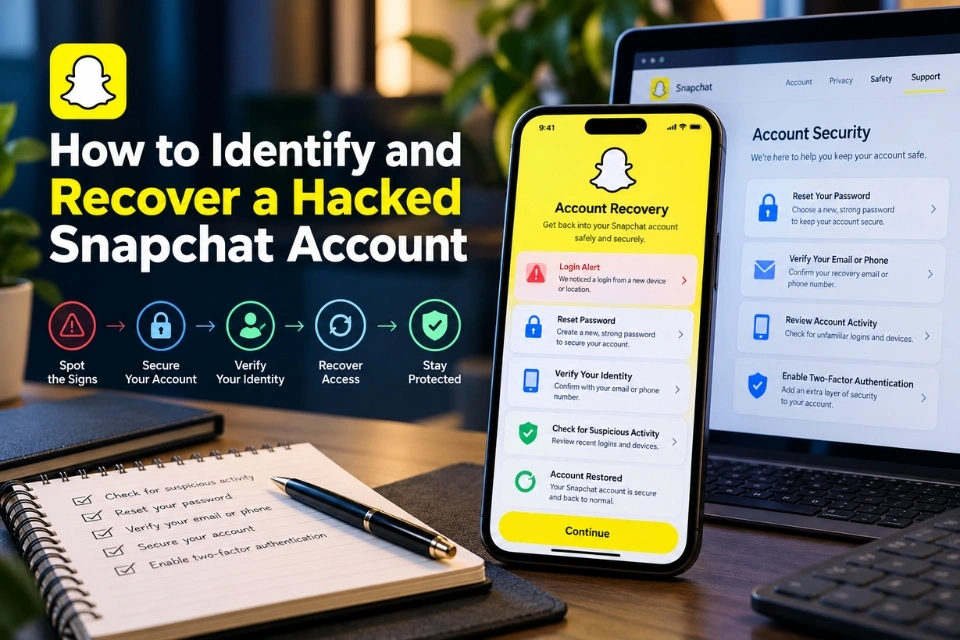
Recognizing a hack involves monitoring for several key indicators of unauthorized access. First, watch for unusual login attempts, especially from unfamiliar locations or devices. You may also notice unexpected file changes, such as missing or modified data. Slow system performance can indicate malicious activity, as hackers often use resources for their purposes. Additionally, receiving alerts from your security software about potential threats is a crucial warning sign. Finally, if your passwords have changed without your knowledge or you can’t access your accounts, it’s essential to investigate further for potential hacks.
Preventive Measures You Can Take
Shielding yourself from hackers requires a proactive and multi-layered approach. Here are several crucial actions you can implement immediately:
- Regular Software Updates: It’s essential to keep your software updated. Security patches for recently identified vulnerabilities are frequently included in these updates. Hackers often exploit failures like unpatched software to gain entry into systems.
- Strong Passwords: Create complicated passwords that mix special characters, numbers, and letters. Avoid using easily guessed passwords like ‘password123’. It’s also wise to change passwords periodically and use different passwords for different accounts.
- Two-Factor Authentication: This security measure requires two verification forms before granting access. For instance, you might be asked to input a code texted to your phone after entering your password. Employing two-factor authentication significantly enhances your online protection by adding an extra layer of security.
- Avoid Suspicious Links: Be cautious when clicking on unknown or dubious links, especially if you got them through social media or email. These links may take you to malicious websites that steal your data or infect your device with malware.
Understanding the Signs of a Security Breach
Recognizing the signs of a security breach can help you act quickly to mitigate damage. Here are some common indicators that your system may have been compromised:
- Unexpected Pop-ups: If you notice an unusual amount of pop-up ads or notifications, it could be a sign that your system is infected with adware or other malware.
- Slow Device Performance: An unexpectedly sluggish device may indicate malicious software using system resources while operating in the background.
- Unauthorized Account Activity: If you notice unfamiliar transactions or changes in your online accounts, it could be a sign that a hacker has gained access.
If you notice any of these red flags, it’s crucial to secure your information immediately and take steps to address the potential breach.
Immediate Actions to Take if Hacked
Prompt action is vital to minimize damage if you suspect you’ve been hacked. Here are the steps you should take immediately:
- Change Your Passwords: Start by changing your passwords to something solid and unique for each account. This prevents hackers from further exploiting your compromised credentials.
- Notify Relevant Institutions: Contact institutions like your bank to alert them of the potential breach. They can assist in monitoring fraudulent activity and securing your accounts.
- Run a Full System Scan: To ensure your devices are thoroughly scanned, make sure your antivirus software is up to date. This can help you find and remove any installed malware.
- Report the Incident: Inform the appropriate authorities, such as local law enforcement or cybersecurity agencies. By reporting the occurrence, you can help prevent further harm and find the people who caused it. {module Banner In-article Ad}
The Role of Regular Software Updates
Frequent software updates are essential for averting hacking attacks. Software developers regularly release updates to fix security flaws in their products. Updating your software can significantly reduce the likelihood of hackers taking advantage of you. Failing to install updates leaves your systems exposed to known vulnerabilities that cybercriminals can easily exploit.
As BBC Technology states, timely updates can significantly reduce the risk of hackers exploiting software flaws. Keeping your hardware and software up to date is a straightforward but powerful method of strengthening your cybersecurity defenses.
Staying Informed About Cybersecurity
Staying current on the newest cybersecurity trends and threats is imperative in a constantly changing digital landscape. To stay informed, join online forums, follow reliable sources for cybersecurity news and updates, and attend workshops or webinars. Thanks to this ongoing education, you can effectively modify your security measures in response to new and emerging threats.