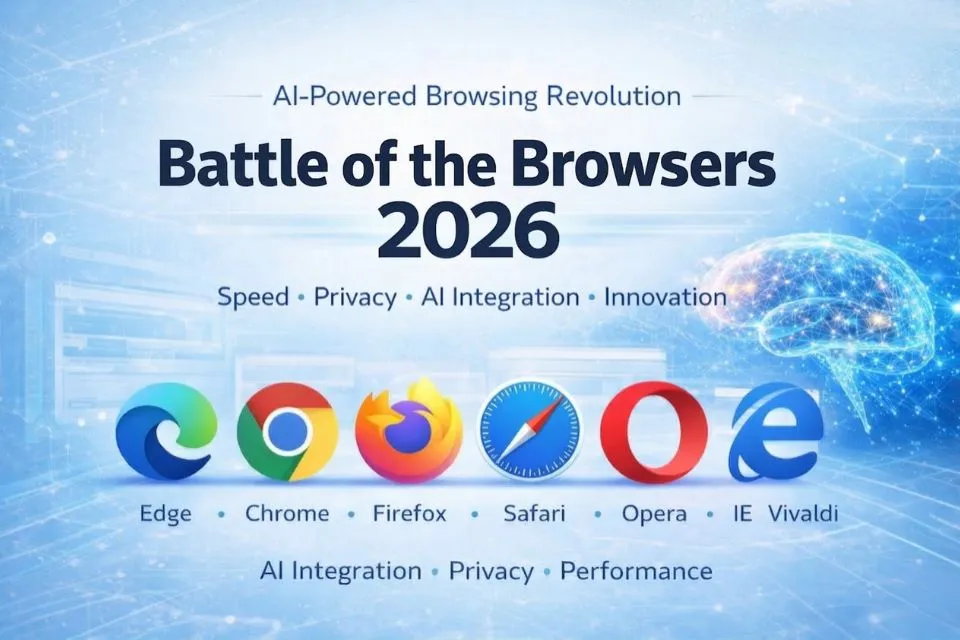
The browser wars are heating up again in 2026 — and this time, it’s not just about speed. Modern browsers have evolved into intelligent digital platforms that integrate artificial intelligence, enhanced privacy controls, cross-device synchronization, and advanced security architecture. What used to be simple web viewers are now AI-assisted productivity tools capable of summarizing webpages, managing research workflows, and protecting users from sophisticated cyber threats.
For years, Google Chrome dominated the browser landscape thanks to its speed and massive extension ecosystem. But the modern web environment has shifted dramatically. Today, Microsoft Edge, Mozilla Firefox, Safari, Opera, and Vivaldi have each developed unique strengths — offering specialized experiences focused on privacy, performance, customization, or AI-driven assistance.
For readers who want a deeper overview of modern browser technology and privacy-focused alternatives, you can explore The Best Web Browsers in 2026 | Fastest, Safest & Most Private Browsers to Use.
Let’s explore how these seven contenders compare across performance, design, privacy, and innovation in 2026.
Installation, Updates, and Compatibility
Installing modern browsers in 2026 is faster and simpler than ever. Most browsers install in seconds and automatically synchronize bookmarks, passwords, and preferences across multiple devices through secure cloud services. If you want to explore search platforms beyond Google, see 100 Best Google Alternative Search Engines in 2026: Find the Right Tool for Your Needs.
Browser Compatibility (2026)
| Browser | Supported Platforms |
|---|---|
| Google Chrome | Windows, macOS, Linux, Android, iOS, ChromeOS |
| Mozilla Firefox | Windows, macOS, Linux, Android, iOS |
| Microsoft Edge | Windows, macOS, Linux, Android, iOS |
| Safari | macOS, iOS, iPadOS |
| Opera | Windows, macOS, Linux, Android, iOS |
| Vivaldi | Windows, macOS, Linux, Android |
| Internet Explorer (Legacy) | Windows enterprise environments only |
Update Management
Modern browsers update automatically with built-in security patching and feature improvements.
- Chrome, Firefox, Opera, and Vivaldi deliver frequent incremental updates.
- Edge updates are tightly integrated with Microsoft’s Windows ecosystem.
- Safari updates are bundled with macOS and iOS system updates.
- Internet Explorer has been officially retired and survives only in limited enterprise compatibility environments.
Automatic updates ensure browsers remain protected against evolving threats and maintain compatibility with modern web standards.
Design and Ease of Use
The 2026 design philosophy is minimalism meets intelligence. Modern browsers focus on distraction-free interfaces enhanced by AI-driven adaptive layouts and dark/light mode automation. If you want to enhance your research workflow, read Mastering Google Search.
Let’s examine how each browser approaches usability and design.
Google Chrome (2026 Edition)
Chrome remains the world’s most widely used browser and continues to emphasize simplicity and performance.
In 2026, Chrome has expanded its intelligent capabilities through Gemini AI integration, allowing users to summarize articles, analyze documents, and receive contextual suggestions while browsing.
Chrome also introduced improved memory optimization to reduce RAM usage during heavy browsing sessions. Many professional researchers also combine Chrome with advanced query strategies such as Boolean search operators. If you’re interested in mastering these techniques, see Google Search Tips & Tricks.
Pros
- Clean and intuitive interface
- Powerful extension ecosystem
- Gemini AI integration for smart browsing
- Seamless sync with Google Workspace
Cons
- Higher memory consumption compared to some competitors
- Growing concerns about data collection practices
Mozilla Firefox
Firefox remains the preferred browser for users who prioritize privacy, transparency, and open-source development.
In 2026, Firefox continues to strengthen its privacy tools with Total Cookie Protection, advanced anti-fingerprinting technology, and encrypted DNS by default. The updated Privacy Dashboard provides visual reports showing how many trackers have been blocked.
Pros
- Strong privacy protection
- Fully open-source architecture
- Highly customizable themes and settings
- Firefox Relay for email masking
Cons
- Slightly slower tab restoration under heavy workloads
- Smaller extension ecosystem than Chrome
Microsoft Edge
Microsoft Edge has undergone one of the most dramatic transformations among modern browsers.
Built on Chromium, Edge integrates deeply with Windows and Microsoft’s AI ecosystem. In 2026, Copilot AI allows users to summarize webpages, generate notes, and analyze content directly within the browser.
Edge also offers integrated productivity tools such as a built-in PDF editor, reading mode, and shopping assistant.
Pros
- Fastest browser for Windows systems
- Copilot AI integration
- Built-in productivity tools
- Excellent energy efficiency on laptops
Cons
- Occasional synchronization issues on Linux
Safari
Safari continues to dominate within the Apple ecosystem and remains one of the most energy-efficient browsers available.
Running on Safari 20, the browser benefits from deep hardware optimization on Apple Silicon chips. Apple’s Intelligent Tracking Prevention and Private Relay+ strengthen user anonymity and limit cross-site tracking.
Pros
- Fastest browser on Apple devices
- Excellent battery optimization
- Strong privacy protections
- Seamless integration with iPhone and iPad
Cons
- Limited extension library compared to Chromium browsers
Opera
Opera continues to innovate quietly by integrating features that other browsers require extensions to achieve.
The Opera One browser includes a modular design and AI assistant called Aria, which can summarize webpages, assist with research tasks, and answer contextual questions while browsing.
Opera also includes built-in features such as an ad blocker, crypto wallet, and VPN service.
Pros
- Built-in VPN and ad blocker
- ria AI assistant
- Integrated messaging and social apps
- Lightweight performance
Cons
- Sync reliability issues across non-Opera devices
Vivaldi
Vivaldi is widely regarded as the browser for power users.
It offers unmatched customization, allowing users to rearrange interface elements, configure keyboard shortcuts, and manage tabs using advanced layouts.
Vivaldi also includes built-in productivity tools such as email, calendar, and note-taking features, reducing the need for external applications.
Pros
- Exceptional customization
- Privacy-focused architecture
- Built-in productivity tools
- Chrome extension compatibility
Cons
- Slightly heavier resource usage
Internet Explorer (Legacy)
Once the dominant browser of the early internet, Internet Explorer is now a legacy platform.Officially retired in 2023, IE remains operational only in limited enterprise environments that rely on older web applications.
Most organizations now rely on Edge Enterprise Mode to maintain compatibility with legacy systems.
Benchmark Tests 2026: Speed, Performance, and Compliance

Modern browsers are faster than ever, thanks to GPU acceleration, AI-based rendering optimization, and improved JavaScript engines.
| Browser | Speed Index (JetStream 2.1) | AI Rendering (ms) | HTML5 Compliance | Energy Efficiency |
|---|---|---|---|---|
| Microsoft Edge | 342.5 | 1280 | 555 | Excellent |
| Google Chrome | 336.8 | 1345 | 554 | Good |
| Safari 20 | 332.9 | 1180 | 552 | Best |
| Mozilla Firefox | 325.3 | 1422 | 550 | Good |
| Opera One | 330.2 | 1335 | 554 | Very Good |
| Vivaldi | 328.7 | 1390 | 553 | Good |
| Internet Explorer | 115.0 | 2790 | 343 | Obsolete |
Edge, Safari, and Opera now lead performance rankings thanks to optimized rendering engines and improved energy efficiency.
Security and Privacy in 2026
Privacy and cybersecurity have become the central battleground in the browser wars.
Modern browsers now incorporate AI-powered security systems capable of detecting malicious websites, phishing attacks, and unsafe downloads.
Key Security Technologies
Edge Secure Mode
AI-driven threat detection and phishing protection.
Chrome Safety Sandbox 2.0
Isolated browsing containers for improved security.
Firefox Total Cookie Protection
Prevents cross-site tracking.
Safari Private Relay+
Masks IP addresses and encrypts browsing traffic.
Opera VPN Pro
Unlimited built-in VPN for private browsing.
Vivaldi Privacy Guard
Local data storage with minimal telemetry tracking.
Extensions and Ecosystem
Extensions remain a critical part of the browsing experience.
In 2026, cross-browser compatibility has improved significantly because many browsers share the Chromium foundation.
Extension Ecosystems
Chrome Web Store 2.0
Largest extension marketplace used by Chrome, Edge, Opera, and Vivaldi.
Firefox Add-ons
Strong open-source developer community.
Safari Extensions
Smaller but carefully curated via Apple App Store.
Edge Add-ons Marketplace
Rapidly expanding with enterprise and AI productivity tools.
Global Browser Market Share (2026)
The browser market is evolving as users prioritize privacy, performance, and AI features.
| Browser | Market Share |
|---|---|
| Google Chrome | 54.1% |
| Microsoft Edge | 19.8% |
| Safari | 13.5% |
| Mozilla Firefox | 7.2% |
| Opera One | 3.1% |
| Vivaldi | 1.8% |
| Internet Explorer | 0.5% |
Chrome still leads the global market, but Edge and Safari continue to gain traction thanks to deeper operating system integration and strong privacy features.
Conclusion: The Best Browser in 2026
The best browser ultimately depends on individual needs.
Best Overall Browser: Microsoft Edge — powerful AI integration and strong performance.
Best for Privacy: Mozilla Firefox — open-source and privacy-first architecture.
Fastest Performance: Safari — unmatched efficiency on Apple devices.
Best for Customization: Vivaldi — highly flexible interface and advanced controls.
Best Ecosystem: Google Chrome — massive extension library and seamless Google integration.
Most Innovative: Opera — AI assistants and built-in productivity features.
The browser wars of 2026 are no longer defined by raw speed alone. The competition now revolves around AI integration, privacy protection, productivity tools, and intelligent browsing experiences.