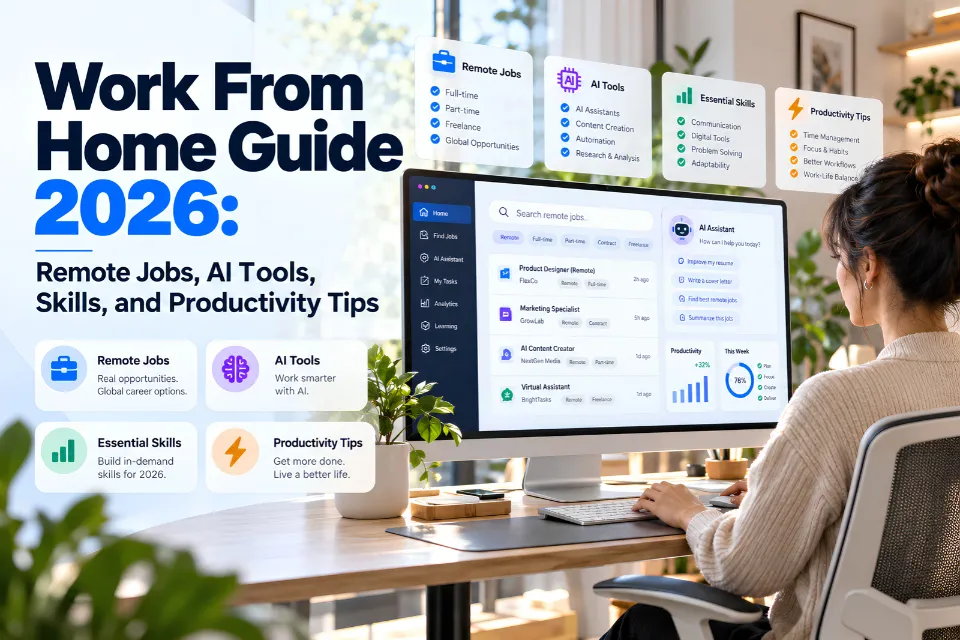
Working from home in 2026 can support a career without a daily office commute. Finding legitimate remote work requires more than a computer and internet connection: clear communication, digital literacy, independent problem-solving, and responsible technology use all matter.
Whether you’re looking for your first remote job, moving from an office job or building a freelance career, the best approach is to find the right work, check the opportunities very carefully and develop the skills that employers and clients actually want.
This guide covers how remote working works, where you can find genuine remote opportunities, which professions are worth looking at and how AI can be of benefit to remote working.
Key Takeaways
- Remote working is still an established model of employment but fully remote roles, hybrid roles and freelance work all have their own set of requirements.
- Legitimate remote opportunities exist in research, IT, customer support, marketing, administration, and other work that can be delivered digitally.
- AI tools can be used to assist remote workers with research, drafting, analysis and organization. The output from the AI will still need human review.
- Digital research and verification skills help you assess employers, check information, and produce reliable work.
- Cybersecurity and scam prevention are absolutely key, especially when you’re applying for a job via an online site.
- Long-term remote career development is all about demonstrable skills, reliable work, professional relationships and ongoing learning.
What Does Working From Home Mean in 2026?
Working from home means carrying out your professional duties from a home or some other approved location rather than from a traditional office.
Remote working is not a single thing. The worker may have a range of different schedules, contracts, location restrictions and responsibilities.
| Work arrangement | How it works | Important consideration |
|---|---|---|
| Fully remote | Work is normally performed away from a company office | May still require residence in a specific state or country |
| Hybrid | Employees divide their time between remote and office locations | Requires commuting on scheduled days |
| Remote-first | The organization designs its processes primarily for distributed employees | May still arrange in-person meetings |
| Freelance | Independent professionals provide services to clients | Income, benefits, and workload can vary |
| Flexible work | Employees have some control over hours or location | Flexibility does not necessarily mean working remotely |
| Work from anywhere | Work can be performed across approved geographic locations | Tax, immigration, security, and employment restrictions may apply |
A position advertised as remote does not automatically permit international travel or employment from another country. Employers may impose location requirements because of payroll, data protection, licensing, taxation, or operational needs.
Best Work-From-Home Jobs and Career Opportunities in 2026
The best remote job for you is going to be one that suits your existing skills, your education, your work experience and your willingness to learn new skills.
Some are just routine admin jobs, others are going to require quite a bit of research, analysis, technical or creative skill.
Remote career comparison
| Remote career | Typical responsibilities | Important skills | Typical entry level |
|---|---|---|---|
| Online research specialist | Find, evaluate, and organize information | Advanced search, source verification, reporting | Beginner to intermediate |
| Virtual assistant | Scheduling, email management, administrative support | Organization, communication, office software | Beginner |
| Customer support specialist | Resolve customer questions through digital channels | Written communication, CRM systems | Beginner |
| Content writer or editor | Develop and refine digital content | Writing, editing, fact-checking | Beginner to intermediate |
| SEO specialist | Improve website visibility and analyze search performance | SEO, analytics, content strategy | Intermediate |
| Market research analyst | Study customers, markets, and business trends | Statistics, research design, analysis | Specialized |
| Data analyst | Clean, interpret, and visualize data | Spreadsheets, SQL, data visualization | Intermediate to specialized |
| Web developer | Build, test, and maintain websites | HTML, CSS, JavaScript, development tools | Intermediate |
| Graphic designer | Create digital and marketing visuals | Design software, layout, visual communication | Portfolio-based |
| Project coordinator | Track schedules, milestones, and deliverables | Communication, planning, documentation | Beginner to intermediate |
| AI data evaluator | Review or label material used in AI development | Analytical accuracy, guideline adherence | Varies |
| Cybersecurity analyst | Monitor and assess security issues | Networks, security principles, incident response | Specialized |
Market research analyst salaries
The US Bureau of Labor Statistics reports a median annual wage of $78,760 for market research analysts in May 2025. This is an occupational median, not a remote-only salary or guaranteed starting pay. Source: BLS wage data.
Actual compensation varies by experience, employer, responsibilities, and location. Freelance rates and benefits require separate comparison. For someone who wants to move on from the fairly basic level of internet research into more analytical work, research methodology, data interpretation and professional reporting are all areas that would be useful to develop further.
How to Find Legitimate Work-From-Home Jobs
Finding a decent remote role requires a proper job search process. Applying to hundreds of irrelevant listings is generally not the most effective approach. What works better is to find the right roles for your skill set and then do a bit of research into the companies in question.
Step 1: Choose a specific career direction
Start off by picking two or three job titles that are realistic given your skills.
For instance a very good writer and researcher could look at Online Research Assistant, Content Researcher and Market Research Support.
Someone with admin experience might look at virtual assistant, remote admin coordinator and customer support roles.
This helps to make job searches more focused.
Step 2: Search reputable employment platforms
Common places to explore include:
- LinkedIn Jobs for professional opportunities and employer research.
- Indeed for employment listings across all industries.
- We Work Remotely for remote-focused roles.
- Remote.co for remote job listings.
- Wellfound for startup-oriented opportunities.
- FlexJobs for flexible and remote jobs.
These are discovery channels not guarantees that every listing is legitimate or appropriate. Always check each vacancy on the employer’s own website if you can.
Step 3: Use precise search queries
Search engines can be of some use in identifying vacancies but using broad terms such as ‘easy work from home jobs’ tends to produce a very poor quality of results.
Try searches such as:
"remote research assistant" "entry level""market research analyst" "remote"site:greenhouse.io "remote" "research"site:lever.co "remote" "content analyst"Quotation marks can narrow a search to an exact phrase, while site: limits results to a domain. Search engines may interpret operators differently, so inspect the results and verify each vacancy independently.
For more methods, explore the AOFIRS guides on search queries and online research work.
Step 4: Verify the employer
Before you apply, please confirm the organization’s identity.
Check the official domain, the company’s public profile, the employment page and contact details. Look for any discrepancies between the advert and the company’s website.
Don’t assume that a listing is genuine just because it’s on a well-known job board.
Step 5: Build a remote-ready resume and portfolio
Your resume should demonstrate skills relevant to independent work, such as:
- Managing assignments and deadlines.
- Communicating clearly with distributed teams.
- Producing measurable results.
- Using collaboration and productivity tools.
- Researching and verifying information.
- Maintaining accurate documentation.
A portfolio is extremely useful for writing, research, design, marketing and technical roles. The key is to include work that demonstrates how you solve problems rather than just the software that you’re familiar with.
Step 6: Prepare for virtual interviews
Test your audio, your video, your internet connection and your meeting software prior to the meeting.
Prepare some examples of how you would communicate progress, deal with ambiguous instructions, prioritize your work and deal with issues on your own.
Ask the prospective employer about working hours, level of supervision, equipment provided, security requirements and performance expectations.
Essential Skills for Successful Remote Work
Remote professionals need a mix of technical ability and interpersonal judgment.
Digital literacy
You should be at ease with standard office software, document sharing, video conferencing and all the various forms of online communication.
The exact platforms will vary but the ability to learn digital tools is absolutely transferable.
Communication and documentation
In a distributed team, people will be working in different locations and different time zones.
Clear written updates, well-structured meeting notes, accurate instructions and documented decisions all go a long way to prevent confusion.
An effective project update will tell you what’s been done, what’s still to be done and whether you need any help at all.
Independent problem-solving
Remote workers can’t always get an answer from a colleague straight away.
They need to look at the issues, assess the various possible solutions and know when it’s appropriate to escalate.
Internet research and information verification
Research literacy is of enormous value well beyond the formal research position.
For instance an employee doing a market analysis might come across conflicting stats in the news, on commercial sites and in the government reports.
A properly disciplined researcher will check the original data, the date of the publication, the definitions and the geographic context before using those figures.
Professional research is more than just gathering information. It’s about assessing whether the information you’ve gathered is good enough for the decision at hand.
AOFIRS produces learning and research publications for those interested in developing their research skills in a structured way.
AI literacy
AI literacy is about knowing what AI systems can help you with, what their limitations are and how to assess the quality of their output.
Workers need to be aware that AI-generated text which is fluent is not necessarily accurate and that confidential information should not be entered into unauthorized tools.
Best AI and Productivity Tools for Remote Work in 2026
AI can assist remote workers in carrying out certain tasks more efficiently, particularly in the areas of language, documentation, information management and the execution of various digital tasks.
However the usefulness of the tool will be highly dependent on the task at hand, the skill of the employee, the integrations that are available, the organization’s policies and the quality of the source data.
Common AI tools and their uses
| Tool or category | Practical uses | Important limitation |
|---|---|---|
| ChatGPT | Drafting, brainstorming, analyzing materials, research assistance | Generated claims and citations require checking |
| Claude | Long-document analysis, writing, synthesis | May misinterpret evidence or omit context |
| Gemini | Writing, planning, research assistance | Capabilities and data access vary by product |
| Microsoft Copilot | Support within compatible Microsoft workflows | Features depend on licensing and permissions |
| Perplexity | Finding information and discovering sources | References must be checked independently |
| AI transcription tools | Turning meeting recordings into notes | Can mishear speakers and specialist terminology |
| Workflow automation tools | Moving data and triggering routine actions | Incorrect configuration can propagate errors |
| AI agents | Performing approved multi-step digital tasks | Require permissions, boundaries, and monitoring |
Specific features, subscriptions, integrations and data handling options etc can all vary. Always check the vendor documentation and employer requirements prior to adopting any tool.
A practical AI-assisted research workflow
Consider a remote analyst preparing a one-page brief on online education. The following workflow is illustrative, not a report of actual research results.
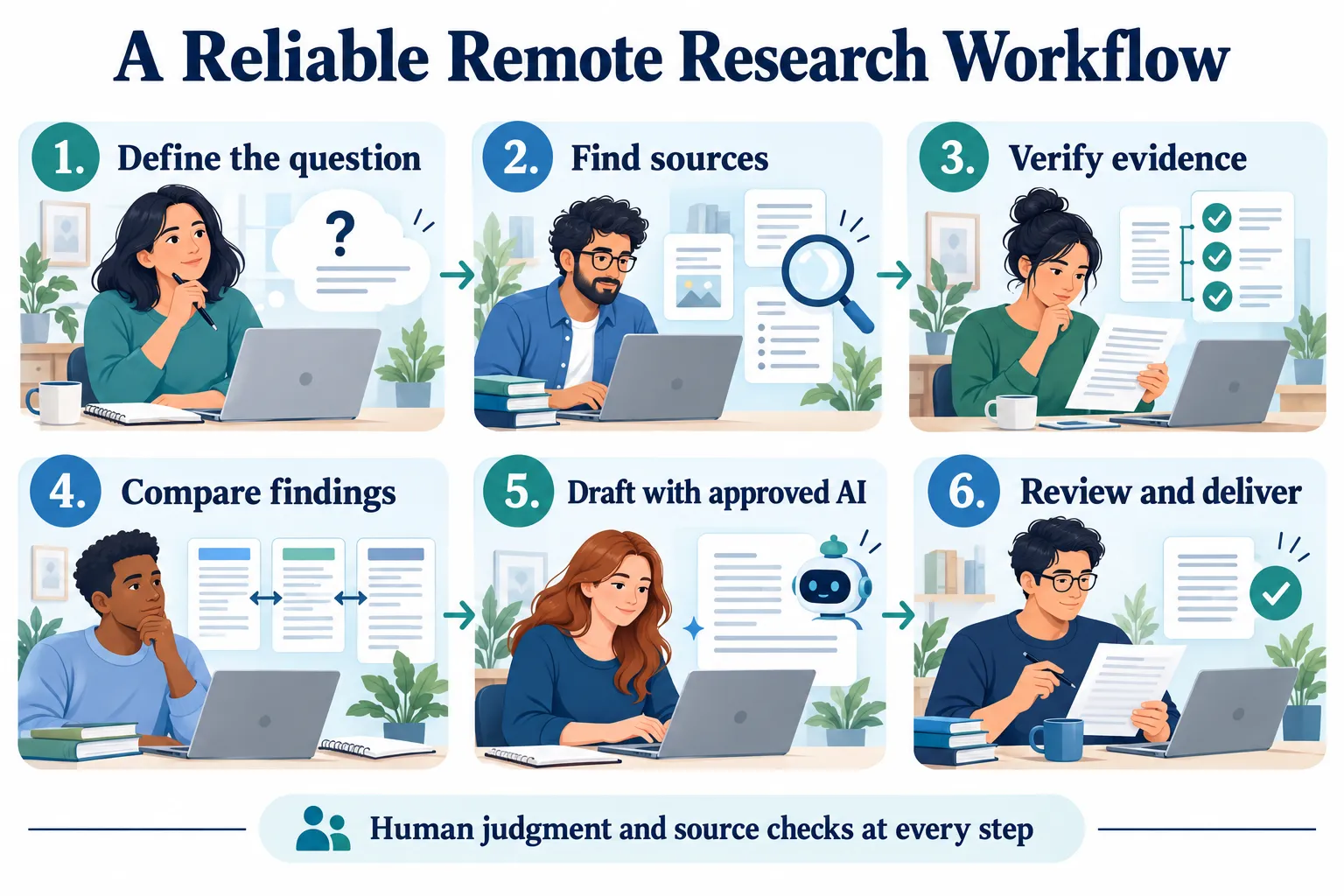
Define the research question
Specify the sector, location, time period and required output.
Discover potential sources
Use the search engines, databases and AI-assisted discovery to find the relevant material.
Verify original evidence
Open up the actual reports, check the dates and verify the figures that are being cited.
Analyze and organize
Compare the findings, spot any disagreements and note the limitations.
Use AI for drafting support
Prepare an outline or initial summary from the verified notes.
Review and deliver
Check every key claim, spot and rectify any errors and produce the final report.
AI assists within an accountable research process. The researcher remains responsible for source selection, interpretation, accuracy, and the final deliverable.
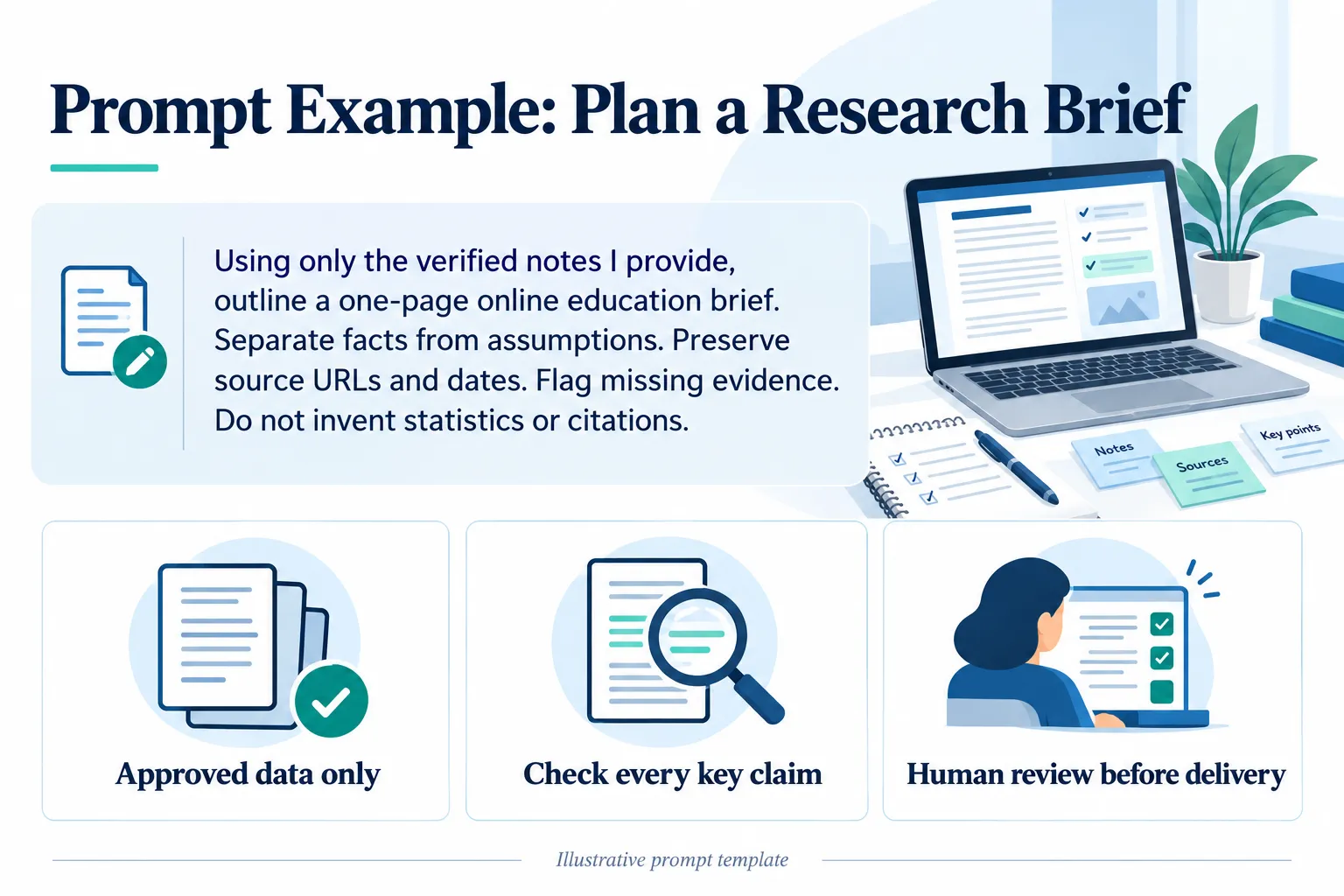
Planning prompt: Using only the verified notes I provide, outline a one-page online education brief. Separate facts from assumptions. Preserve source URLs and dates. Flag missing evidence. Do not invent statistics or citations.
When should remote workers avoid using AI?
Don’t enter any sensitive customer data, trade secrets, private employee records or confidential business information into any AI service unless your organization has specifically approved that data to be used.
AI-generated reports, calculations and citations should all be checked prior to being used in any important business decisions.
For anything high stakes you absolutely need independent verification and appropriate expert review.
How to Set Up an Effective Home Workspace
An effective home workspace supports concentration, communication, and comfort. Start with dependable equipment that meets the role’s requirements rather than assuming an expensive setup is necessary.
Essential home office equipment
| Equipment | Why it matters | Budget-friendly approach |
|---|---|---|
| Computer | Provides access to work applications | Use a dependable device that meets job requirements |
| Internet connection | Supports communication and cloud applications | Test connection stability before purchasing upgrades |
| Desk or work surface | Provides a consistent place to work | Use an existing table with sufficient space |
| Chair | Supports comfortable seated work | Adjust seating and posture where possible |
| Headset | Improves clarity during online meetings | Choose a basic model with a reliable microphone |
| Lighting | Helps with reading and video meetings | Position your workspace near natural light |
| Backup arrangements | Reduces disruption when equipment fails | Maintain approved alternative connectivity options |
When setting up your workspace, keep the screen at a comfortable viewing distance. Position your keyboard and mouse so that you don’t end up with your wrists in awkward positions and take regular opportunities to change posture.
Workers with accessibility needs may well benefit from screen readers, speech recognition, adjustable equipment and the like.
Create a consistent work routine
A clear timetable helps to separate work from personal life.
Identify your working hours, agree on what your availability is going to be and block out periods of time when you’re going to be working on demanding tasks. If you’re living with others then you need to be clear as to when you’re likely to be interrupted.
A good routine should be one that reflects the real demands of the job rather than some unrealistically high expectation of constant output.
How to Avoid Work-From-Home Job Scams
Remote job scams can be very much like a real recruitment process. The fraudster may be posing as a legitimate employer, may be advertising a very good role or may be in contact with the candidate via a messaging service. Source: CISA security guidance.
In April 2026, the FTC warned about fake recruiters sending unexpected remote-job messages. Scams may involve fake checks, requests to send money, or online tasks that eventually require a deposit. Source: FTC recruiter warning.
Common warning signs
| Warning sign | Why it is concerning |
|---|---|
| Guaranteed high income for minimal effort | Earnings claims may be unrealistic or deceptive |
| Requests for upfront fees | Legitimate employers do not charge applicants to obtain employment |
| Payment requests in cryptocurrency | May indicate a fraudulent task or commission scheme |
| Unverified recruiter identity | Fraudsters can impersonate real businesses |
| Requests for sensitive data before verification | Personal information may be targeted for identity theft |
| Pressure to accept immediately | Discourages independent investigation |
| Checks sent with instructions to return money | A common fake-check fraud pattern |
| Payment for writing fake reviews or ratings | May indicate a fraudulent or deceptive task scheme |
How to verify a remote job offer
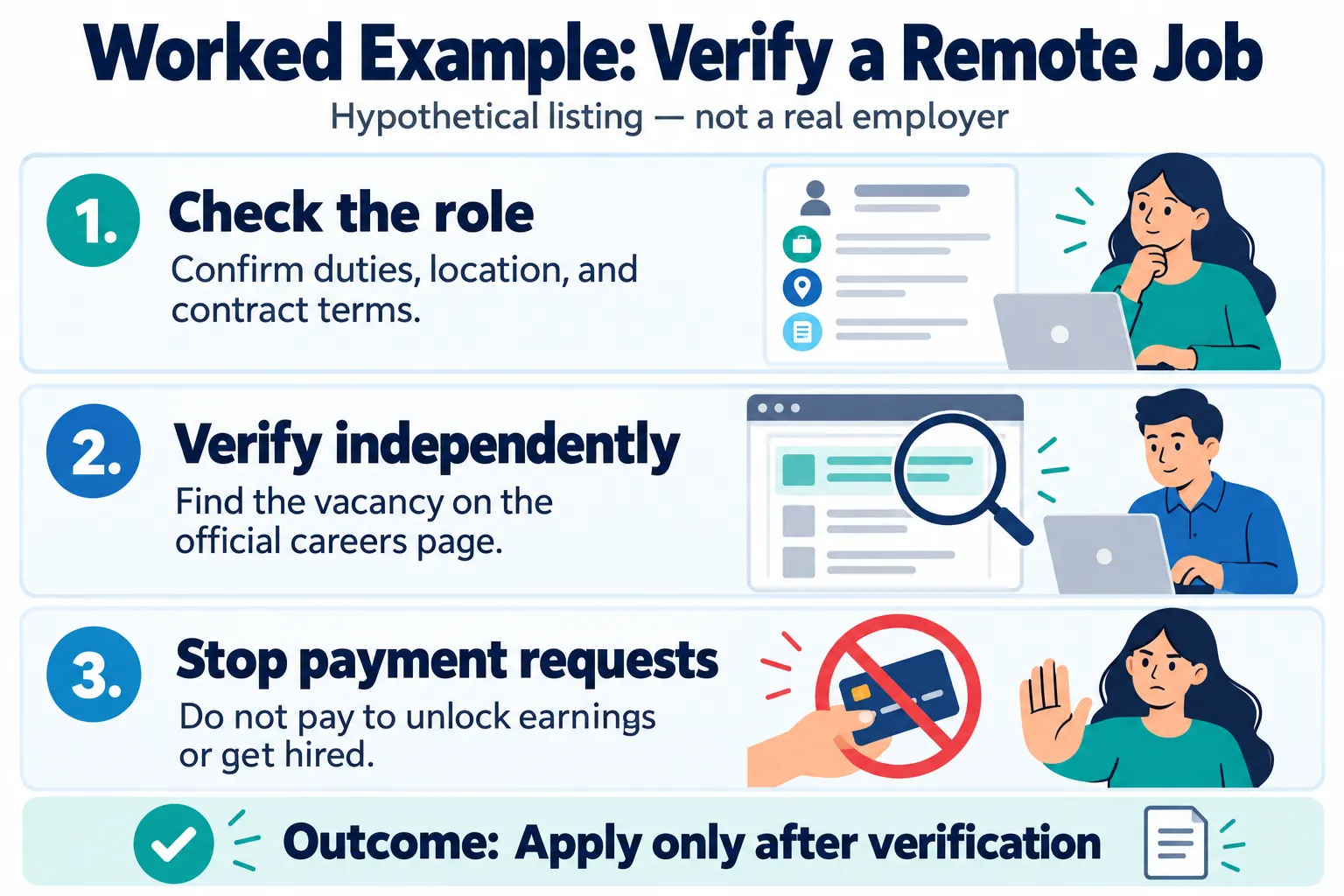
Before you take on a role, check out the employer’s official careers page and independently verify the recruiter’s details via some other means of contact.
Search the company name with terms like complaint, recruitment scam and fake job offer. Look at the evidence for yourself rather than just going on one review.
Confirm the job description, pay, work location, contract type, and payment terms in writing.
Be very wary of a recruitment process which is entirely via unsolicited messages and where you have no means of independently verifying the employer.
The FTC provides further guidance on identifying fraudulent employment schemes. Source: FTC job scams.
Never send money to unlock supposed earnings or secure a job. If you suspect a scam, stop responding, preserve records, and report it through an appropriate official channel.
Common Challenges of Working From Home
Working from home can be very flexible, but it also brings its own set of problems which need to be actively managed.
Social isolation
Workers who don’t really interact with their colleagues at all are likely to miss the informal bits of conversation that go on in the workplace.
Regular team meetings, participation in professional communities, mentoring and the odd face-to-face interaction where it’s practical will all help in maintaining the professional relationships.
Communication delays
A question that might be answered straight away in an office environment could take a lot longer to resolve in a distributed team.
Clearly defined processes, agreed response times and well-documented project records will all help to reduce delays.
Difficulty separating work and personal life
When work and home exist in the same physical space the boundaries between them can get rather blurred.
Set a realistic finish time, let people know when you’re available and don’t go around treating every single notification as an emergency.
Limited career visibility
Remote staff may have to be more deliberate about communicating what they’re achieving.
Keep a record of projects that have been completed, pass on the relevant results, get involved in the team discussions and arrange for your own regular development meetings with your line manager.
Rapidly changing technical requirements
Digital tech is still evolving and workers will likely need to keep up with their skills over the course of their careers.
Focus on transferable skills such as analytical reasoning, communication, research skills, security awareness and the effective use of digital tools.
These capabilities are generally more robust than familiarity with a single software interface.
A Practical 30-Day Plan to Start Working From Home
A four-week plan can turn a broad remote-career goal into specific actions. Adapt it to your experience and target roles.
30-day remote career checklist
Week 1: Identify your direction
- Assess existing skills and work experience
- Choose two realistic remote job categories
- Review job descriptions and location requirements
- Identify specific skills to improve
Week 2: Build evidence of your abilities
- Update your resume and professional profile
- Create or improve two relevant work samples
- Learn the main tools used in your target role
- Practice a small project with documented results
Week 3: Search and verify opportunities
- Research suitable employers and job platforms
- Build a list of relevant, verifiable vacancies
- Tailor and submit focused applications
- Prepare answers for remote interview questions
Week 4: Review and improve
- Track applications and employer responses
- Strengthen weak portfolio or resume sections
- Practice interviews and online communication
- Create a continuing learning and application plan
This plan is a starting point, not a promise of employment in 30 days. Some career changes require additional training, portfolio work, or relevant experience.
Frequently Asked Questions About Working From Home
1. What is the best way to start working from home in 2026?
Start by looking for remote jobs that are in line with your existing skill set. Look at the requirements of the role and prepare some relevant work samples. Use the normal job boards and the employer’s own career pages to find the jobs. Make sure you’ve checked out the opportunity before you give out any personal details.
2. What legitimate work-from-home jobs are suitable for beginners?
Customer support, admin, research support and a number of content related roles can offer some entry level opportunities. The requirements will vary from role to role and some of the entry level roles will of course have specific software, communication or industry skills as a prerequisite.
3. Can I work from home without previous professional experience?
Yes there are remote employers who will hire people without a great deal of professional experience. Relevant training, internships, voluntary work and demonstrable skills can all be used to show that you are ready for the role.
4. Which skills are most important for remote employment?
Clear communication, digital literacy, time management, information verification and independent problem solving are all very useful. Specialized roles will of course also require programming, data analysis, design and so on.
5. Where can I find legitimate remote jobs?
Employer career sites and the various established job boards are a good place to start. Always check the role and the recruiter as there are known instances of fraudulent postings appearing on legitimate sites.
6. How can I recognize a fake work-from-home job?
Watch for unrealistic earnings promises, upfront payment requests, unverified recruiters, pressure to act immediately, or requests to send money. A legitimate offer should have identifiable responsibilities, a verified employer, and clear terms.
7. Which AI tools are useful for remote workers?
AI assistants, transcription tools, scheduling applications, and workflow automation platforms can help with drafting, research, documentation, and repetitive tasks. Tool selection should reflect the specific work and organizational requirements, with human review of important outputs.
8. How can I remain productive while working remotely?
Establish clear daily priorities, maintain a workable schedule, and communicate progress consistently. Use collaboration tools selectively and assess productivity through completed work rather than constant online activity.
9. Can I apply for remote jobs in another country?
Yes, but eligibility depends on the employer, the employment arrangement, and applicable legal requirements. A remote job may still require residence, work authorization, or a payroll arrangement in a particular country.
10. How can I build a long-term remote career?
Develop transferable skills, maintain evidence of your achievements, and continue learning as technologies and business needs evolve. Professional networking, reliable communication, and progressively more specialized work can support career growth.
Conclusion
Working from home in 2026 is a viable professional arrangement for many occupations, but success requires informed career choices, relevant skills, and dependable working practices. Remote workers must evaluate opportunities carefully, communicate effectively, protect sensitive information, and understand the advantages and limits of digital technologies. AI can support research, writing, analysis, and administration, but professional responsibility and the verification of important information remain essential.
For people interested in digital careers, developing strong internet research, analytical thinking, and information evaluation skills can provide a useful foundation. A sustainable remote career is not simply about finding work outside an office. It is about becoming a professional who can produce reliable results, adapt to changing requirements, and contribute meaningfully from wherever the work is performed.