
Fake profiles cause serious harm across social platforms. Scammers often steal profile photos and reuse them to trick strangers. Many victims trust them without checking their origin or history. As a result, they lost their time, data, or money.
Many think that avoiding such scams is quite difficult. But it’s not. Face search technology offers a practical way to examine suspicious photos. It compares facial patterns with images that already exist online. Investigators, researchers, and everyday users rely on this approach.
And Reversely.ai provides such functionality through a dedicated facial search tool. The platform helps users trace repeated profile images, identify copied identities, and notice patterns linked with fraud activity on social networks.
What Is Reversely.ai Face Search?

Reversely.ai face finder helps users spot similar faces online. This face search tool scans uploaded portraits. Then it compares them with publicly available images across the web. The platform analyzes facial patterns rather than simple image pixels. That’s why you get the accurate results against your queries.
The tool relies on facial recognition technology. It identifies unique landmarks on a human face, such as eye distance, nose shape, and jaw structure. Then, the tool converts these landmarks into a searchable pattern.
Its results show where similar faces appear online. These results often reveal repeated profile photos, duplicated accounts, or images taken from other websites. Such information supports early detection of suspicious social media profiles.
Using Reversely.ai Face Search To Spot Fraud Attempts On Social Media
Detecting Stolen Profile Photos
Scammers frequently steal profile photos from real people. They copy these images and place them on newly created social media accounts. Such accounts often claim false identities. The goal is simple: to deceive people and steal their data and money.
Reversely.ai helps confirm whether a face appears elsewhere online. Using this, you can check a suspicious profile image and review matching results across multiple websites.
Results sometimes show the same photo on unrelated profiles or older websites. That pattern raises a warning sign. A profile that uses stolen images rarely represents a real person. So, if you have received a friend or follow request from such a profile, ignore it.
Identifying Duplicate Social Media Accounts
Fraudsters often run several accounts using the same photograph. They contact many people at once to increase their chances of success. Most victims fail to notice the pattern. They don’t even know that the other person is running different profiles.
Face search reveals those repeated photos and profiles quickly. The system compares the uploaded face with similar portraits from other platforms and databases.
Multiple matches connected with different usernames suggest a coordinated effort. That discovery helps users question the authenticity of those accounts before engaging in conversations or transactions.
Tracing Image Origins And Context
Every online image carries a story about where it first appeared. Fraudsters rarely create original photos. You know why? Because stolen pictures require less effort. But that shortcut leaves traces.
This face search tool tracks where a portrait appears on the web. Older matches often reveal the true owner or the earliest visible version of that image. Review actual image sources and decide whether the profile represents a real person.
If it doesn’t represent the original person, report and block it immediately. Moreover, if you can, tell the actual person as well.
Verifying Suspicious Contact Requests
Unknown friend requests appear daily on many social networks. Some belong to legitimate users. However, others are built for scam purposes. Their profiles target users’ trust and emotion.
A quick face search provides a layer of verification. Uploading the profile image allows users to check if the face already belongs to someone else online.
And repeated matches with unrelated names suggest a fabricated identity. Such checks help users avoid risky conversations and protect personal information.
Investigating Romance Or Impersonation Scams
Romance scams rely heavily on attractive profile photos. Fraudsters copy images from public profiles and present them as their own identity. Victims often develop trust before noticing warning signs. But a simple face search query reveals whether the photo belongs to another person on the internet.
Reversely.ai helps uncover such impersonation attempts by locating similar portraits across websites. Those findings assist individuals in finding out if they are talking to an impersonator or the actual person.
How To Use This Face Search Tool?
Here’s how you can quickly identify fraud attempts with the face search tool by Reversely.ai:
- Pick A Clear Photo: Select a visible face image without heavy filters or extreme angles.

- Start the Face Search: Submit the photo through the platform interface to begin scanning.
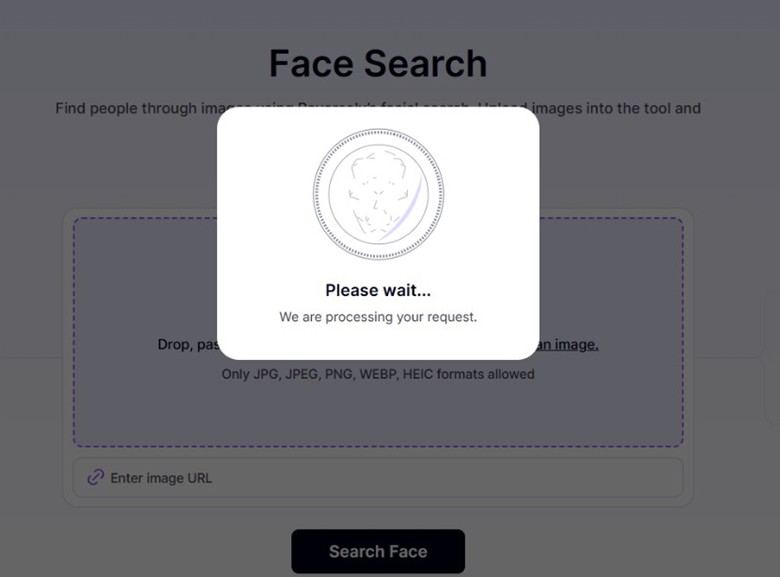
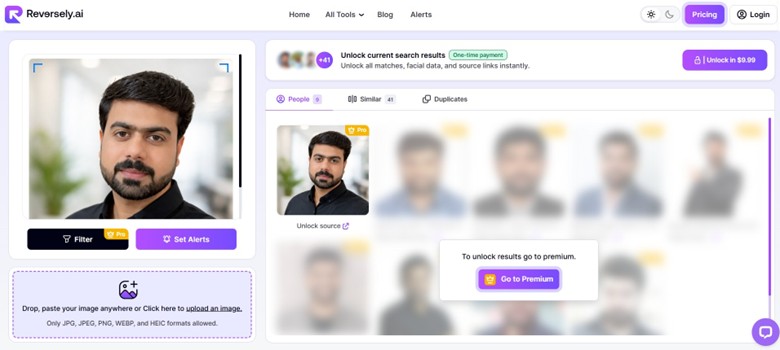
- Review Matching Results: Examine similar images that appear across websites and profiles.
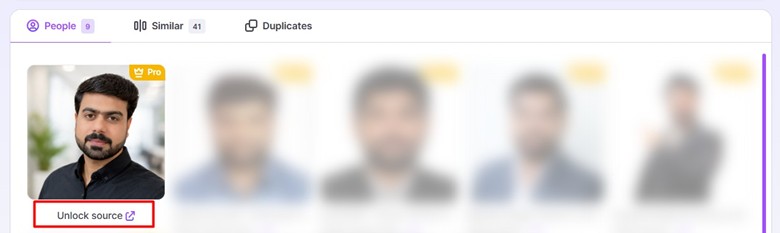
- Check Image Sources: Open the result links to see the original location of those photos.
- Evaluate Identity Patterns: Compare usernames, websites, and timelines connected with matching images.
Conclusion
Social media fraud continues to expand. The reason? They have a lot of data to exploit. Plus, there is a lack of knowledge about how to spot them. Remember, many scams start with a simple image. It appears trustworthy at first glance. Yet deeper inspection often reveals that the photo belongs somewhere else online. Face search technology adds an effective layer of verification. Reversely.ai allows users to examine facial matches across the web and identify suspicious patterns. This approach supports safer online interactions and stronger awareness. Careful verification protects users from deceptive profiles and reduces the chances of falling victim to identity-based scams.