
PDF search tools help locate research papers, reports, forms and books. Scholarly search, publisher databases, ebook catalogs and library borrowing serve different purposes; not every result is a freely downloadable PDF.
Browse the reviewed PDF Search Engines directory for current links, access notes and existing tool reviews.
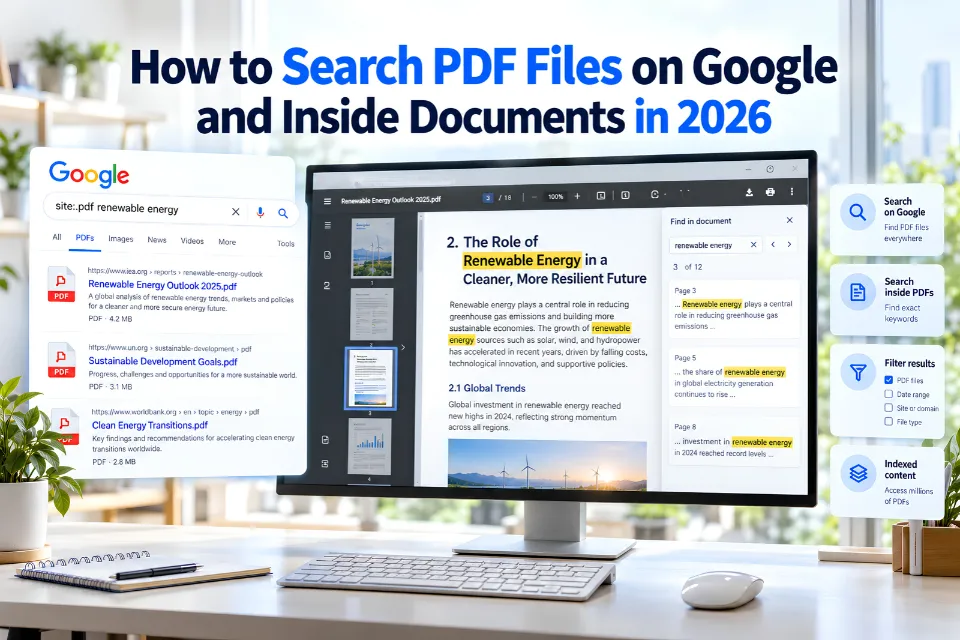
Search PDFs with Google
Use Google Advanced Search or add filetype:pdf. Try climate policy filetype:pdf site:gov. Check the source, publication date, version and download permissions.
Scholarly PDF discovery
- Google Scholar: scholarly discovery and links to publisher/repository versions. Not every record provides a PDF.
- Semantic Scholar: paper discovery and citation context; verify full text at the original source.
- BASE: academic repository records and open-access filtering, without guaranteed PDF downloads.
- FreeFullPDF: scholarly PDF discovery; check provenance and license.
- Science.gov: US government science discovery; agencies determine full-text availability.
Document repositories and publisher platforms
- Internet Archive / Texts: digital library with item-specific formats, borrowing and rights.
- WorldCat: library holdings and catalog discovery, not unrestricted PDF downloads.
- ScienceDirect: publisher articles, with subscription and open-access material.
- ResearchGate: author-shared documents and full-text requests; rights vary.
- Scribd: subscription/user-upload document platform; provenance and download rights vary.
Ebook catalogs and borrowing
These are not all-web PDF search engines. Check the format, membership, price and rights for each title.
- Bookboon: educational/business publisher catalog.
- Free-eBooks.net: author-supplied ebook catalog; formats and plan limits vary.
- Obooko: ebook catalog with title-specific formats and terms.
- ManyBooks: public-domain and independent ebooks, including paid titles.
- Libby: library borrowing subject to membership and loan terms, not PDF downloads.
PDFBooksWorld needs an additional current availability check: automated access is restricted. Do not treat an automated-access block as proof a service has closed.
Corrections to the previous list
Unsupported “Google Scholar 2026 AI Edition”, “Research Sidebar” and “Citation Influence” claims have been removed. BASE does not guarantee downloads. Unsupported collection counts and invented 2026 product features have also been removed.
The unofficial PDFDrive mirror is not an endorsed source. LibGen and unclear-rights download sites are not recommended as lawful substitutes for publishers. PDFfiller and Flipsnack are editing or conversion products, not PDF search engines. Duplicate listings have been consolidated, and obsolete or unverified services are held out of the recommended list.
Verify a PDF and any AI summary
- Open the original publisher or repository record.
- Confirm author, date, version, source and license.
- Read download terms; search visibility does not grant copyright permission.
- Check AI quotations, page numbers and conclusions against the original document.
Editorial desk review updated 19 October 2026; not a hands-on evaluation or guarantee of service availability. Learn how to search PDFs, browse the PDF directory, or explore other search-engine categories.