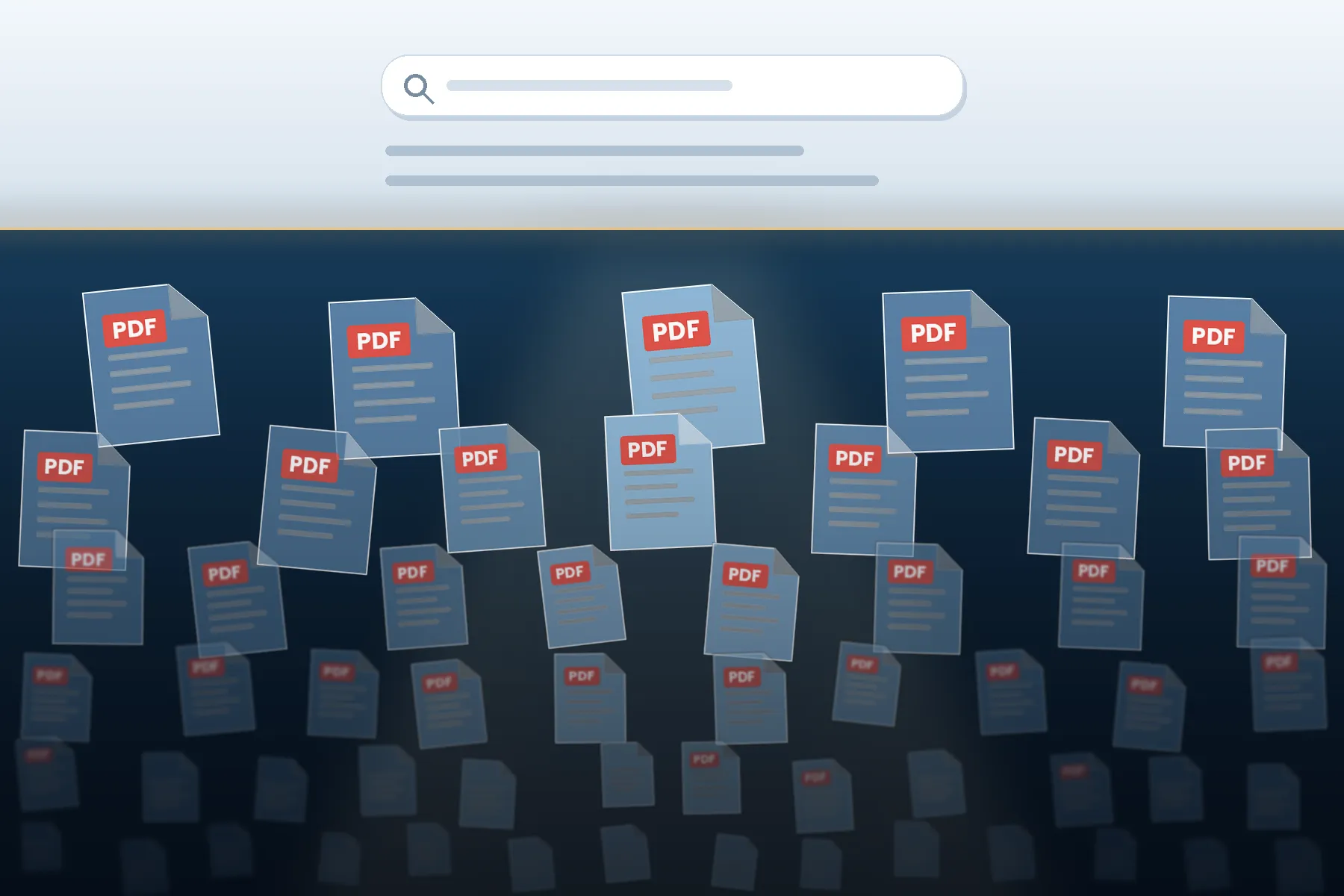
A results page shows the surface. The documents that settle a research question usually sit below it.
“The most consequential document in almost any research project is a PDF, and there is a good chance no search engine will ever hand it to you.” (The Weaknesses of Full Text Searching, 2008)
Environmental impact assessments, procurement tenders, clinical study reports, municipal budget annexes, standards drafts, inspection findings, ministry circulars, corporate sustainability data, and accepted manuscripts of paywalled papers, the primary record of institutional life, are published as PDFs, and a large share of it is functionally invisible to the tools most researchers use. The information is public. It is simply unreachable by the method used to reach it.
This gap has widened rather than narrowed. AI-assisted search compresses discovery into a single synthesized answer drawn from a shallow slice of well-indexed, HTML-native, English-language pages. It is fast, often correct, and structurally blind to the document layer. Worse, it gives no signal that the layer exists. The answer arrives complete, and the researcher never learns what was missed. A traditional results page at least showed you the shape of the field, including the forty results you chose not to open.
The unifying principle of everything that follows is this: you do not discover invisible content by searching harder. You locate the system that indexes it and query it directly.
Why does the document layer matter? The format itself tells you what kind of material you are looking at
PDFs are not web pages in a different wrapper. The format is chosen for a reason, and the reason tells you what is inside it.
- Fixed pagination means citability. Anything designed to be quoted, audited, or entered into evidence filings or judgments (Rule 44. Proving an Official Record, 2026), statements, standards, tenders, and accounts is issued as a PDF precisely so that page 47 is page 47 for every reader.
- It is the format of obligation. Where a law, regulator, funder, or contract requires an organization to publish something, the output is almost always a PDF. Compliance publishing is where the unspun numbers live.
- It carries what never becomes a web page. Methodology appendices, data tables, respondent lists, dissent notes, correspondence annexes, and redaction schedules. The press release is converted to HTML; the substance remains in the attachment.
- It is where the accepted manuscript sits. Vast quantities of paywalled scholarship exist as legitimately deposited PDFs in institutional repositories and preprint servers.
- It preserves the original object. Scanned archives, historical records, and declassified files reach us as page images, often the only surviving form of the source.
Put plainly: HTML is where institutions explain themselves; PDF is where they document themselves. Research that touches only the first layer amounts to reading the summary of the evidence rather than the evidence itself.
Why material disappears
Understanding the failure modes tells you which recovery technique to reach for. Content goes missing for six broadly distinct reasons (Digital.gov, 2026).
- Ranking, not indexing. Search engines do index PDFs but rank them poorly. A PDF rarely accumulates inbound links, lacks a clean title tag, provides no mobile-friendly signal, and results in a high bounce rate. (Community, 2023) It remains in the index and never appears in results that a human actually reads.
- No text layer. A scanned document without OCR is, to a crawler, a stack of pictures. Its text is unsearchable by any query, however well-constructed.
- Form-gated retrieval. Most government and institutional holdings sit behind a search form. Crawlers do not submit forms, so an entire collection is invisible even though every individual record has a public URL. This is the classic deep web.
- Crawl exclusion. A robots.txt directive, a login wall, a JavaScript rendered file listing, or a session-dependent download link removes material from the index without removing it from the public domain.
- Orphaned and deleted files. A document linked only from a page that has been redesigned or removed persists on the server, reachable via a direct URL and referenced by nothing.
- Retrieval bias in AI tooling. Systems that answer by summarizing a shallow retrieved set inherit every bias above and add their own: preference for clean HTML, recent material, English text, and short documents. A three hundred page appendix is precisely the object that such systems handle worst.
The channel map
Keyword search over the open web is one channel among roughly a dozen. The other eleven are structured registries, repositories, archives, APIs, disclosure regimes, citation graphs. They reward knowing that a system exists far more than they reward clever queries, which is exactly the knowledge AI retrieval cannot supply, because it operates entirely inside channel one.
| Deep Web Source Type | What It Contains | How Researchers Access It |
|---|---|---|
| Document formats | PDF, spreadsheet and presentation files indexed but ranked into oblivion | Filetype and site operators; boilerplate fingerprints |
| Scholarly repositories | Legitimate open versions of paywalled research | Unpaywall, CORE, OpenAIRE, BASE, Semantic Scholar, preprint servers |
| Institutional repositories | Accepted manuscripts deposited under university mandates | OpenDOAR; site: searches against repository subdomains |
| Funder-mandated deposit | Publicly funded research required to be openly archived | PubMed Central; OpenAIRE for EU-funded work |
| Library entitlements | Commercial news, legal and periodical archives | Public library card remote access; Gale, ProQuest, EBSCO |
| Web archives | Material that has been removed, redesigned away, or quietly edited | Wayback Machine and its CDX interface; archive.today; national deposit libraries; Common Crawl |
| Institutional archives | Historic and unpublished records described at collection level | National archive catalogues, Archives Portal Europe, ArchiveGrid, SNAC |
| Data archives | Datasets, codebooks, survey instruments, digitised books | ICPSR, Dataverse, Zenodo, Figshare, HathiTrust full-text search |
| Non-Latin script web | Everything an English-language query structurally cannot match | Correct native terminology plus regional engines |
| Government portals | Filings, tenders, dockets, inspection reports, disclosure logs | The agency’s own search form; sitemaps; bulk data and APIs |
| Form-gated databases | The classic deep web records with public URLs and no crawl path | Registry directories; URL parameter analysis; aggregators |
| Citation graphs | The literature no keyword query surfaced for you | Backward citation chaining plus forward citation tracking |
Channel one: document formats and operator discipline
Classic search operators still work, and they remain the fastest route into the document layer. The discipline is to search for the document rather than for the topic to specify format, domain, and the vocabulary that appears inside official text rather than the vocabulary you would use to describe the subject.
| Operator / Technique | What It Does | Example Query |
|---|---|---|
| filetype: / ext: | Restricts results to one document format such as PDF, DOC, DOCX, XLS, XLSX, PPT, PPTX, CSV, or RTF. The single highest-yield operator in document research. | filetype:pdf groundwater salinity |
| site: | Confines the search to a specific domain or an entire top-level domain. Pair it with a country or sector suffix to isolate official publishing. | filetype:pdf site:.gov.tr |
| inurl: | Matches text in the URL path. Useful because institutions name their directories predictably. | inurl:/reports/ filetype:pdf audit |
| intitle: | The document title matches the PDF, which is drawn from file metadata rather than any visible page text. | intitle:"annual report" filetype:pdf |
| “exact phrase” | Locks onto boilerplate wording that appears only in one class of document. | "for official use only" filetype:pdf |
| intext: | Forces a term into the body text rather than the anchor text of links pointing at the file. | intext:"tender no" filetype:pdf |
| – (minus) | Removes aggregators and mirror sites that crowd out the primary source. | filetype:pdf report -site:scribd.com |
| Metadata artefact | Catches auto-generated titles left behind by the software that produced the file. | "Microsoft Word -" filetype:pdf |
| Result-page strings | Finds entry points of databases whose contents are otherwise form-gated. | "records 1 to 20 of" |
Run the same construction across more than one engine. Bing, DuckDuckGo, Mojeek, Startpage, Brave, and Yandex maintain different indexes and document ranking behaviour; a file invisible on one frequently appears on the first page of another.
Fingerprint the document, not the subject
This is the single habit that most separates experienced document researchers from everyone else. Every class of institutional document carries boilerplate cover page phrasing, form numbers, classification markings, standard headings, and template footers that appears in that class and nowhere else. Search the fingerprint to retrieve the class.
- Classification and handling markings: “for official use only,” “confidential treatment requested,” “restricted commercial in confidence,” and “not for public release.”
- Structural headings: “Board of Directors Meeting Minutes,” “Statement of Reasons,” “Terms of Reference,” “Notice of Intent,” “Management Response to Audit Findings,” and “Limitations of this Study.”
- Numbering conventions: docket numbers, tender reference formats, register citations, case numbers, form identifiers. Once you know the pattern, you can enumerate it.
- Generation artefacts: titles auto-created by the software that produced the file, which frequently expose the original filename and author.
- Template footers: revision codes and document control strings unique to one organization’s template.
A fingerprint query converts an unbounded topic search into a bounded search of a document population. It is also how you discover that such a population exists at all.
Channel two: paywalls separate licensing from access
A paywall is a commercial arrangement, not a statement about where the text can be found. In a large proportion of cases, an entirely legitimate open copy exists elsewhere.
- Open-access discovery layers. Unpaywall, CORE, OpenAIRE, BASE, and Semantic Scholar index the deposited version. Preprint servers arXiv, SSRN, bioRxiv, medRxiv, PsyArXiv, and RePEc often hold text that is near identical to the published article.
- Institutional repositories. Nearly every university now mandates a deposit. A site search against the repository subdomain or a lookup through OpenDOAR finds the accepted manuscript.
- Funder-mandated deposit. Publicly funded research carries an archiving obligation in PubMed Central for work funded by the US National Institutes of Health and equivalent regimes across the European Union and elsewhere.
- Ask the author. An absurdly high hit rate, and almost nobody does it. A request through an academic network or a short, courteous email very often produces the file within a day.
- Library entitlements. A public library card in most US and UK jurisdictions carries remote access to major commercial databases and newspaper archives from home. It is the most consistently underestimated access route in open-source research.
Channel three: archives three distinct layers
“The archive” is not one thing. Three separate systems hold three separate kinds of material, and confusing them wastes days.
- Web archives capture pages and files as they existed. The Wayback Machine is the obvious starting point, but archives are. Today, Common Crawl, national deposit libraries, and regional web archives all hold captures that the others lack. The critical capability is URL enumeration: the Wayback CDX interface lets you list every captured file under a domain, which is the standard method for reconstructing a document set after a redesign or a deletion.
- Institutional archives hold unpublished and historic records, national archive catalogues, Archives Portal Europe, ArchiveGrid, and SNAC. These catalogs are at the finding aid level rather than the document level, so you search collection descriptions rather than content, then request or visit.
- Data archives hold datasets, codebooks, survey instruments, and digitized print: ICPSR, Harvard Dataverse, Zenodo, Figshare, and large full text collections of books and periodicals. Full text search across digitized books reaches material that exists in no other searchable form.
Channel four: non-Latin scripts
This issue is mostly a search behaviour problem rather than a technical one. Search engines do not bridge scripts: an English query cannot match a Cyrillic, Arabic, Chinese, or Devanagari document, however relevant. The workflow is deliberate.
- Establish the correct terminology in the target language not a machine translation of your English term, but the term practitioners in that language actually use. Interlanguage links on reference sites are excellent for this, as are the local language versions of institutional websites.
- Use the regional engines: Yandex for Russian and Cyrillic material; Baidu and Sogou for Chinese; Naver for Korean; Seznam for Czech; and Yahoo Japan for Japanese. Their indexes differ substantially from the global engines.
- Search transliteration variants, especially for names. A single Arabic name may have eight defensible Latin renderings, and the document you need uses only one of them.
- Watch for encoding problems in older files and for the same entity appearing under different naming conventions across jurisdictions.
Channel five: government portals
Most genuinely useful government material sits behind a search form, which crawlers do not submit. So you stop querying the search engine and start querying the agency.
- Use the agency’s own interface, then read the URL. Most institutional search forms issue simple GET requests with readable parameters. Once you understand the parameter structure, you can construct queries the public form does not offer and iterate through result pages systematically.
- Look for bulk data and APIs. National and supranational open data portals publish machine readable dumps of exactly the collection the public portal serves, one record at a time. Check for a data, developer, or downloads section before considering anything more laborious.
- Learn the numbering convention. Government output is systematically numbered with docket numbers, register citations, tender identifiers, and case numbers. Once you know the format, the collection becomes enumerable.
- Mine disclosure logs. Freedom of information and right to information disclosure logs are routinely published and crawled badly. They are among the highest value, lowest competition sources available.
- Read the site’s own map. Fetch /sitemap.xml for a direct enumeration of published URLs and /robots.txt for the list of directories the operator wishes to keep out of search results, which is itself intelligence.
Channel six: databases behind form submission
This is the classic deep web problem. Approaches, roughly in ascending order of effort:
- Identify the database, not the content. Registry directories like re3data, FAIRsharing, DataCite, the registries of open access repositories, and curated lists of vertical databases in your subject field exist precisely to solve this issue. Knowing that a register exists is 90 percent of the problem.
- Analyze the URL structure. Submit one query by hand and inspect the resulting address, and you will often find you can construct further queries directly. Many “hidden” databases are hidden only from crawlers, not from you.
- Search the results page for furniture. Strings that appear only in generated result pages, record count phrasing, standard column headers, and search script paths expose the entry points of systems no topical query would reveal.
- Use aggregators that have already done the work. Consolidated company registry, sanctions, court records, and global news databases have already harvested and normalized what would otherwise take weeks of jurisdiction by jurisdiction searching.
Recovering the unsearchable
You cannot find a scanned document by its contents, so you must find it by its context and then make it searchable.
- Locate it through its container. The finding aid, collection description, accession record, box list, or the index page that links to it. Archival material is described at the collection level, so search the description rather than the text.
- Apply OCR once you hold the file. Modern engines handle multi column layouts, tables, and most non-Latin scripts adequately, and the resulting text layer makes the document searchable, quotable, and analyzable.
- Read the metadata. Author, producer, software, creation, and modification timestamps, as well as prior filenames, survive within the file and frequently answer questions that the visible text does not.
- Inspect for retained content. Poorly executed redactions, tracked revisions, embedded attachments, and hidden layers are common in documents released under disclosure regimes.
The signal problem: knowing that something exists
The hardest problem is not retrieving a document you know about. It is knowing that a document exists at all the awareness that a results page used to supply incidentally, and a synthesized answer removes entirely. Five habits generate that signal.
- Read the bibliography, not the article. The reference list of a serious report is a curated index of the literature that no engine surfaced for you. Walk it backwards through the citations, then forward using citation tracking tools. Citation chaining routinely finds material that no keyword query would.
- Identify the institution that would have to hold it. If a thing happened, something recorded it. Ask who was legally or bureaucratically obliged to create a record a regulator, court, ministry, inspectorate, professional body, trade association, or insurer and then find that body’s disclosure regime.
- Look for the register. Almost every domain has a canonical registry: clinical trials, patents, tenders, vessels, aircraft, corporations, charities, lobbying, sanctions, and standards. Learning the register for a domain converts an unbounded search into a bounded one.
- Ask a librarian or subject specialist. Reference librarians know the vertical databases in their field. This is a five minute conversation that replaces two days of searching, and it remains the most efficient discovery method in existence.
- Track what you expect to find and don’t. Absence is data. If a topic should have generated a regulatory filing and has not, that gap is itself a finding, usually the most interesting one on the page.
A Working Sequence
“Post-award contract variation notices,” not “procurement problems.”
The professional standard
What is being described here is not a set of tricks. It is a stance: an assumption that the visible results page is a partial view and that the substantive record is held in structured systems, which must be approached on their own terms rather than through general search.
That stance matters more as AI tooling improves. A fluent, synthesized answer terminates inquiry. It removes the moment of scanning a results page and noticing the unexpected filing on line thirty one. Used well, AI is an orientation instrument: it is excellent at generating the vocabulary of a field, naming the institutions likely to hold records, translating terminology across languages, and summarizing documents the researcher has already retrieved. It is a poor instrument for deciding what the evidence is, because it can only reason over what its retrieval layer has retrieved.
The researcher’s work has shifted accordingly. It is no longer principally about finding information; it is about deliberately re-expanding a search space that the tools have quietly narrowed. The buried library is still there. It always was. It simply has to be approached as a library rather than as a search box.
Prepared for AOFIRS by Naveed Manzoor, this blog covers research practice training and professional development.