

A large share of online information never appears in ordinary search results. Google itself says it does not guarantee that it will crawl, index or serve any page, and that some pages cannot be reached without logging in (Google Search Central, 2025). Government filings, academic databases, historical web pages, internet-service banners, breach notifications and Tor onion services are typical examples. Finding them requires the right specialist search engine and an accurate understanding of what each engine can actually search.
This guide compares 33 discovery services for the invisible web. It covers onion indexes, internet infrastructure data, breach and identity services, public archives, and specialist databases. Start by deciding what kind of record you need.
If you are new to this subject, begin with AOFIRS’s practical guide on Search the invisible web. It explains how to match a search strategy to databases, archives, specialist indexes and content that does not appear in ordinary results.
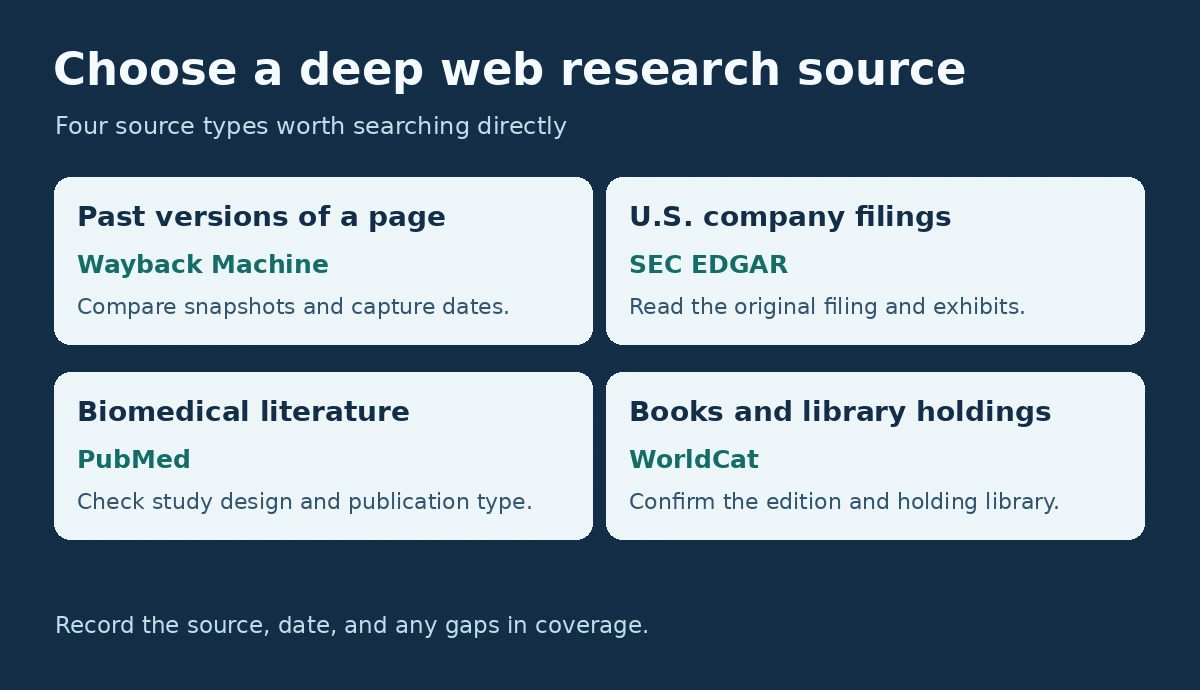
Quick answer: For changed or deleted public pages, start with the Wayback Machine. Use specialist sources such as PubMed for biomedical literature and SEC EDGAR for U.S. company filings. Compare sources when coverage, scope, or freshness matters.
The 33 Deep Web Search Engines at a Glance
| Search engine | Category | Use it for | Tor required? |
|---|---|---|---|
| Ahmia | Onion index | Filtered public onion discovery | No to search; yes to open onion results |
| Onion Search Engine | Onion index | Script-light Tor searching | No to search; yes to open onion results |
| Torch | Onion index | Broad, minimally filtered onion results | Yes |
| Haystak | Onion index | Large onion index and advanced searching | Yes |
| OnionLand Search | Onion search gateway | Searching Tor services from a clearnet page | No to search; yes for onion results |
| DuckDuckGo Onion | Private Tor search | Surface-web searching without leaving Tor | Yes |
| VormWeb | Onion index | Keyword searches with security-level labels | No to search; yes for onion results |
| Tor66 | Onion index and directory | Categorised and submitted onion links | Usually |
| Excavator | Onion index | Alternative Tor coverage | Yes |
| DarkSearch | Onion search/API | Programmatic or alternative onion discovery | Varies |
| TorDex | Onion index | Unfiltered user-submitted onion discovery | Yes |
| Intelligence X | Cross-source search | Tor, I2P, leaks, domains and identifiers | No |
| Shodan | Infrastructure search | Internet-connected devices and services | No |
| Censys Platform | Infrastructure search | Hosts, web properties and certificates | No |
| ZoomEye | Cyberspace search | Devices, websites, services and fingerprints | No |
| FOFA | Cyberspace search | Global assets and technology fingerprints | No |
| Netlas | Infrastructure search | Hosts, DNS, WHOIS, certificates and history | No |
| BinaryEdge | Internet scanning | Exposure and attack-surface research | No |
| Criminal IP | Threat search | IP, domain and threat-infrastructure intelligence | No |
| LeakIX | Exposure search | Misconfigurations and publicly exposed services | No |
| PublicWWW | Source-code search | HTML, JavaScript, CSS and tracking identifiers | No |
| urlscan.io | Website scan search | Historical scans, domains, requests and page behaviour | No |
| GreyNoise | Threat-intelligence search | Internet scanners, probes and noisy IPs | No |
| Have I Been Pwned | Breach search | Checking whether an email address appears in known breaches | No |
| DeHashed | Breach-data search | Authorised breach and exposure investigations | No |
| Hunter | Contact search | Public professional email patterns and sources | No |
| Pipl | Identity and risk search | Enterprise identity resolution and fraud review | No |
| OCCRP Aleph (Aleph Pro) | Investigative search | Public records, companies, people and documents | No |
| Wayback Machine | Web archive | Deleted or changed public pages | No |
| WorldCat | Library search | Books, theses, archives and library holdings | No |
| Google Dataset Search | Dataset search | Datasets hosted across repositories and institutions | No |
| PubMed | Biomedical database search | Medical and life-science literature | No |
| SEC EDGAR | Filing search | U.S. company filings and exhibits | No |
Surface Web vs. Deep Web vs. Dark Web: What Is the Difference?
The surface web, deep web and dark web are different layers of online information access. The main difference is not whether the content is legal or illegal. It is how the information is indexed, accessed and protected.
The surface web contains publicly accessible pages that ordinary search engines can crawl and index. The deep web includes content that is not comprehensively exposed through standard search results, such as databases, repositories, archives, subscription systems and authenticated platforms. The dark web is a much smaller category of deliberately hidden services that generally require anonymity networks such as Tor.

What Is the Deep Web?
The deep web is online content that ordinary search engines do not index completely. It includes password-protected accounts, subscription databases, internal portals, dynamically generated pages, government filing systems, library catalogues and other material that a crawler cannot reach or is not permitted to index.
For a visual explanation of where these layers differ, read Deep web vs dark web. The distinction matters because most legitimate deep-web research involves databases and authenticated collections, not Tor.
The dark web is a much smaller part of the deep web. It uses anonymity networks such as Tor and includes sites with .onion addresses. The Tor Project’s onion-services overview explains that onion services “can only be accessed over Tor” and that the service’s IP address is protected (Tor Project). A normal browser cannot resolve these addresses, and mainstream search crawlers do not reach them directly. Tor itself is legitimate technology used by journalists, researchers, whistleblowers, civil-society groups and people who need stronger privacy. What matters legally is the content accessed and the user’s conduct, not the mere use of Tor.
AOFIRS also provides the downloadable visual guide AI and the hidden web and the short educational video Hidden web video. Together, they explain why AI systems still depend on accessible indexes and cannot automatically reach private or uncrawled material.

How Deep Web Search Works
Deep web search starts by identifying the type of information you need, then locating the specialised database, archive, repository or information system most likely to contain it. No single engine indexes the entire deep web, so researchers often use a general search engine to discover the right source and then search that source directly with its own filters, fields, Boolean operators, date ranges, identifiers or subject categories. Results are then checked for authority, relevance, accuracy and recency, and important findings are verified against primary or independent sources. The workflow is: find the right source, search it directly, refine the results, verify the evidence and document the research path. AOFIRS’s process guide covers each step in detail.

How the 33 Engines Were Selected and Ordered
Each service was assessed on five practical factors:
- Direct search capability: Does it maintain or query a searchable index rather than merely list links?
- Invisible-web relevance: Does it expose onion services, infrastructure data, archived pages, public records, breach notifications or specialist material that mainstream search often misses?
- Current availability: Was the service’s official page reachable on 9 November 2026, and does that page describe the service as listed here? Onion-only services that could not be opened from a standard browser are marked “not re-checked”. Onion availability can change without notice.
- Transparency and safety: Does it explain its data, filtering, privacy, abuse-reporting or access model?
- Usefulness: Can a reader form a specific query and obtain results useful for legitimate research?
The order is editorial. The verification log records the documented November 2026 review and distinguishes services that could not be rechecked.
Verification Log (9 November 2026)
| # | Service | Address checked | Status on 9 Nov 2026 |
|---|---|---|---|
| 1 | Ahmia | ahmia.fi/about | Verified: About page opened |
| 2 | Onion Search Engine | onionsearchengine.com | Not re-checked: site did not respond |
| 3 | Torch | onion address only | Not re-checked: no official clearnet page |
| 4 | Haystak | onion address only | Not re-checked: no official clearnet page |
| 5 | OnionLand Search | onionland.io | Page opened; description updated |
| 6 | DuckDuckGo Onion | Tor Project issue 40524 | Address matches the Tor Project record (2021) |
| 7 | VormWeb | vormweb.de/en | Verified: page opened (news item dated 26 Oct 2026) |
| 8 | Tor66 | tor66.net | Page opened; directory features not described on page |
| 9 | Excavator | onion address only | Not re-checked: no official clearnet page |
| 10 | DarkSearch | onion address only | Not re-checked: no official clearnet page |
| 11 | TorDex | onion address only | Not re-checked: no official clearnet page |
| 12 | Intelligence X | intelx.io | Verified |
| 13 | Shodan | shodan.io | Verified |
| 14 | Censys Platform | censys.com blog; platform.censys.io | Updated: Legacy Search deprecated Sept 2026 |
| 15 | ZoomEye | zoomeye.ai | Verified |
| 16 | FOFA | en.fofa.info | Verified |
| 17 | Netlas | netlas.io | Verified; figures updated |
| 18 | BinaryEdge | binaryedge.io | Verified (Coalition-owned since 2020) |
| 19 | Criminal IP | criminalip.io | Verified via main site; search page blocks automated checks |
| 20 | LeakIX | leakix.net; docs.leakix.net | Verified |
| 21 | PublicWWW | publicwww.com | Verified; figures updated |
| 22 | urlscan.io | urlscan.io/about | Verified |
| 23 | GreyNoise | viz.greynoise.io | Verified |
| 24 | Have I Been Pwned | haveibeenpwned.com/About | Verified; description corrected |
| 25 | DeHashed | dehashed.com | Verified |
| 26 | Hunter | hunter.io | Verified |
| 27 | Pipl | pipl.com | Verified; description updated |
| 28 | OCCRP Aleph | OCCRP announcement; GIJN guide | Updated to Aleph Pro; aleph.occrp.org did not respond |
| 29 | Wayback Machine | help.archive.org | Verified |
| 30 | WorldCat | search.worldcat.org | Verified; figures updated |
| 31 | Google Dataset Search | datasetsearch.research.google.com/help | Verified |
| 32 | PubMed | pubmed.ncbi.nlm.nih.gov/about | Verified; figure updated |
| 33 | SEC EDGAR | sec.gov/edgar/search | Verified |
Service availability and filtering can change. The review log marks entries that could not be checked.
Part I: Tor and Onion Search Engines
This section summarizes onion discovery services and their documented coverage and limitations.
1. Ahmia: Filtered Onion Search
Ahmia is a practical starting point for most readers because it is a search engine for services on the Tor network that can be searched from a normal browser; opening a result still requires Tor Browser. Ahmia describes itself as a search engine for Tor-hosted services, maintains a blocklist for child sexual abuse material and a public list of banned onion services, and is developed as free and open-source software in three parts: index, crawler and website (Ahmia). The Tor Project’s 2016 profile of Ahmia describes it as “collecting public onion addresses and indexing them”, with Juha Nurmi as lead developer (Tor Project, 2016).
Its filtering makes results more manageable than those of broad, uncensored crawlers, although no filter eliminates phishing, scams, dead links or disturbing content. Ahmia does not make private onion services searchable; it indexes services its crawler can discover and services that operators submit. Ahmia warns that its genuine onion address starts with “juhanurmihxlp77” and ends with “4csyd.onion”; take the full address from ahmia.fi itself.
Use it for: Journalists, researchers and first-time Tor users who want a filtered index. Limitations: Smaller coverage than some unfiltered engines; onion links may disappear quickly. Official site: ahmia.fi · Verified 9 November 2026.
2. Onion Search Engine: Script-Light Searching
Onion Search Engine provides a clearnet search interface for Tor content and, as listed in July 2026, emphasised a no-JavaScript, no-cookie approach. That makes it useful for readers who keep Tor Browser at a restrictive security level. You can search from the surface web, but you need Tor Browser to open .onion destinations. Its site did not respond when checked on 9 November 2026, so these features could not be re-confirmed.
The service applies filtering and presents page titles, addresses and previews. Its coverage will not match every onion crawler, so use it alongside Ahmia or another index when a query returns little.
Use it for: Privacy-conscious users who prefer a simple interface without client-side scripts. Limitations: Incomplete index; filters may exclude pages relevant to some investigations. Address: onionsearchengine.com · Not re-checked on 9 November 2026 (site did not respond).
3. Torch: Broad, Unfiltered Tor Results
Torch is a long-standing Tor-native search engine. It is designed to crawl and search onion pages, and it generally applies less filtering than Ahmia. This can produce broader results, but it also increases exposure to scams, cloned services, illegal material and irrelevant pages.
Historic documentation describes broad coverage with little filtering. Search results are unverified, and availability was not confirmed for this edition.
Limitations: Unfiltered results, stale listings, and unverified index-size claims. Not re-checked.
4. Haystak: Large-Index Searching
Haystak is a Tor-native engine that has been described as having a large onion index and a freemium model. Its basic search is intended for keyword discovery, while paid features have historically offered more advanced operators and access. A large raw index can help uncover obscure pages, but it can also contain duplicates, archived entries and offline services.
Historic sources describe changes to mirrors and uptime. Availability was not confirmed for this edition.
Limitations: Variable availability and advanced features that may require payment. Not re-checked.
5. OnionLand Search: Tor Search Through a Clearnet Gateway
OnionLand’s clearnet page describes it as a search engine for Tor hidden services and says that a “Tor gateway is used for the search results to access Tor hidden services” (OnionLand). Earlier versions also offered I2P and selected clearnet results with network filters; the page read on 9 November 2026 did not mention I2P, so treat multi-network coverage as unconfirmed.
The trade-off is lighter editorial control. Phishing and scam pages may appear, so verify each result independently. The page also states that the operator does not store data and is not liable for the content.
Use it for: Running a Tor search from a familiar clearnet interface. Limitations: Minimal filtering; network coverage beyond Tor unconfirmed. Official site: onionland.io · Page opened 9 November 2026.
6. DuckDuckGo Onion: Private Surface-Web Search Through Tor
DuckDuckGo operates an onion service for its regular web search. The Tor Project documented its inclusion as a search option in 2021.
DuckDuckGo is not a dark-web index and should not be described as one. It primarily searches the regular web, so pair it with Ahmia or another dedicated onion engine when the target is a .onion page.
Use it for: Privacy-oriented surface-web searches. Limitations: It does not provide a comprehensive index of onion services.
7. VormWeb: Results Labelled by Security Level
VormWeb describes itself as “a Darknet search engine with the goal of providing qualitative and reliable search results” and says that all results are categorised into three security levels (VormWeb). Its site carried a maintenance news item dated 26 October 2026 and links to a mirrors page. Its simple interface is useful when a heavier portal performs poorly over Tor’s slower connections.
Its operators, crawler policies and filtering are less transparent than Ahmia’s. Use it to broaden discovery, not as proof that a result is safe or genuine.
Use it for: Fast, basic keyword searches with a first-pass risk label. Limitations: Limited documentation and variable index freshness. Official site: vormweb.de · Verified 9 November 2026.
8. Tor66: Search-and-Directory Hybrid
Tor66 presents itself as a gateway to “Tor’s onion sites” (Tor66). As listed in July 2026, it combined search with categorised links and community submissions; the clearnet page read on 9 November 2026 did not describe those features. A hybrid approach can surface services that automated crawlers have not reached, while categories help when the user does not yet know the right keywords.
User submissions also create risk. A listed address may be unverified, malicious or short-lived. Tor66 is best treated as a discovery lead that requires independent confirmation.
Use it for: Browsing categories and finding community-submitted onion sites. Limitations: Partial curation, submission risk and changing mirrors. Official site: tor66.net · Page opened 9 November 2026.
9. Excavator: Alternative Onion Coverage
Excavator is another Tor-native crawler and search interface. Its value is not that it replaces the leading engines, but that it may index a different set of pages. Researchers often obtain better coverage by repeating a carefully scoped query across two or three independent onion indexes.
Documentation is limited, and the service can be intermittently available. Keep searches narrow and never treat a result snippet as validation of the destination.
Limitations: Sparse documentation and unconfirmed availability. Not re-checked.
10. DarkSearch: Search and API Workflows
DarkSearch has historically offered an API-oriented onion search service. The current service and its availability were not confirmed for this edition.
Automated collection does not remove the need for authorisation or content controls. Store only data you are legally permitted to retain.
Limitations: Current coverage, filtering, and availability are unconfirmed.
11. TorDex: Broad User-Submitted Discovery
TorDex is commonly described as an uncensored Tor search engine whose index includes user-submitted onion addresses. It can reveal pages that filtered engines omit, but the same openness makes it a higher-risk choice.
User submissions can be stale or misleading. Current availability was not confirmed for this edition.
Limitations: Weak assurance that listings were vetted. Not re-checked.
Part II: Infrastructure and Technical Deep Search Engines
These services do not search private accounts or enter restricted systems. They index publicly observable internet data (banners, certificates, DNS records, scans, source code and other technical material) that normal search engines seldom expose.
This distinction is important in the AI era. AOFIRS’s analysis AI and hidden web search explains why better interpretation does not equal access to private databases, blocked pages or uncrawled services.
12. Intelligence X: Cross-Source Investigative Search
Intelligence X is a cross-source search and archive service. Its collections can include sensitive material, so review access rules and your organization’s data-handling policy before using it.
Coverage and access vary by collection and plan. Verify findings against the original, authorized source where available.
Use it for: Authorized research across public records and historical sources. Limitations: Sensitive data and access restrictions.
13. Shodan: Internet-Connected Devices
Shodan searches banners and metadata collected from internet-facing devices and services; its own page notes that “Websites are just one part of the Internet” (Shodan). Queries can reveal exposed web servers, cameras, industrial systems, databases and software versions. It is a search engine for the technical internet, not a tool for entering those systems.
Use Shodan to identify assets you own, measure exposure or conduct authorised research. Finding a service does not grant permission to connect beyond normal public access.
Use it for: Device discovery, exposure assessment and technology fingerprints. Limitations: Some filters and historical data require paid access; data may lag current state. Official site: shodan.io · Verified 9 November 2026.
14. Censys Platform: Hosts, Web Properties and Certificates
Censys deprecated its Legacy Search (search.censys.io) in September 2026 and moved users to the Censys Platform (Censys, 2026). On 9 November 2026 the Platform’s home page listed 212 million hosts, 2.5 billion web properties and 13 billion certificates, and offered extra free credits and no daily limits to registered users (Censys). Queries use the Censys Query Language, which differs from the legacy syntax.
Compared with a general web engine, Censys searches technical observations rather than page content. It is most useful when the researcher has a domain, IP range, certificate field, protocol or software fingerprint. Saved queries written for Legacy Search may need rewriting.
Use it for: Reviewing the public exposure of assets you own or are authorized to assess. Limitations: Coverage, update schedules, and account limits.
15. ZoomEye: Device and Website Fingerprints
ZoomEye describes itself as a “Search engine of Internet-connected devices” and a “cybersecurity search engine for internet asset discovery, OSINT, and threat intelligence” (ZoomEye). It supports security research through filters for protocols, products, ports, locations and web components.
Its international coverage can complement Shodan and Censys because collection methods and refresh schedules differ. Use results to assess authorised assets, not to interact with systems you do not own.
Use it for: Cross-checking global device and web-service exposure. Limitations: Query syntax and account limits; observations can become stale. Official site: zoomeye.ai · Verified 9 November 2026.
16. FOFA: Cyberspace Mapping
FOFA describes itself as a cyberspace search engine that can “quickly match network assets” (FOFA). It fingerprints internet assets and lets users search by host, certificate, protocol, product and other technical characteristics, including an icon search that matches uploaded favicon images. This is valuable for identifying related services that do not appear in normal web results.
FOFA is particularly strong when the query is based on a technical signature rather than a brand name. Verify findings directly on assets you are authorised to assess.
Use it for: Technology fingerprinting and global asset mapping. Limitations: Advanced filters and result volume depend on the plan. Official site: en.fofa.info · Verified 9 November 2026.
17. Netlas: DNS, WHOIS and Historical Infrastructure
Netlas provides search across internet scan data, DNS records, IP and domain WHOIS, SSL certificates and historical observations. On 9 November 2026 its home page listed 768,505,460 active internet services, 3,026,952,876 domains, 273,683,421 domain WHOIS records and 4,278,396,639 parsed certificates, with history available for all collections except certificates (Netlas). Free registration allowed up to 50 requests a day.
Historical data is especially useful when a hostname or address has changed. As with all scanners, a result is an observation at a point in time, not proof of current vulnerability.
Use it for: Infrastructure pivots, historical DNS, certificates and exposed services. Limitations: Free use is capped; larger volumes require a paid plan. Official site: netlas.io · Verified 9 November 2026.
18. BinaryEdge: Internet Exposure Datasets
BinaryEdge says it scans “the entire internet space” and creates real-time threat intelligence streams (BinaryEdge), organising observations about exposed services, ports, certificates, remote desktops, databases and related infrastructure. It has been owned by the cyber insurer Coalition since January 2020 (Coalition, 2020).
Its dataset can complement Shodan or Censys when a service is missing or dated elsewhere. Coverage varies by protocol and scan cycle, so corroborate important findings.
Use it for: Internet-wide exposure research and asset monitoring. Limitations: Primarily professional use; detailed results and APIs are plan-dependent. Official site: binaryedge.io · Verified 9 November 2026.
19. Criminal IP: Risk-Enriched IP and Domain Search
Criminal IP is a threat-intelligence platform operated by AI Spera Inc. of Seoul. Its site describes search for IPs, domains and threat infrastructure, with separate threat-intelligence, attack-surface-management and fraud-detection products; search is hosted at search.criminalip.io (Criminal IP). Observations are enriched with risk classifications and related context.
The platform is useful when the question is not merely “what is exposed?” but also “what risk signals are associated with it?” Risk scores remain indicators and should be reviewed rather than accepted automatically.
Use it for: IP and domain investigations with threat context. Limitations: Plan and credit terms are not published on the main site; check before use. Risk scores can produce false positives. Official site: criminalip.io (search at search.criminalip.io) · Verified 9 November 2026.
20. LeakIX: Publicly Exposed Misconfigurations
LeakIX tracks reports of exposed services and configuration issues. Security teams can use exposure findings to prioritize remediation for assets they manage.
Use it defensively: search assets you own or are authorised to assess, and follow responsible-disclosure practices when a public exposure affects someone else.
Use it for: Finding and fixing exposed services and misconfigurations. Limitations: Sensitive results require careful, lawful handling. Official site: leakix.net · Verified 9 November 2026.
21. PublicWWW: Searching Website Source Code
PublicWWW searches “within the HTML, JavaScript, and CSS code of web pages” and also indexes HTTP response headers; on 9 November 2026 it reported an index of 1,058,006,322 web pages (PublicWWW). Queries can find analytics IDs, advertising identifiers, code snippets, libraries, widget signatures or other markers that ordinary page-text search ignores.
This makes it useful for linking related websites, identifying technology use and locating copied code. It searches publicly collected source, not private server-side files.
Use it for: Code-level web discovery and linking sites through shared identifiers. Limitations: Results from the top one million sites are free, registration extends this to the top three million, and the rest are paid. Official site: publicwww.com · Verified 9 November 2026.
22. urlscan.io: Historical Website Scans
urlscan.io describes itself as “a free service to scan and analyze websites” that visits a URL like a regular user and records everything the page navigation creates (urlscan.io). Its search interface can reveal contacted domains, IP and ASN information, detected technologies and page history that a normal search engine does not show.
Scans can be visible to other users, and unlisted scans were introduced in June 2020 alongside commercial plans and Teams, so review the visibility setting before scanning anything sensitive. Search existing public scans when possible and never submit private tokens or internal URLs.
Use it for: Website-infrastructure pivots, historical scans and phishing analysis. Limitations: Submission privacy must be chosen carefully; scans are observations, not verdicts. Official site: urlscan.io · Verified 9 November 2026.
23. GreyNoise: Internet Scanner and Probe Context
GreyNoise collects and analyses “untargeted, widespread, and opportunistic scan and attack activity” (GreyNoise) and lets users search IPs and behavioural tags. It helps analysts distinguish targeted activity from the background noise generated by crawlers, bots, security scanners and opportunistic probes.
This is a specialist search engine rather than a general deep-web portal, but the indexed telemetry is largely invisible to ordinary web search.
Use it for: Investigating whether an IP is a known scanner or part of widespread activity. Limitations: Focused on observed network behaviour; the site offers paid upgrades for fuller data. Official site: viz.greynoise.io · Verified 9 November 2026.
Part III: Breach, Identity and Investigative Search Services
These engines can return sensitive information. Use them only for legitimate purposes such as checking your own accounts, authorised security work, due diligence or public-interest reporting. Do not use personal data to harass, stalk, discriminate or bypass access controls.
24. Have I Been Pwned: Personal Breach Checks
Have I Been Pwned describes itself as “a free resource for anyone to quickly assess if they may have been put at risk” by a compromised account. It was created by Troy Hunt, who has run it since 2013, and offers email and domain searches and a passwords service (Have I Been Pwned). It is designed for defensive awareness and notification, not for revealing complete stolen records.
The service is the safest first stop for an individual who wants to know whether an account may need a password change. A match does not prove current compromise, but it should trigger unique passwords and multifactor authentication.
Use it for: Checking your own email address against known breaches. Limitations: Not every breach is included; it does not expose full breach contents. Official site: haveibeenpwned.com · Verified 9 November 2026.
25. DeHashed: Authorised Breach-Exposure Research
DeHashed is a commercial service used by authorized security teams for breach exposure monitoring. Breach-derived information requires strict access, retention, and disclosure controls.
Because the material is sensitive, organisations should define authorisation, retention and reporting rules before use. Individuals should prefer Have I Been Pwned for a straightforward self-check.
Use it for: Authorized organizational exposure monitoring. Limitations: Sensitive data, access controls, and subscription terms.
26. Hunter: Public Professional Email Discovery
Hunter offers Domain Search (“Find email addresses of a company”), an Email Finder and an Email Verifier, and records where each address was found (Hunter). It can help verify how an organisation formats addresses. On 9 November 2026 its free plan offered 50 leads a month.
Hunter is not a dark-web engine, but it searches structured contact data that general engines do not present efficiently. Use it for legitimate business or investigative research and respect privacy and anti-spam laws.
Use it for: Finding and verifying public professional contact patterns. Limitations: Coverage varies and a discovered address may be outdated. Official site: hunter.io · Verified 9 November 2026.
27. Pipl: Enterprise Identity Resolution
Pipl now presents itself as a fraud and risk intelligence provider for enterprise teams. Its products are Pipl Trust (risk assessment), Pipl Search (identity resolution for investigators) and Pipl Elements (phone and email signals), and it reports an identity graph of “5B+ identities across 150+ countries” (Pipl). That figure is the vendor’s own and has not been independently verified.
This is not an open consumer people-search engine; access is sales-led. Organisations should use it only under a valid legal basis and with appropriate privacy controls.
Use it for: Authorised identity verification and fraud investigations. Limitations: Enterprise access, jurisdictional privacy rules and possible record errors. Official site: pipl.com · Verified 9 November 2026.
28. OCCRP Aleph (Aleph Pro): Public-Interest Investigations
OCCRP Aleph is a searchable investigative platform containing government records, company data, documents and other public-interest datasets. In April 2025 OCCRP announced that it was rebuilding Aleph as Aleph Pro; it said publicly available data would remain open to anyone, that journalists, researchers and activists working in the public interest could apply for broader access free of charge, and that Aleph Pro would not be open source, although the community fork OpenAleph remains so (OCCRP, 2025). A GIJN tutorial reports that Aleph Pro launched in December 2025 at aleph.occrp.org, with about 250 datasets from more than 180 countries, and that access is requested through an OCCRP portal (GIJN).
Some material is public, while additional access is limited for privacy and safety reasons. Coverage is strongest for Eastern Europe and former Soviet states.
Use it for: Following corporate ownership, public records and cross-border relationships. Limitations: Uneven geographic coverage; access requests are reviewed. Address: aleph.occrp.org · Did not respond to an automated check on 9 November 2026; status taken from OCCRP and GIJN.
Part IV: Searchable Archives and Specialist Databases
The final five entries are not dark-web crawlers. They are searchable archives or databases containing material that often sits outside ordinary search indexes, included because invisible-web research frequently depends on structured collections like these. AOFIRS’s task-based directory of archives and databases covers many more, with workflows for each research task.
29. Wayback Machine: Deleted and Changed Pages
The Internet Archive’s Wayback Machine stores historical captures of public web pages. Its official guide to using the Wayback Machine explains that you enter a URL to browse its captures, that the keyword Site Search finds site homepages rather than words inside pages, and that “Save Page Now” saves one page once without adding it to future crawls (Internet Archive). Use it to inspect earlier versions, recover removed text, compare changes or locate documents that have disappeared from a live site.
Coverage is not complete: pages can be missing because crawlers never found them, because robots.txt or passwords blocked them, or because owners asked for exclusion, and captures may omit scripts or media. Still, it is the first search tool to try when a known public URL has changed or vanished.
Use it for: Historical versions of public websites. Limitations: Incomplete captures and no access to private or login-protected pages. Official site: web.archive.org · Verified 9 November 2026.
30. WorldCat: Global Library Holdings
WorldCat, run by OCLC, describes itself as “a global catalog of library materials”. On 9 November 2026 its search page listed about 405 million books, 440 million articles and 30 million theses and dissertations, alongside recordings, scores and maps (OCLC).
WorldCat tells you which libraries hold an item; it does not guarantee online full text. Use a local library, interlibrary loan or the linked institutional record to obtain authorised access.
Use it for: Books, theses, rare items and library collections. Limitations: Often a discovery record rather than full-text access. Official site: search.worldcat.org · Verified 9 November 2026.
31. Google Dataset Search: Distributed Datasets
Google calls Dataset Search “a search engine for datasets” hosted in thousands of repositories across the web, and its coverage depends on repositories describing their datasets with schema.org and similar metadata (Google). It is useful when a normal web query returns reports about data rather than the underlying dataset.
The service points to metadata hosted by each repository, not necessarily the dataset itself. Access, licensing, formats and update quality depend on the hosting source.
Use it for: Locating datasets across many independent repositories. Limitations: Metadata quality varies; some datasets require registration or payment. Official site: datasetsearch.research.google.com · Verified 9 November 2026.
32. PubMed: Biomedical Literature
PubMed is a specialist search system for biomedical and life-science literature. The National Library of Medicine’s PubMed overview describes it as a free resource that “contains more than 40 million citations and abstracts of biomedical literature” (page last updated 11 March 2025) (National Library of Medicine, 2025). Its controlled vocabulary, field searching, publication filters and citation records make it far more precise than a general search engine for medical topics.
PubMed does not host full-text articles. Full text may be available through PubMed Central, a publisher or an institutional subscription. Readers should not treat a single search result as medical advice or proof of consensus.
Use it for: Biomedical papers, clinical topics and life-science citations. Limitations: Full text is not always free; expert search syntax improves results. Official site: pubmed.ncbi.nlm.nih.gov · Verified 9 November 2026.
33. SEC EDGAR: U.S. Company Filings
SEC EDGAR searches regulatory filings submitted by public companies and other regulated entities in the United States. Its full-text search gives “access to the full text of electronic filings since 2001”, with filters for company, ticker, CIK, filing category and type, date range and location (U.S. Securities and Exchange Commission). Use it to find annual reports, exhibits, ownership disclosures and material-event notices.
EDGAR is authoritative for filed documents, but interpreting a filing can require legal or financial expertise. Company names and subsidiaries may vary, so combine entity and full-text searches.
Use it for: Company filings, exhibits, ownership reports and disclosures. Limitations: U.S.-focused; full-text search starts in 2001; document interpretation can be complex. Official site: sec.gov/edgar/search · Verified 9 November 2026.
How to Choose the Right Deep Web Search Engine
Choose the engine that matches the kind of hidden information you need:
- Choose Ahmia if you want a filtered introduction to publicly discoverable onion services.
Treat historical entries for less-filtered indexes as background. Availability and quality were not confirmed in this review.
- Choose OnionLand or VormWeb if you want to run Tor searches from a clearnet page.
Use cross-source archives for authorized provenance research and confirm findings against original records.
- Choose Shodan, the Censys Platform, FOFA, ZoomEye or Netlas if you are investigating internet infrastructure you own or are authorised to assess.
- Choose PublicWWW if a code snippet, analytics ID or web technology is your strongest lead.
- Choose Have I Been Pwned if you are checking whether your own account appeared in a known breach.
- Choose OCCRP Aleph, EDGAR, WorldCat, PubMed or Dataset Search if the answer is likely held in a structured institutional collection.
- Choose the Wayback Machine if you know the URL but the page has changed or disappeared.
What Deep Web Search Engines Cannot Do
No engine can search every part of the deep web. These services generally cannot:
- enter private accounts or bypass authentication;
- search a database that blocks crawlers unless it exposes a public search interface;
- reveal a private onion service whose address has never been published;
- guarantee that an onion link is live, genuine, safe or legal;
- provide permission to access a device merely because its public banner was indexed;
- make stolen or restricted data lawful to obtain, retain or redistribute.
Think of a specialist engine as a map of observations and public records, not a key that unlocks restricted systems.
For a deeper explanation of these technical limits, read the AOFIRS research report AI search access limits and the companion analysis Invisible web research.
How to Search the Invisible Web More Effectively
- Define the source type first. Decide whether you need an onion site, corporate filing, archived page, academic record, public dataset, breach notification or infrastructure observation.
Search with relevant public identifiers such as a document title, case number, company filing number, or published DOI.
- Search more than one index. Different engines crawl different sources and refresh at different times.
- Verify independently. Confirm onion addresses through official organisations, compare technical observations and inspect the original filing or record.
- Record dates and provenance. A result can change or disappear. Note when it was retrieved and which database produced it.
- Stay within authorisation. Searching public metadata is different from attempting to log in, exploit, scrape restricted data or access a system without permission.
Researchers building a broader source list can continue with Invisible Web Research in 2026: Archives, Databases and Search Tools by Research Task, which organises additional databases, archives and discovery methods by research need.
Safe and Legal Use of Tor Search Engines
Download Tor Browser only from the official Tor Project download page. Keep it updated, use its built-in security controls and avoid installing extra extensions. Treat every unfamiliar onion result as untrusted. Do not download unknown files, enter personal details, reuse passwords or enable scripts merely because a page asks you to.
For browser and setup context, see the AOFIRS dark web browser guide.
Tor search results are not curated app stores. Phishing copies can imitate well-known services, and an onion address can vanish or change. Verify important addresses through an organisation’s official clearnet site or another independent trusted source, as this guide’s verification log does. Laws differ by jurisdiction, so researchers handling breach data, personal records or restricted material should obtain appropriate legal guidance.

Frequently Asked Questions
Which deep web search engine should I start with?
Choose by evidence type: the Wayback Machine for past webpages, PubMed for biomedical research, and SEC EDGAR for company filings. Match any infrastructure search to assets you own or are authorized to assess.
Can Google search the deep web?
Google can index public pages exposed by database-driven sites, but it cannot index private accounts, most restricted databases or Tor onion services. Specialist engines are useful because they search different data or provide interfaces to structured collections.
Do I need Tor Browser for every deep web search engine?
No. You need Tor Browser to open .onion services. Ahmia, infrastructure search engines and public databases can be searched from a regular browser, although onion results still require Tor.
Is the deep web illegal?
No. Email accounts, online banking, subscription databases, medical portals, library systems and company intranets are all part of the deep web. Illegal activity can occur on any network, including the surface web and dark web.
Are dark web search results safe?
No search engine can guarantee that an onion result is safe. Unfiltered engines may contain phishing, scams, malware, dead links or illegal material. Start with filtered indexes, verify addresses independently and leave any page that appears suspicious.
Why do onion links stop working?
Onion services may be temporary, moved to a new version 3 address, intentionally private, under maintenance, seized or abandoned. Tor search indexes also update at different speeds, so stale links are common.
Can a deep web search engine access password-protected content?
Not lawfully without authorised credentials. A search engine may index a public login page or leaked reference, but it cannot grant permission to bypass authentication.
Are infrastructure search engines the same as dark web search engines?
No. Infrastructure engines such as Shodan, Censys and FOFA index publicly observable devices, services, certificates and banners on the internet. Dark web engines crawl or catalogue Tor onion services. Both reveal material ordinary search engines miss, but they search different layers.
Conclusion
Choose a tool that indexes the records your question depends on. Use public archives for historical webpages, library and academic databases for publications, and official registers for filings. Compare coverage across sources and record the original document, retrieval date, and any gaps.
References
- Ahmia.. About. About Ahmia
- BinaryEdge.. BinaryEdge [Home page]. BinaryEdge overview
- Censys. (2026, February 25). Everything you need to know about the deprecation of Legacy Search. Censys migration notice
- Censys.. Censys Platform [Home page]. Censys Platform
- Coalition. (2020, January 22). Why we acquired BinaryEdge. Coalition acquisition notice
- Criminal IP.. Criminal IP [Home page]. AI Spera. Criminal IP overview
- DeHashed.. DeHashed.
- FOFA.. FOFA [Home page]. FOFA overview
- Global Investigative Journalism Network.. [Step-by-step tutorial on Aleph Pro, OCCRP’s updated investigative data platform]. Aleph Pro guide
- Google.. Dataset Search help. Dataset Search help
- Google Search Central. (2025, December 18). In-depth guide to how Google Search works. Google for Developers. How Google Search works
- GreyNoise.. GreyNoise Visualizer. GreyNoise Visualizer
- Have I Been Pwned.. About. Breach check guidance
- Hunter.. Hunter [Home page]. Hunter overview
- Intelligence X.. Intelligence X.
- Internet Archive.. Using the Wayback Machine. Internet Archive Help Center. Wayback Machine help
- LeakIX.. LeakIX documentation.
- National Library of Medicine. (2025, March 11). About PubMed. About PubMed
- Netlas.. Netlas: Comprehensive internet-wide scanning & OSINT platform. Netlas overview
- Organized Crime and Corruption Reporting Project. (2025, April 4). OCCRP announces a new chapter for its investigative data platform: Aleph Pro. OCCRP Aleph Pro announcement
- OCLC.. WorldCat.org. WorldCat catalog
- OnionLand.. OnionLand Search.
- Pipl.. Pipl [Home page]. Pipl overview
- PublicWWW.. PublicWWW: Source code search engine. PublicWWW search
- Shodan.. Shodan [Home page]. Shodan overview
- Tor Project. (2016, December 5). [Tor at the Heart blog post on the Ahmia project]. Tor Blog. Tor Project Ahmia profile
- Tor Project. (2021). Update DuckDuckGo onion site URL in search preferences and onboarding (Tor Browser Issue 40524). GitLab.
- Tor Project.. Onion services overview. Tor Project Community. Tor onion services overview
- Tor66.. Tor66.
- urlscan.io.. About urlscan.io. About urlscan.io
- U.S. Securities and Exchange Commission.. EDGAR full text search. SEC EDGAR search
- VormWeb.. VormWeb.
- ZoomEye.. ZoomEye [Home page]. ZoomEye overview