
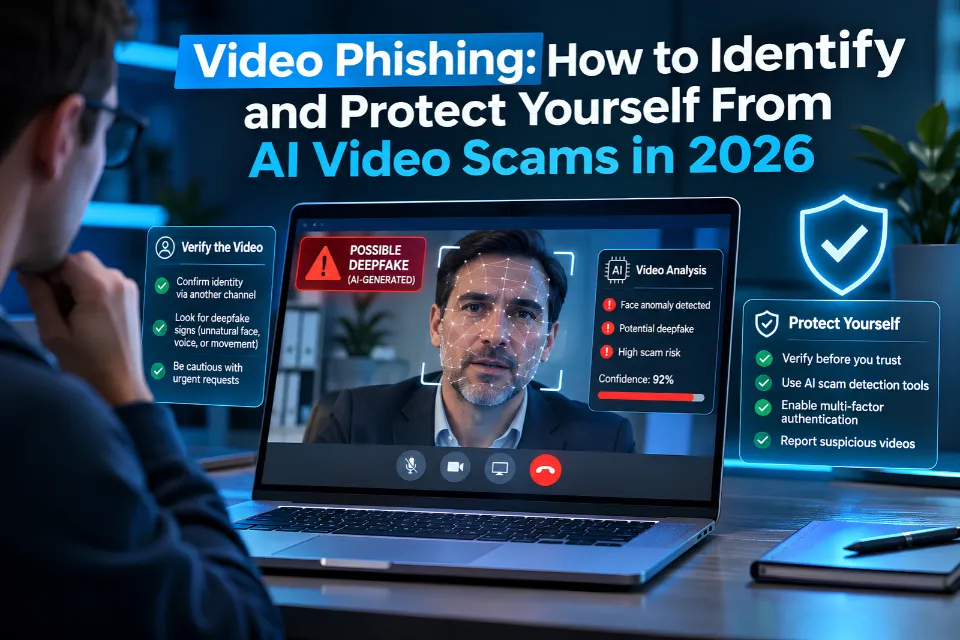
A familiar face on a video call is not proof that a request is legitimate. Video phishing uses recordings, meeting invitations, video-related links, or calls to persuade people to disclose information, install software, or send money. Some attacks use AI-generated faces and cloned voices; others need only a convincing message and a fake sign-in page.
The most useful defense is to verify the specific request through an independently known channel before acting. A realistic video should never override account security or payment approvals.
What Is Video Phishing?
Video phishing is social engineering involving video communication or a video-related lure. Attackers impersonate employers, coworkers, relatives, recruiters, public figures, or government agencies to obtain credentials, verification codes, confidential records, money, or system access.
The categories overlap. A targeted email can lead to an impersonated video meeting, followed by fraudulent payment instructions. A QR code in a video can lead to a phishing website. Deepfake fraud describes the use of manipulated media; it is one possible component of video phishing, rather than a requirement.
The FBI fraud warning documents criminals using generative AI to support impersonation, investment fraud, and other schemes. The central risk is the action the attacker persuades someone to take.
How the Scam Unfolds
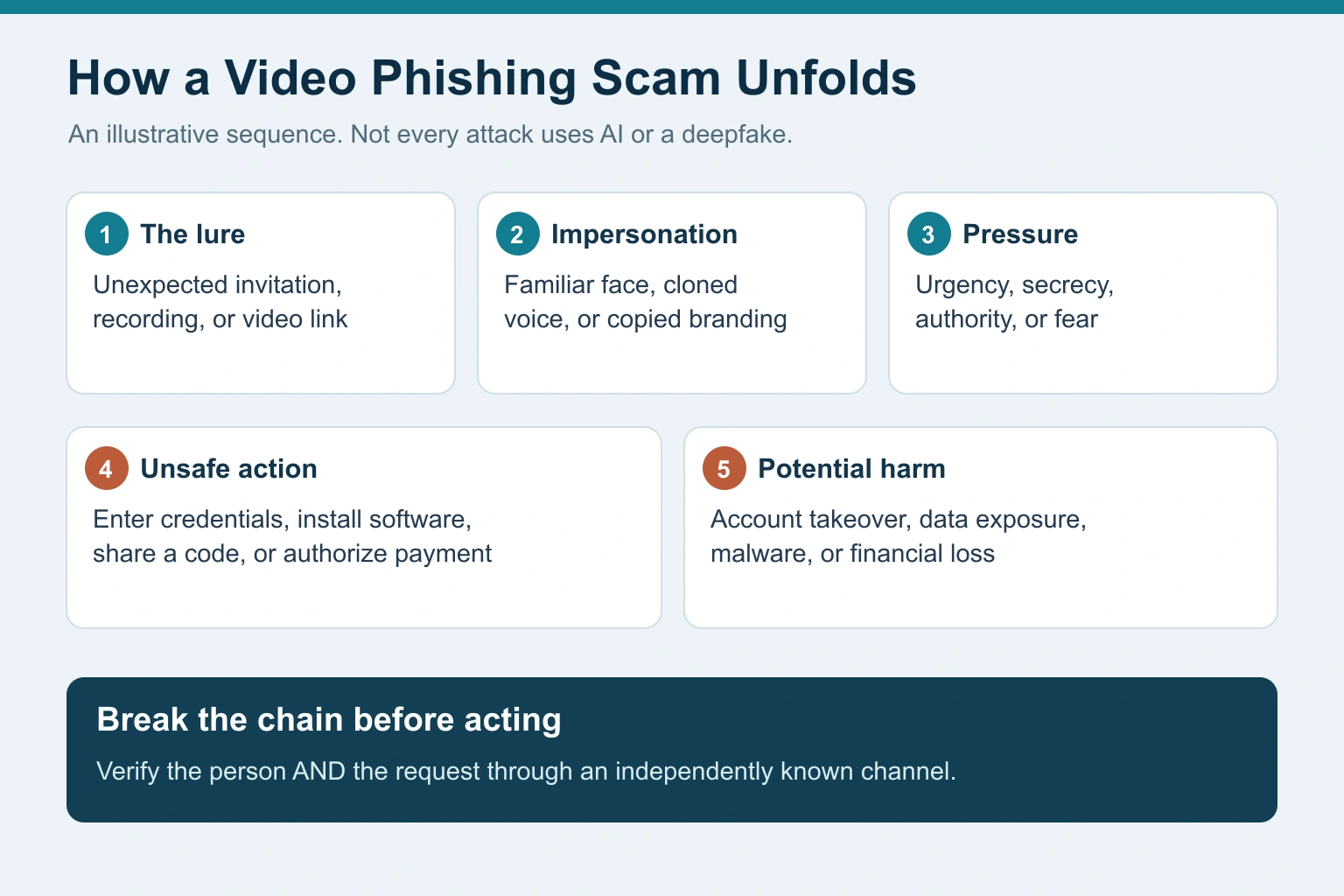
An illustrative attack has five stages: an unexpected invitation or recording, apparent impersonation, pressure to act, an unsafe instruction, and potential loss. The sequence varies, and an ordinary compromised account can supply a credible invitation without any synthetic video.
For example, an employee joins an unexpected meeting with someone who appears to be the finance director. The caller requests a confidential transfer to a new account. Recognizing the apparent director is insufficient: the employee must independently confirm the payment and follow the company’s approval process.
Common Forms
| Lure | Requested action | Safer response |
|---|---|---|
| Shared video or meeting invitation | Sign in through an unfamiliar page | Open the official service independently |
| Video-player or meeting “update” | Install software or an extension | Obtain updates through official channels |
| Executive or family impersonation | Send money urgently or keep it secret | Call a previously confirmed number |
| Recruitment video or interview | Submit documents, pay a fee, or install software | Verify the employer and recruiter independently |
| Celebrity endorsement or QR code | Visit a payment or investment page | Check the original source and destination |
The FTC QR guidance explains how QR codes can conceal harmful destinations. Preview the address before proceeding, and avoid entering information when the request remains unverified.
What Documented Cases Show
In a January 2024 Hong Kong case, an employee transferred approximately HK$200 million after a purported video conference involving a financial executive. The government’s account states that the conference used prerecorded manipulated footage, lacked interaction, and was followed by instructions through instant messaging. This was not evidence of a fully interactive real-time deepfake meeting.
The same Hong Kong report describes a separate May 2024 case involving an impersonated finance executive and an approximately HK$4 million transfer. These cases illustrate how apparent authority can defeat controls when employees rely on the presentation instead of independently verifying instructions.
In July 2026, an IC3 impersonation alert warned about AI-generated videos impersonating FBI personnel and fraudulent websites imitating IC3 to collect personal information. Reach reporting services through their official addresses rather than links supplied by an alleged investigator.
Warning Signs: Evaluate the Request
Treat the following as reasons to pause and verify:
- An unexpected invitation, recording, or contact from a new account.
- Urgent payment instructions or newly changed bank details.
- Demands for secrecy or instructions to bypass approval procedures.
- Requests for passwords, one-time codes, recovery codes, or remote access.
- Pressure to install an unfamiliar player, extension, or meeting update.
- A login page, QR destination, or sender domain that does not match the expected service.
- Refusal to confirm the request through an established contact channel.
Unnatural lip movements, odd lighting, or inconsistent audio may warrant investigation, but compression and connection problems can also produce artifacts. Their presence does not establish fraud, and their absence does not establish authenticity. Learn broader visual fact-checking and website verification methods alongside account and payment safeguards.
A Practical Verification Workflow
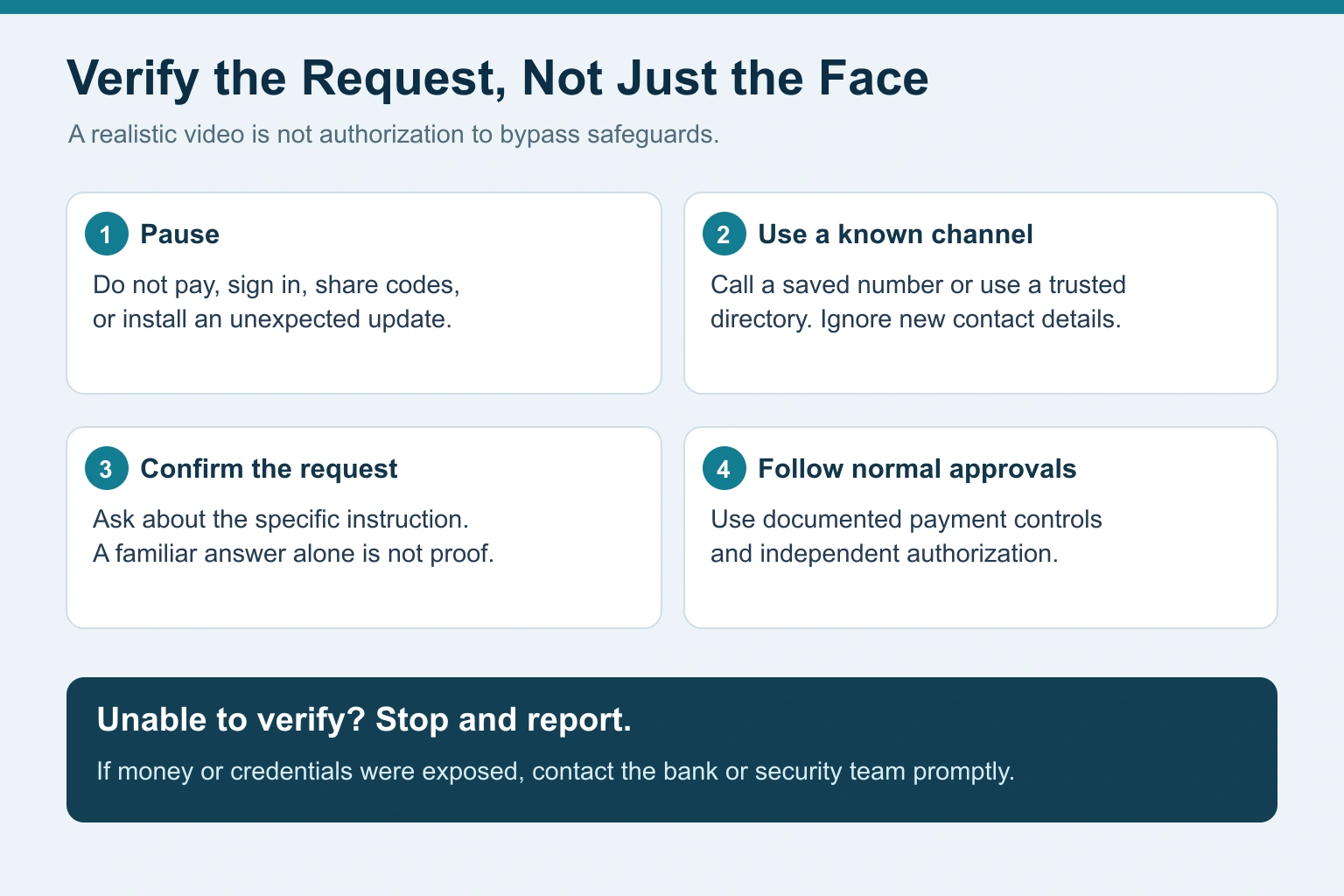
- Pause the requested action. Do not pay, sign in, share a code, or install software while the communication remains suspicious.
- Use a known channel. Call a saved number or use an established organizational directory. Do not use replacement contact details supplied in the suspicious message.
- Confirm the instruction. Ask the authorized person about the specific transaction or request. Familiar personal details and a convincing answer alone are insufficient because attackers may know them.
- Apply normal approvals. Follow documented procedures, including independent authorization where required. If verification fails, stop and report the attempt.
Strengthen Account and Meeting Security
Use official applications or independently entered website addresses. Inspect the actual domain before signing in: HTTPS protects the connection but does not certify that the operator is trustworthy.
Use phishing-resistant authentication where available. CISA MFA guidance explains the value of FIDO-based authentication, including appropriately implemented security keys and passkeys. Ordinary one-time codes can still be phished; do not disclose them to callers or approve unexpected authentication prompts.
Keep operating systems, browsers, and meeting applications updated. Obtain updates through trusted settings, application stores, or the vendor’s official site rather than an unexpected video link.
For sensitive meetings, use appropriate authentication, waiting rooms, access restrictions, and participant management. These controls reduce exposure but do not prove that every participant or instruction is genuine.
Review what sensitive personal and organizational information is publicly available. Public recordings can supply impersonation material, but professionals do not need to stop publishing videos. Strong verification procedures remain essential.
Controls for Businesses and Remote Teams
Require independent confirmation of new beneficiaries, bank-detail changes, unusual payments, and confidential data requests. Use dual authorization where appropriate, with clearly defined responsibilities.
Train employees to recognize pressure and procedural exceptions, not merely poor-quality deepfakes. Give staff a clear reporting route and authority to pause suspicious transactions. Verify recruitment communications and requests for applicant information through established company processes.
Workplace example: A supposed CEO asks for a new vendor payment during a video meeting. The employee records the request, contacts the authorized executive through a known channel, and obtains the required separate approval before releasing funds. The apparent face and voice do not replace those steps.
What to Do After a Suspicious Link or Call
The response depends on what happened. Merely opening a page differs from entering credentials, granting application access, installing software, or sending money.
- Stop interacting. End the call, close the suspicious page, and do not follow further instructions.
- If money moved, contact the bank promptly. Use an independently confirmed number, explain the suspected fraud, and ask about payment recall or recovery options. Recovery is not guaranteed.
- If credentials or access were exposed, secure the account. From a trusted device and official service, change affected passwords, review sessions, revoke unauthorized access and application permissions, and strengthen authentication. Notify your organization’s security team for work accounts.
- If software was installed, seek technical help. Stop using the affected device for sensitive activity. For work devices, follow the security team’s containment and evidence-preservation instructions.
- Preserve evidence. Retain messages, URLs, meeting details, transaction records, and relevant account alerts without continuing the conversation with the suspected attacker.
- Report and monitor. US users can report to IC3 or report fraud. If identity information was exposed, consult identity theft recovery. Monitor affected accounts and be wary of unsolicited recovery services demanding upfront fees.
Can AI Detectors Prove a Video Is Fake?
Automated detection can provide investigative clues, but a single score should not decide whether a person or payment request is legitimate. Media quality, compression, and manipulation techniques affect results, and errors are possible in either direction.
Source research also matters. Find the original publication, investigate the publisher, compare independent records, and use representative frames to look for earlier versions when appropriate. An authentic video can be reused with a misleading caption or false context.
Provenance information and content credentials can help examine a file’s stated origin and editing history. They do not independently prove that its claims are true. Combine technical indicators with source investigation and independent confirmation of consequential instructions.
Frequently Asked Questions
Does Every Video Phishing Attack Use AI?
No. A fake recording notification or meeting invitation can lead to a credential-stealing page without using a deepfake. AI-generated faces or voices are possible additions to a broader social engineering attack.
Can a Familiar Face or Voice Establish Identity?
No. Appearances and voices can be imitated or replayed. Verify unusual requests through independently known contact details and retain normal approval controls.
Does a Suspicious Invitation Mean the Platform Was Hacked?
Not necessarily. Attackers can copy a service’s branding or misuse legitimate accounts and meetings. An impersonated invitation is not, by itself, evidence that the meeting platform was compromised.
Is Asking Someone to Turn Their Head Enough?
No. A gesture challenge is not a dependable substitute for independent verification. It also does not establish that a requested payment, disclosure, or account change is authorized.
What Is the Most Useful Immediate Defense?
Pause before acting and confirm the specific request through a previously verified channel. For organizations, combine that step with phishing-resistant authentication, documented approvals, and a clear incident-reporting process.
Conclusion
Video phishing exploits trust in familiar people and everyday communication tools. AI can strengthen the impersonation, but the decisive moment is often a request to send money, disclose information, or grant access.
Verify the request independently, protect accounts, and keep established approval procedures in place. When a caller demands urgency or secrecy, that is a reason to check more carefully before acting.