AI image generation has moved well beyond the first wave of text-to-image tools. The strongest systems in 2026 can generate convincing photography, render usable text, preserve products and characters across scenes, combine multiple reference images, edit existing images through natural-language instructions, and increasingly fit directly into professional design and development workflows.
Note: The AI image market in August 2026 is no longer dominated by one type of model or one definition of quality. Therefore, this guide evaluates AI image generators on their overall capabilities and practical use cases rather than relying on a single benchmark or definition of quality. Prices shown are publicly listed U.S. prices and may vary by billing cycle, region, taxes, output resolution, quality tier, or enterprise agreement after date of publication.
Quick Answer: The Best AI Image Generators in 2026
Choose by workflow, not by a single overall score. These are AOFIRS’s fastest recommendations based on the research in this guide:
- Best overall: ChatGPT with GPT Image 2
- Best for precise editing: Reve 2.1
- Best for Google users: Gemini with Nano Banana 2
- Best for artistic direction: Midjourney V8.2
- Best for text and typography: Ideogram 4.0
- Best professional Adobe workflow: Firefly Image 5
- Best for developers and self-hosting: FLUX.2
- Best free consumer option: Bing Image Creator
Five Types of AI Image Generators
These products overlap, but separating the market into five categories prevents misleading comparisons between a raw model, a consumer application, and a complete creative platform.
Foundation image models
What they are: Core systems that generate or edit images.
Examples: GPT Image 2, Reve 2.1, Nano Banana 2, Midjourney V8.2, Ideogram 4.0, FLUX.2, MAI Image, Imagine Image 2.0, and Seedream 5.0 Pro.
Consumer image-generation applications
What they are: Accessible interfaces designed for everyday image creation.
Examples: ChatGPT, Gemini, Midjourney, Bing Image Creator, and Grok Imagine.
Professional creative platforms
What they are: Production environments combining generation, editing, and workflow tools.
Examples: Adobe Firefly, Recraft, and Generative AI by Getty Images.
Open-weight and self-hosted models
What they are: Systems available for local deployment or customization under model-specific licenses.
Examples: Selected Ideogram 4.0 and FLUX.2 variants.
Multi-model design platforms
What they are: Applications that provide several first-party or partner models in one workflow.
Examples: Adobe Firefly, Recraft, and Bing Image Creator.
The Best AI Image Generators at a Glance
| AI Image Generator | Best For | Current Model | Text Rendering | Reference Images | API | Free Access | Starting Price |
|---|---|---|---|---|---|---|---|
| ChatGPT | Best overall | GPT Image 2 | ★★★★★ | 🟢 Yes | 🟢 Yes | 🟡 Limited | Free; Plus $20/month |
| Reve | Precise editing | Reve 2.1 | ★★★★☆ | 🟢 Yes | 🟢 Yes | 🟢 Yes | Lite $7.99/month |
| Google Gemini | Google ecosystem | Nano Banana 2 / Gemini 3.1 Flash Image | ★★★★☆ | 🟢 Yes | 🟢 Yes | 🟡 Limited | Free; AI Pro $19.99/month |
| Midjourney | Artistic direction | V8.2 | ★★★☆☆ | 🟢 Yes* | 🔴 No public self-service API verified | 🔴 No regular free plan | $10/month |
| Ideogram | Text and typography | Ideogram 4.0 | ★★★★★ | 🟢 Yes | 🟢 Yes | 🟢 Yes | API from $0.03/image; Plus $15/month annually |
| Adobe Firefly | Photoshop workflows | Firefly Image 5 | ★★★★☆ | 🟢 Yes | 🟢 Yes | 🟡 Limited | $9.99/month |
| Recraft | Graphic/vector design | Recraft V4.1 | ★★★★☆ | 🟢 Yes | 🟢 Yes | 🟢 Yes | $10/month annually |
| FLUX | Developers/customization | FLUX.2 family | ★★★★☆ | 🟢 Up to multiple references | 🟢 Yes | 🟡 Demo/open-weight options | API from $0.014/image |
| Bing Image Creator | Free generation | Multi-model; Microsoft MAI family among Microsoft’s current image technologies | ★★★☆☆ | 🟢 Uploads supported | 🟢 MAI via Foundry | 🟢 Yes | Free consumer access |
| Grok Imagine | New contender/API value | Imagine Image 2.0 | ★★★★☆ | 🟢 Up to 3 API references | 🟢 Yes | 🟡 Access varies | API from $0.02/image |
| Seedream | Professional visual production | Seedream 5.0 Pro | ★★★★☆ | 🟢 Supported | 🟢 Yes | 🟡 Availability varies | Platform/API dependent |
| Getty Images | Commercially safer imagery | Bria Fibo Lite | ★★☆☆☆ | 🟢 Product/reference workflows | 🟢 Yes | 🔴 No general free tier verified | Licensed access |
Status labels: 🟢 Yes or supported 🟡 Limited, variable, or conditional 🔴 No or unavailable. Text-rendering scale: ★★★★★ Excellent; ★★★★☆ Strong; ★★★☆☆ Improving or model-dependent; ★★☆☆☆ Secondary strength.
Note: Midjourney supports image prompts and reference-based controls, but availability and behavior may differ by feature and plan.
Controlled Visual Comparison Gallery
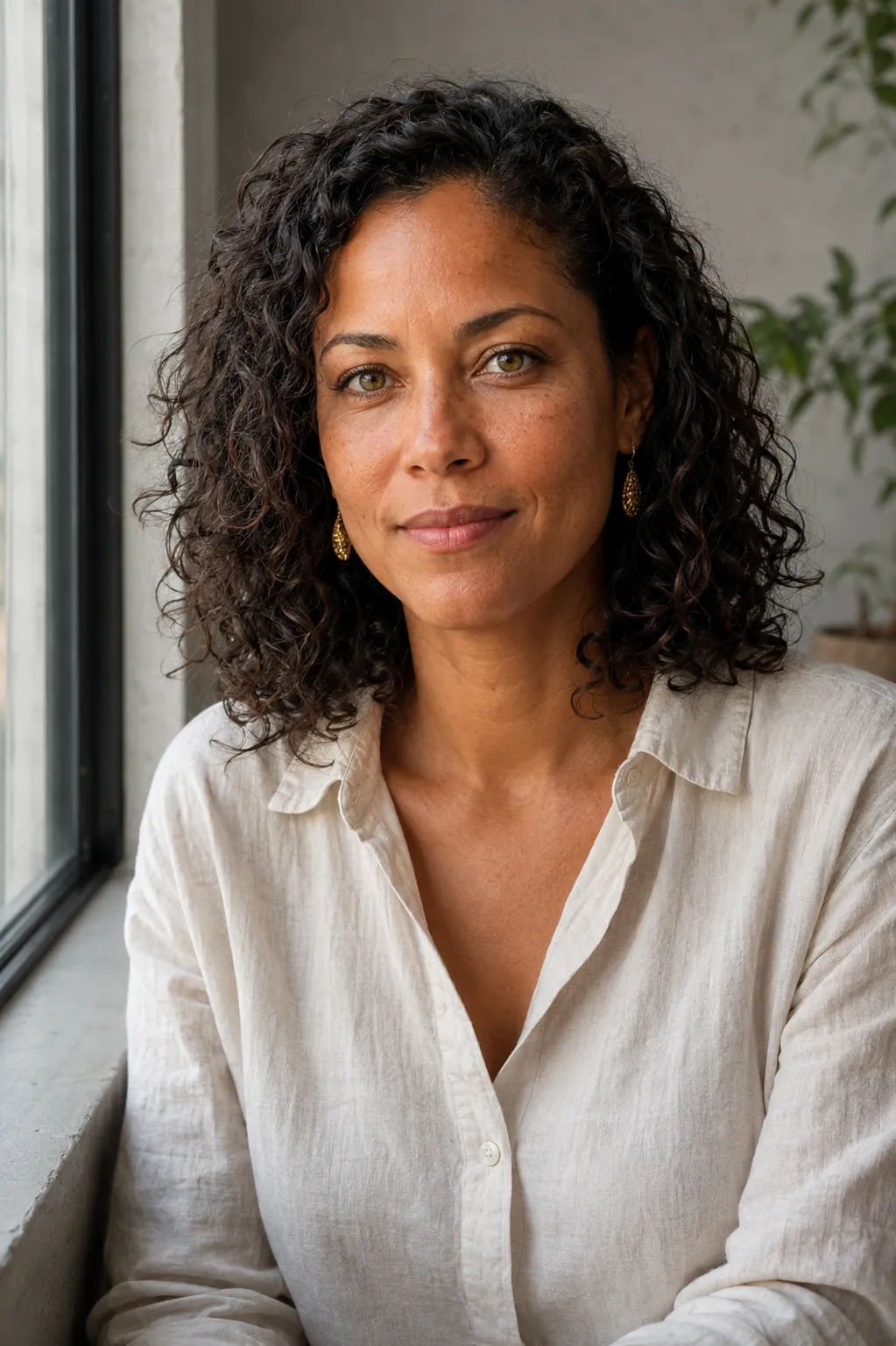
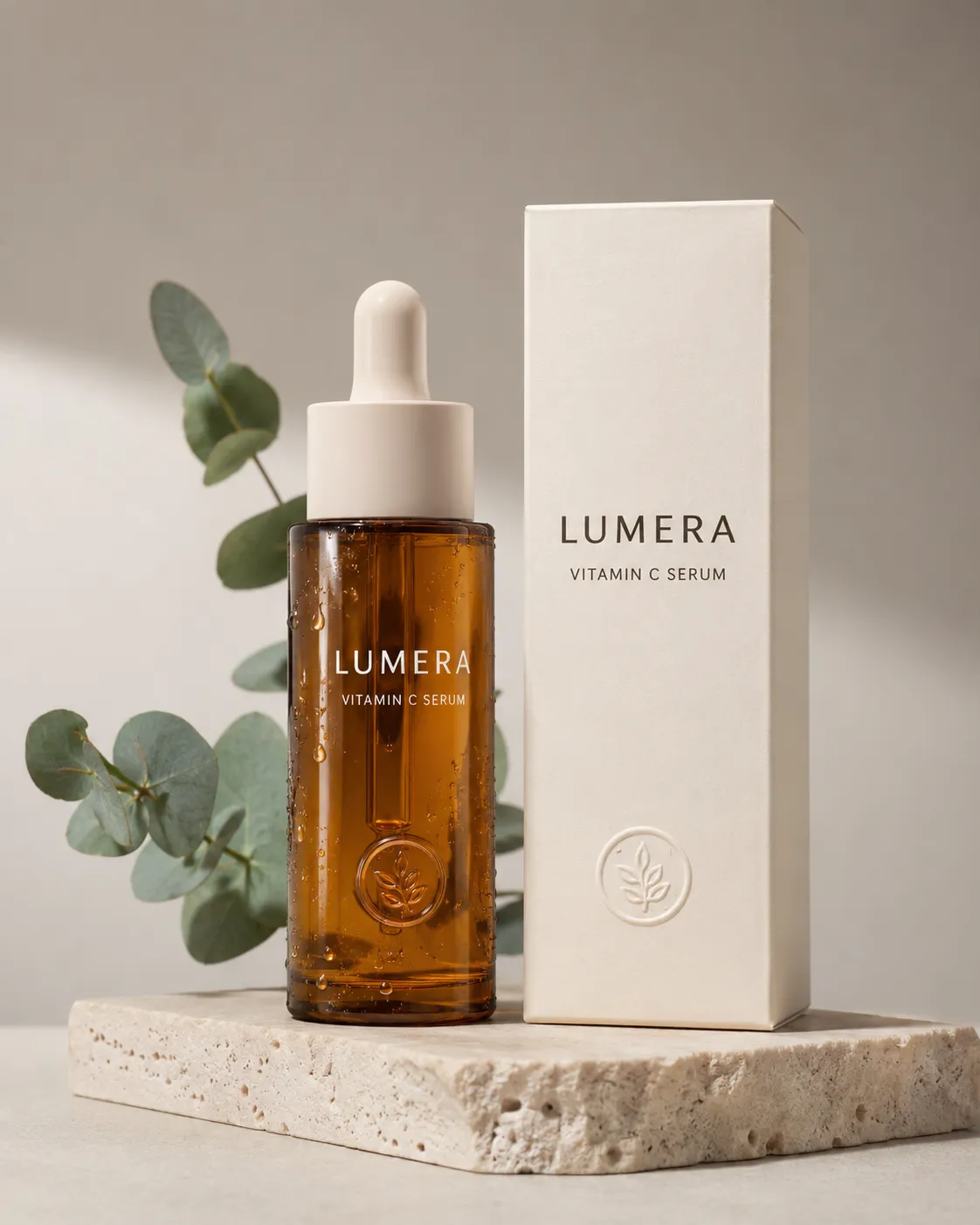
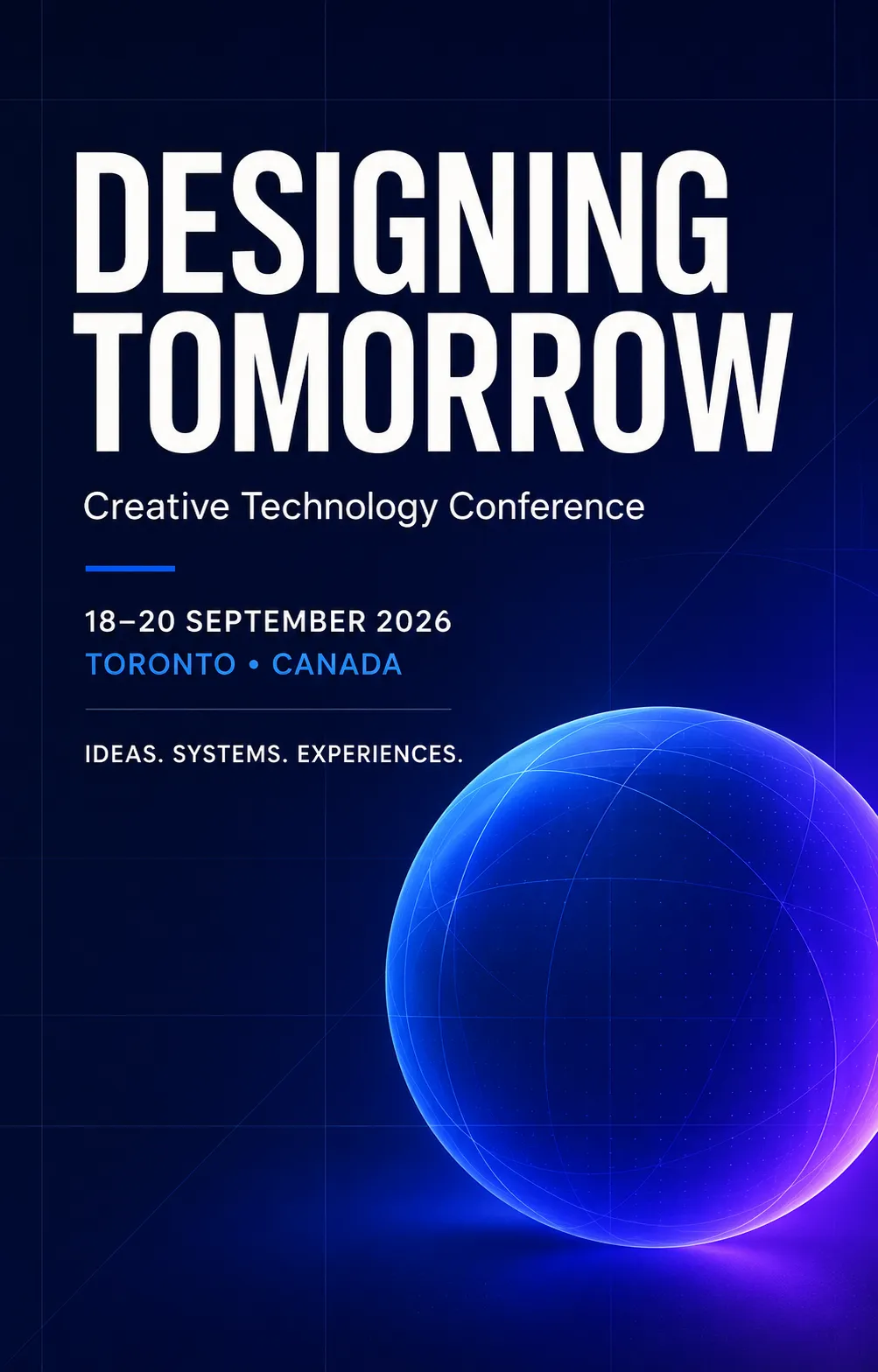
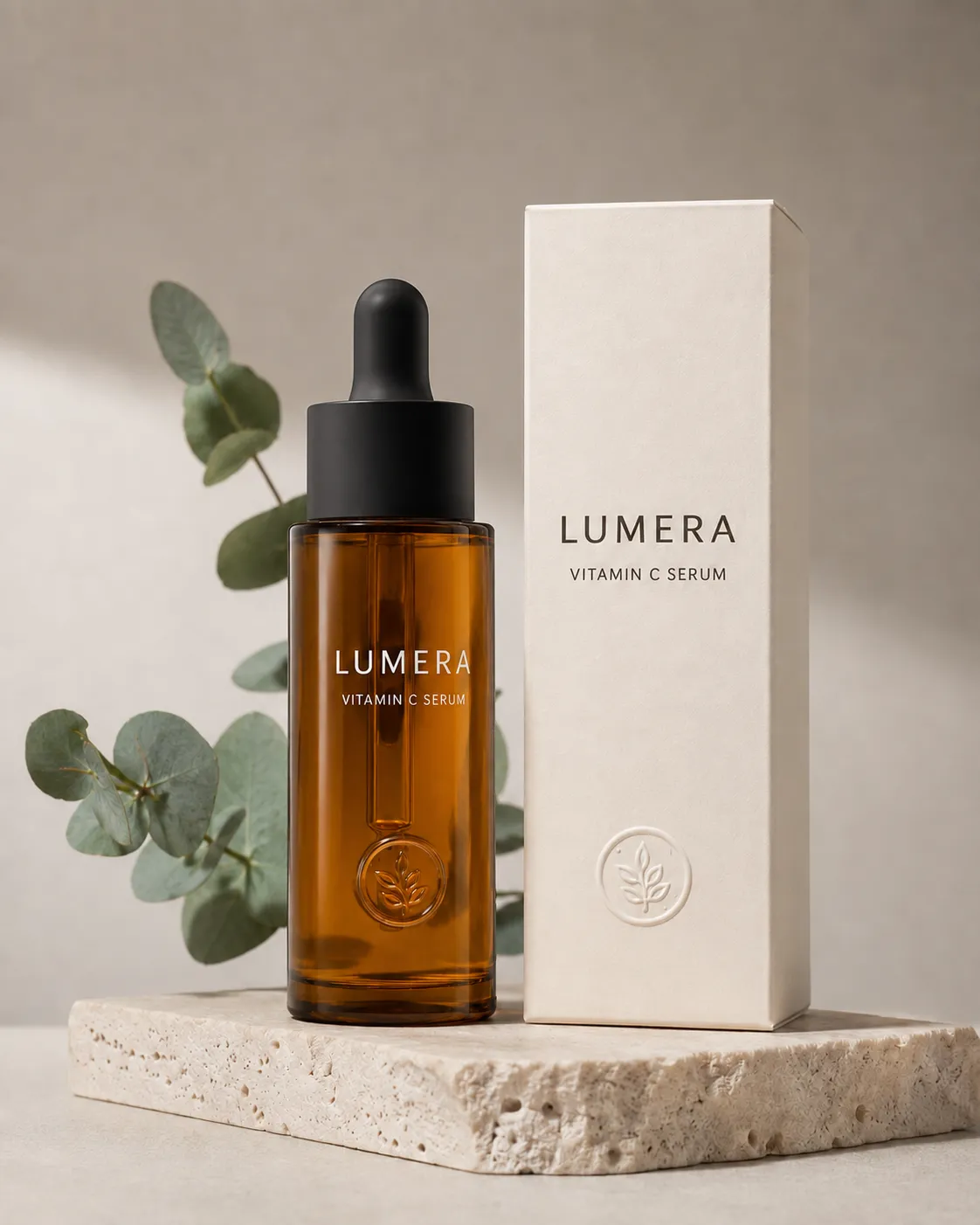
A meaningful image comparison should use consistent prompts, aspect ratios, settings, and evaluation rules. The five outputs below were generated through OpenAI’s built-in image-generation workflow and are shown without manual retouching or post-processing. Test 4 uses Test 2 as its editing source, while Test 5 uses Test 1 as its identity reference.

Midjourney has an important version distinction: V8.2 became the default generation model on July 24, 2026, but parts of Midjourney’s Editor still use V6.1, and some reference features have model-version restrictions.
List of Best AI Image Generators
1. ChatGPT / GPT Image 2 — Best AI Image Generator Overall
Developer: OpenAI
Current model: GPT Image 2
Best for: General-purpose generation and conversational editing
Access: ChatGPT, API
Starting price: Free access; ChatGPT Plus $20/month
Free plan: Yes, with limits
API: Yes
Commercial use: OpenAI’s terms state that, as between the user and OpenAI and to the extent permitted by law, users retain rights in inputs and own outputs.
Pros:
- Excellent overall image quality
- Very strong natural-language instruction following
- Strong text rendering
- Conversational image editing is easy to use
- API access for automated workflows
Cons:
- High-volume generation can become expensive
- Fine technical controls are less exposed than in specialist platforms
- Users needing only image generation may not need the rest of ChatGPT
Why it stands out:
OpenAI introduced GPT Image 2 in April 2026, and ChatGPT Images 2.0 brought the newer generation into the ChatGPT experience. OpenAI positions GPT Image 2 as its current state-of-the-art image model, with generation and editing capabilities, flexible image sizes, high-fidelity image inputs, and improved text rendering.
Independent evaluation supports that positioning. As of August 10, GPT Image 2 in its high-quality configuration leads Artificial Analysis’s Text-to-Image Arena with an Elo score of 1370 and ranks second in its Image Editing Arena, behind Reve 2.1.
Image quality and capabilities
GPT Image 2’s greatest practical advantage is not one isolated capability; it is the combination of generation quality, prompt understanding, typography, reference images, and iterative conversational editing.
A user can start with a long natural-language brief, examine the result, and then describe precise changes without shifting into a separate specialist editor.
Editing and control
GPT Image 2 can take existing images as inputs and perform instructed modifications. OpenAI’s API documentation supports both generation and editing workflows as well as high-fidelity image-input use.
This makes it especially useful for marketing assets, editorial graphics, product concepts, social media creative, mockups, and repeated revisions.
Pricing
ChatGPT remains available free with usage restrictions, while ChatGPT Plus is currently $20 per month. OpenAI also offers ChatGPT Go at $8 per month in the U.S., with localized pricing in some markets. GPT Image 2 API usage is token-priced rather than charged through a simple fixed per-image subscription.
OpenAI has also been moving away from its earlier DALL·E branding in ChatGPT; the DALL·E GPT is scheduled for retirement on August 30, 2026, reinforcing ChatGPT Images as the current direction.
2. Reve 2.1 — Best AI Image Generator for Precise Editing
Developer: Reve
Current model: Reve 2.1
Best for: Instruction-based image editing and prompt adherence
Access: Web application, API
Starting price: $7.99/month
Free plan: Yes
API: Yes
Commercial use: Subject to Reve’s current service and API terms
Pros:
- Exceptional image editing
- Excellent prompt adherence
- Native high-resolution output
- Strong typography and layout control
- API available
Cons:
- Smaller ecosystem than OpenAI, Google, or Adobe
- Fewer established integrations than some larger platforms
- Usage allowances depend on subscription level
Why it stands out:
Reve released Reve 2.1 on July 9, 2026 with native 4K generation, improved visual intelligence, better multilingual text, stronger layout planning, and enhanced iterative editing. A Reve 2.1 API followed in July.
The model is particularly notable because independent benchmarking currently places Reve 2.1 first in Artificial Analysis’s Image Editing Arena with an Elo score of 1262, slightly ahead of GPT Image 2. It also ranks second in the current Text-to-Image Arena.
Image quality and capabilities
Reve emphasizes compositional planning, typography, high-resolution generation, and visual-world understanding. Reve 2.1 can produce images natively at resolutions up to 4K rather than requiring every high-resolution workflow to begin with a lower-resolution render.
Editing and control
Editing is Reve’s clearest competitive advantage. Its workflow supports creation, editing, remixing, resizing, background removal, effects, and related image operations.
For marketing and creative production teams that repeatedly alter copy, products, composition, or details, that consistency can be more valuable than winning a pure text-to-image beauty contest.
Pricing
Reve currently offers a free plan, a Lite plan at $7.99 per month, a Pro plan at $19.99 per month, and a Teams offering at $59 per user per month.
3. Google Gemini / Nano Banana 2 — Best for Google Users
Developer: Google
Current model: Nano Banana 2, based on Gemini 3.1 Flash Image
Best for: Conversational generation, reference editing, speed, and Google workflows
Access: Gemini, Google products, Gemini API
Starting price: Free limited access; Google AI Pro $19.99/month
Free plan: Yes, with limits
API: Yes
Commercial use: Subject to applicable Google consumer, Workspace, or Gemini API terms
Explore Nano Banana 2 in Gemini ↗
Pros:
- Excellent combination of quality and speed
- Strong conversational editing
- Good reference-image and subject consistency
- Integrated into Google’s broader AI ecosystem
- SynthID provenance technology
Cons:
- Product and model naming can be confusing
- Access limits vary between free, paid, Workspace, and API users
- Rapid model deprecations require developers to monitor Google’s lifecycle documentation
Why it stands out:
Google launched Nano Banana 2 in February 2026, combining improvements from Nano Banana Pro with a faster Gemini Flash-oriented architecture. Google highlights creative control, subject consistency, instruction following, and broad integration across Gemini and other products.
Artificial Analysis currently places Nano Banana 2 third in its Text-to-Image Arena and fifth for image editing, making it one of the strongest broadly available multimodal image models.
The Imagen transition
One of the biggest Google-specific changes in 2026 is that Imagen 4 is no longer the model developers should treat as Google’s long-term image platform.
Google has deprecated Imagen API models and scheduled their shutdown for August 17, 2026, directing developers toward Nano Banana models instead.
For anyone updating an older AI-image article, that change is important.
Provenance
Google applies SynthID, an invisible watermarking technology designed to survive common modifications such as cropping and compression, to supported AI-generated media. Google has also expanded verification features and Content Credentials support across its ecosystem.
Pricing
Gemini has limited free image-generation access. Google’s AI Pro plan is currently $19.99 per month in the U.S., while developers can use Gemini’s image models through usage-based API pricing.
4. Midjourney V8.2 — Best for Artistic Direction
Developer: Midjourney
Current generation model: Midjourney V8.2
Best for: Visually distinctive images, art direction, aesthetic exploration
Access: Web application and Discord-supported workflows
Starting price: $10/month
Free plan: No regular free plan
Public API: No official general-purpose self-service public API was identified in the current documentation reviewed
Commercial use: Available under Midjourney’s subscription terms
Pros:
- Excellent aesthetic quality
- Strong personalization system
- Mature visual exploration workflow
- Large creative community
- Strong art-direction capabilities
Cons:
- No normal free tier
- Private Stealth Mode requires higher-tier plans
- Current generation and editing/reference features do not all use the same model version
- Less convenient for programmatic automation than API-first competitors
Why it stands out:
Midjourney remains one of the few products where aesthetic identity itself is a compelling reason to choose the platform.
Midjourney released and made V8.2 its default model on July 24, 2026, focusing on aesthetic quality, personalization, and generation improvements.
Its personalization tools, including Moodboards and reference-oriented features, allow users to establish visual preferences that go beyond rewriting the same style phrases inside every prompt.
Important V8.2 limitation
Midjourney’s model ecosystem is currently fragmented in ways professional users should understand.
Although V8.2 is the default generation model, Midjourney’s Editor currently performs some workflows using V6.1, while Omni Reference works with V7 rather than V8.2.
That does not make Midjourney a weak editor, but it means “Midjourney V8.2 editing” should not be described as if every feature runs natively on V8.2.
Resolution
Standard V8.2 generations begin around 1024×1024 for square images, while Midjourney’s upscalers can produce 2048×2048 output; its HD workflows can also generate at higher resolution.
Pricing
Current monthly plans are Basic $10, Standard $30, Pro $60, and Mega $120, with annual discounts available. Standard, Pro, and Mega offer unlimited image generation in Relax Mode, while Stealth privacy is restricted to Pro and Mega.
5. Ideogram 4.0 — Best for Text, Typography, and Open-Weight Generation
Developer: Ideogram
Current model: Ideogram 4.0
Best for: Typography, posters, advertising graphics, open-weight deployment
Access: Web application, API, MCP, downloadable model weights
Starting price: Free; Plus $15/month when billed annually
Free plan: Yes
API: Yes
Commercial use: Explicit commercial hosted-API option available
Pros:
- Excellent typography
- Strong prompt fidelity
- Open weights
- Native transparency
- Editing and layer-oriented design tools
- Custom model training
Cons:
- Some advanced functions are separate paid API operations
- Top quality API mode costs more than Turbo
- Open-weight licensing still needs to be reviewed for the intended deployment
Why it stands out:
Ideogram made one of 2026’s most important moves by releasing Ideogram 4.0 on June 3 as an open-weight image model.
The model has approximately 9.3 billion parameters and a diffusion-transformer architecture. Ideogram offers downloadable weights, hosted API access, custom model training, and enterprise deployment options.
Artificial Analysis currently ranks Ideogram 4.0 Quality as the leading open-weight text-to-image model in its Image Arena.
Typography and design
Typography remains Ideogram’s clearest identity. Ideogram 4.0 includes text rendering, editable text-layer workflows, transparent-background generation, style control, Extend, Reframe, Remix, Magic Fill, and upscaling.
Those capabilities make it particularly useful for:
- Posters
- Social advertisements
- Book and report covers
- Labels
- Branded graphics
- Print-on-demand designs
- Marketing layouts
API and pricing
Ideogram 4.0’s hosted API costs $0.03 per image for Turbo, $0.06 for Default, and $0.10 for Quality. Custom-model training is also available, including a $40 self-service training option.
The consumer Plus plan currently starts at $15 per month when billed annually, while a free plan remains available.
6. Adobe Firefly / Firefly Image 5 — Best for Photoshop and Professional Creative Workflows
Developer: Adobe
Current first-party image model: Firefly Image 5
Best for: Photoshop users, photographers, creative departments, enterprise design workflows
Access: Firefly, Photoshop and other Adobe applications, API
Starting price: $9.99/month after limited free access
Free plan: Limited free credits
API: Yes
Commercial use: Adobe’s first-party Firefly models are built around licensed and public-domain training sources; third-party partner models inside Firefly may have different terms
Pros:
- Deep Photoshop integration
- Excellent generative fill and image modification workflow
- Strong commercial positioning
- Enterprise and brand-oriented options
- Multiple first-party and partner models available
Cons:
- Firefly is now a multi-model platform, making the model choice more complicated
- Pure text-to-image quality is not the only reason to choose it
- Generative-credit consumption varies by operation and model
Why it stands out:
Adobe’s main advantage is workflow integration rather than simply having another prompt box.
Firefly Image 5 supports both text-to-image generation and instruction-based image-to-image editing through Adobe’s API, while Adobe continues to integrate generation and editing directly into professional applications such as Photoshop.
Adobe Firefly itself has also evolved into a multi-model creative studio, offering Adobe models alongside partner models from companies including Google and OpenAI.
Commercial positioning
Adobe states that its current first-party Firefly generative models are trained on licensed sources including Adobe Stock and public-domain material. This training approach remains one of Firefly’s strongest differentiators for professional organizations concerned about data provenance.
That should not be interpreted as a universal legal guarantee for every conceivable use or every third-party model accessible through Firefly.
Pricing
Adobe currently offers limited free generation. Firefly Standard is $9.99 per month with 2,000 credits, Pro is $19.99 with 4,000 credits, Pro Plus is $49.99 with 10,000 credits, and higher-capacity options are available.
7. Recraft V4.1 — Best for Graphic Design and Vector Workflows
Developer: Recraft
Current first-party model: Recraft V4.1
Best for: Graphic design, scalable assets, campaign systems, vectors
Access: Web application, API
Starting price: Free; Basic $10/month when billed annually
Free plan: Yes
API: Yes
Commercial use: Paid commercial workflows supported under Recraft’s terms
Pros:
- Raster and vector generation
- Strong design-oriented interface
- Editing, inpainting, outpainting, and background removal
- API and batch processing
- Multi-model access alongside Recraft’s own models
Cons:
- More complex than simple conversational generators
- Multi-model routing can make direct model comparisons less obvious
- Best value comes from design workflows rather than occasional casual images
Why it stands out:
Recraft is not simply a text-to-image website. It is increasingly a generative design system.
Recraft released V4.1 in May 2026, improving its first-party image-generation line, while the platform also gives users access to external models from other developers.
That distinction is important: Recraft deserves recognition both as a model developer and as an application capable of routing users through multiple models.
Professional design capabilities
The Recraft API supports raster and vector generation, image editing, background removal, inpainting, outpainting, batch jobs, and asynchronous processing. Current Recraft V2, V3, V4, and V4.1 models are available through its API.
For designers producing icon families, campaign components, scalable illustrations, logos, and consistent design elements, these capabilities can be more useful than a conversational chatbot.
Pricing
The current Basic plan starts at $10 per month when billed annually and includes 1,000 monthly credits.
8. FLUX.2 — Best for Developers and Customization
Developer: Black Forest Labs
Current image family: FLUX.2 Max, Pro, Flex, Klein, and Dev variants
Best for: APIs, open-weight deployment, customization, high-volume applications
Access: BFL API, playground, downloadable weights for supported variants, third-party services
Starting price: API from $0.014/image
Free access: Demo and open-weight options vary by model
API: Yes
Commercial use: Depends on model and license
Read the FLUX API documentation ↗
Pros:
- Broad model family for different quality/speed requirements
- Strong developer API
- Open-weight options
- Fine-tuning support
- Multi-reference editing
- Specialist tools such as erase, outpainting, and virtual try-on
Cons:
- Licensing differs significantly between variants
- More technical than ChatGPT or Gemini
- Choosing among Max, Pro, Flex, Klein, and Dev requires some model knowledge
Why it stands out:
Black Forest Labs has built FLUX into an unusually flexible ecosystem rather than a single closed image generator.
The current FLUX.2 family includes different models aimed at maximum quality, production, control, local deployment, and real-time generation. FLUX.2 Max is positioned as the highest-quality hosted version, while FLUX.2 Pro focuses on production workloads and FLUX.2 Klein provides smaller, faster variants.
FLUX.2 Pro supports multi-reference editing with up to eight images through the API, while specialized FLUX Tools include outpainting, erase, and virtual try-on capabilities.
Open weights and licensing
“Open” does not mean every FLUX model has the same rights.
For example, Black Forest Labs says FLUX.2 Klein 4B is available under Apache 2.0, while the 9B version uses a FLUX non-commercial license; FLUX.2 Dev is also described as local/open-weight but non-commercial in the hosted pricing documentation.
Organizations should therefore evaluate the exact model license rather than assuming the entire FLUX family has one commercial-use policy.
Pricing
Current BFL API pricing begins around $0.014 per image for FLUX.2 Klein 4B, $0.015 for Klein 9B, $0.03 for Pro, $0.05 for Flex, and $0.07 for Max at the starting resolution levels, with costs scaling by output size where applicable.
9. Bing Image Creator and Microsoft’s MAI Image Ecosystem — Best Free Option
Developer: Microsoft
Current ecosystem: Bing Image Creator plus Microsoft’s MAI-Image models; MAI-Image-2.5 is Microsoft’s current high-performing in-house family in Foundry
Best for: Free consumer generation and Microsoft-integrated workflows
Access: Bing Image Creator, Copilot, Microsoft Foundry for developer models
Starting price: Free consumer access
Free plan: Yes
API: MAI developer access through Microsoft Foundry
Commercial use: Depends on Microsoft product/service terms and enterprise agreement
Create with Bing Image Creator ↗
Pros:
- Strong free consumer access
- Microsoft now develops competitive first-party image models
- Image editing available
- Enterprise developer access through Foundry
Cons:
- Bing Image Creator is a product layer that can expose different models
- The exact consumer model used can vary
- Product naming is less straightforward than a single-model generator
Why it stands out:
Microsoft’s image-generation position changed significantly in 2026.
The company introduced MAI-Image-2.5, an updated first-party image model with image-to-image editing and “control with preservation” capabilities, while MAI-Image-2.5 Pro targets higher-fidelity production workflows in Microsoft Foundry.
Artificial Analysis currently places MAI-Image-2.5 fifth in text-to-image and third in image editing, making Microsoft’s first-party models technically competitive with the leading labs.
However, Bing Image Creator should not simply be labelled “MAI-Image-2.5.” Microsoft’s consumer Image Creator can expose multiple models, so the product and underlying model must be distinguished.
Why it is the best free option
Bing Image Creator currently advertises 10 free Fast creations plus unlimited Standard-mode creation for signed-in users, making it unusually generous compared with many freemium competitors.
10. Grok Imagine / Imagine Image 2.0 — Best New Contender and Low-Cost API
Developer: xAI
Current model: Imagine Image 2.0
Best for: Developers seeking current generation/editing at relatively low API cost
Access: Grok Imagine, iOS/Android, API
Starting price: API from $0.02/image
Free access: Consumer availability and limits vary
API: Yes
Commercial use: Subject to xAI’s current terms
Read Grok Imagine documentation ↗
Pros:
- Very recent model
- Low API cost
- Generation and editing
- Multiple reference images
- Improved typography and instruction following
Cons:
- Released only days before this research cutoff
- Less long-term evidence than more mature models
- Business governance and safety requirements need careful review
Why it stands out:
xAI released Imagine Image 2.0 on August 7, 2026, making it one of the newest important models included in this guide. The model powers a new Quality Mode in Grok Imagine and emphasizes instruction following, typography, layout, and preservation across generations and edits.
Its API supports generation and editing, and current documentation allows up to three reference images in relevant workflows.
Pricing
The standard Grok Imagine image API currently starts around $0.02 per generated image, while the higher-quality mode is listed at approximately $0.05 per image.
Because Image 2.0 was released only three days before this article’s August 10 cutoff, AOFIRS considers it a significant contender rather than declaring it a settled category leader.
11. ByteDance Seedream 5.0 Pro — Best Emerging Professional Image Model From China
Developer: ByteDance
Current model: Seedream 5.0 Pro
Best for: Professional visual production, prompt alignment, layout and text
Access: ByteDance-supported products and API environments
Pricing: Platform and region dependent
API: Yes
Pros:
- Modern professional image model
- Strong image-text alignment
- Improved text rendering
- Structural and compositional control
- Important alternative outside the U.S.-centric AI market
Cons:
- Global product access is less straightforward than ChatGPT or Midjourney
- Pricing can depend on platform and region
- Western enterprise procurement may require additional compliance review
Why it stands out:
ByteDance launched Seedream 5.0 Pro in July 2026, positioning it as a professional visual-production model with improved image-text alignment, structural coherence, typography, and overall aesthetic quality.
Seedream matters because the competitive image-generation ecosystem is increasingly global. The strongest models are no longer confined to companies headquartered in the United States.
For teams able to access ByteDance’s supported infrastructure, Seedream should be evaluated alongside OpenAI, Google, Reve, FLUX, and other major systems rather than relegated to an “international alternatives” footnote.
12. Generative AI by Getty Images — Best for Commercially Safer Enterprise Workflows
Developer/service provider: Getty Images with model technology from Bria
Current model version: Bria Fibo Lite
Best for: Rights-conscious commercial imagery and enterprise creative work
Access: Getty customers and partners with AI Generation license agreements
Free plan: No general public free tier verified
API: Yes
Commercial use: Core purpose of the product
Pros:
- Training data is licensed
- Legal indemnification
- Generated assets are not put into Getty’s licensing marketplace for other customers
- Strong product-placement and stock-editing workflows
- API available
Cons:
- Less attractive for unrestricted artistic experimentation
- Access requires a Getty AI-generation agreement
- Model safety restrictions intentionally limit some content
Why it stands out:
Getty Images is not attempting to win primarily through unrestricted creative freedom.
Its current Generative AI model card identifies Bria Fibo Lite, released for Getty’s service in November 2025. Getty states that its training data is owned or licensed and was not built from internet-scraped imagery.
Getty also provides legal protection beginning at $50,000 per generated image under applicable AI agreements and says customers’ generated images are not made available for other customers to license.
That combination makes Getty particularly relevant to corporate communications, advertising departments, publishers, and other organizations for which legal provenance may matter more than achieving the most experimental visual style.
Normalized AI Image Generator Pricing Comparison
Subscription prices and API prices are not directly equivalent. “Cost per usable image” requires controlled retry testing, so the table does not pretend that every first generation is production-ready.
| Tool | Entry Monthly Price | Approx. Cost per Image | Estimated Cost per Usable Image | Free Allowance | Watermark | API | Commercial Rights |
|---|---|---|---|---|---|---|---|
| ChatGPT / GPT Image 2 | Free; Plus $20 | Token-priced through API | Not independently tested | Limited | Provenance may apply | Yes | Permitted subject to terms |
| Reve 2.1 | $7.99 | Plan/API dependent | Not independently tested | Yes | Check current plan | Yes | Subject to terms |
| Gemini / Nano Banana 2 | Free; AI Pro $19.99 | Usage-based API | Not independently tested | Limited | SynthID/provenance | Yes | Subject to terms |
| Midjourney V8.2 | $10 | Subscription/GPU-time based | Not independently tested | No regular free plan | No standard visible watermark | No public self-service API | Paid commercial use subject to terms |
| Ideogram 4.0 | Free; Plus $15 annually | $0.03–$0.10 API | Not independently tested | Yes | Plan-dependent | Yes | Hosted commercial option |
| Adobe Firefly | $9.99 | Credit-based | Not independently tested | Limited | Content Credentials may apply | Yes | Commercial workflows supported |
| Recraft V4.1 | Free; Basic $10 annually | Credit/API dependent | Not independently tested | Yes | Plan-dependent | Yes | Paid commercial workflows |
| FLUX.2 | No subscription required for API | $0.014–$0.07 starting API range | Not independently tested | Demo/open-weight options | No universal visible watermark | Yes | License varies by model |
| Bing Image Creator | Free | Free consumer use | Not independently tested | 10 Fast + Standard mode | Provenance may apply | MAI via Foundry | Depends on service terms |
| Grok Imagine | Access varies | $0.02–$0.05 API | Not independently tested | Varies | Check current output policy | Yes | Subject to terms |
| Seedream 5.0 Pro | Platform-dependent | Platform/API dependent | Not independently tested | Availability varies | Platform-dependent | Yes | Terms and region dependent |
| Getty Images AI | Licensed access | Agreement-dependent | Not independently tested | No general free tier | Provenance workflow | Yes | Enterprise commercial purpose |
How to calculate usable-image cost: divide the total cost of all generations used in a controlled test by the number of outputs that pass the predefined quality standard. Record rejected generations rather than excluding them from the calculation.
Best AI Image Generator by Use Case
| Use Case | AOFIRS Pick | Why We Recommend It |
|---|---|---|
| Best overall | ChatGPT / GPT Image 2 | The strongest overall combination of image quality, prompt adherence, usability, and conversational editing. |
| Best for image editing | Reve 2.1 | Excels at instruction-based editing, prompt adherence, layout control, and high-resolution revisions. |
| Best for Google users | Gemini / Nano Banana 2 | Provides conversational image generation, editing, and convenient integration with Google’s AI ecosystem. |
| Best artistic results | Midjourney V8.2 | Produces distinctive compositions, refined aesthetics, strong mood, and flexible artistic direction. |
| Best for text and typography | Ideogram 4.0 | Designed around accurate text rendering, editable typography, posters, labels, and branded graphics. |
| Best open-weight general model | Ideogram 4.0 | Combines strong generation quality, typography, downloadable weights, API access, and deployment options. |
| Best open-weight editor | HunyuanImage 3.0 Instruct | A leading open-weight option for instruction-based image editing and customizable workflows. |
| Best Photoshop workflow | Adobe Firefly | Offers deep integration with Photoshop, Creative Cloud, professional editing, and commercially focused workflows. |
| Best graphic-design workflow | Recraft V4.1 | Combines raster images, vectors, editing, background removal, and scalable design-production tools. |
| Best developer ecosystem | FLUX.2 | Provides multiple model variants, API access, open-weight options, fine-tuning, and specialized editing tools. |
| Best free consumer option | Bing Image Creator | Offers free Fast creations and Standard-mode generation through an accessible consumer interface. |
| Best low-cost API contender | Grok Imagine | Supports generation and editing, with API prices starting at approximately $0.02 per image. |
| Best commercially safer option | Generative AI by Getty Images | Prioritizes licensed training data, enterprise agreements, legal indemnification, and rights-conscious production. |
Selection note: These recommendations reflect practical suitability for each use case. The best choice still depends on your required output quality, editing workflow, commercial rights, budget, and preferred access method.
Artificial Analysis currently identifies HunyuanImage 3.0 Instruct as the highest-ranked open-weight image-editing model, while Ideogram 4.0 Quality leads its open-weight text-to-image ranking.
AI Image Models vs. AI Image Generator Apps
The distinction is increasingly important.
An AI image model is the underlying trained system.
Examples include:
- GPT Image 2
- Ideogram 4.0
- FLUX.2 Max
- Firefly Image 5
- Nano Banana 2
- Reve 2.1
- Seedream 5.0 Pro
- HunyuanImage 3.0
- MAI-Image-2.5
An AI image-generation application provides the interface, storage, editing environment, collaboration, billing, or workflow that lets a person use one or more models.
Adobe Firefly, Recraft, Magnific, Leonardo.Ai, and other platforms increasingly provide multiple underlying image models rather than only one.
This creates an important editorial rule:
A platform should not automatically receive credit for the technical capabilities of every third-party model it hosts.
For example, generating with GPT Image inside another application does not make that application the developer of GPT Image.
Open-Weight vs. Proprietary AI Image Models
A proprietary hosted model is controlled by its developer and normally accessed through an application or API. OpenAI’s GPT Image 2, Google’s Nano Banana models, and Reve 2.1 are examples of hosted systems.
An open-weight model makes trained model weights available for download under a defined license. Open-weight does not necessarily mean unrestricted, free for every commercial purpose, or fully open source.
Ideogram 4.0, several FLUX variants, Stable Diffusion 3.5, and HunyuanImage illustrate different forms of downloadable or open-weight access.
Open-weight advantages
Organizations may gain greater:
- Deployment control
- Data privacy
- Fine-tuning flexibility
- Infrastructure choice
- Model customization
- Offline or private-network operation
Open-weight disadvantages
Organizations also inherit more responsibility for:
- GPU infrastructure
- Model optimization
- Security
- moderation
- licensing compliance
- version management
- deployment engineering
For most casual users, a hosted system is easier. For a research lab, creative-technology company, or enterprise building proprietary visual infrastructure, open weights can be strategically important.
AI Image Generation vs. AI Image Editing
The distinction between “generator” and “editor” is disappearing.
Earlier AI image products were primarily prompt-to-picture systems. In 2026, the most useful products behave more like visual assistants.
A user can increasingly request:
- Remove the chair.
- Change the jacket but preserve the person’s face.
- Put this exact product on a marble counter.
- Make the lighting warmer.
- Translate the poster text.
- Widen the photograph for a banner.
- Place the same character in another scene.
- Preserve the packaging but replace the background.
- Turn a daytime scene into night.
- Change the camera perspective.
- Create three campaign variations without changing the brand identity.
This is why Reve’s current lead in independent image-editing preference tests matters just as much as GPT Image 2’s lead in pure text-to-image generation.
How to Fix Common AI Image Generation Problems
| Use Case | AOFIRS Pick | Why |
| Best overall | ChatGPT / GPT Image 2 | Best combination of quality, usability and editing |
| Best image editing | Reve 2.1 | Currently leads independent editing benchmark |
| Best for Google users | Gemini / Nano Banana 2 | Strong native Google integration |
| Best artistic results | Midjourney V8.2 | Excellent visual direction and personalization |
| Best typography | Ideogram 4.0 | Text rendering is central to its design |
| Best open-weight general model | Ideogram 4.0 | Current open-weight leader in Artificial Analysis |
| Best open-weight editor | HunyuanImage 3.0 Instruct | Current open-weight editing benchmark leader |
| Best Photoshop workflow | Adobe Firefly | Deep Adobe integration |
| Best graphic design workflow | Recraft | Raster, vector and design production tools |
| Best developer ecosystem | FLUX.2 | Wide model family, API, weights and fine-tuning |
| Best free consumer option | Bing Image Creator | Free Fast credits plus Standard generation |
| Best low-cost API contender | Grok Imagine | API starts near $0.02/image |
| Best commercially safer option | Getty Images | Licensed training data and indemnification |
How AI Image Generators Are Used in Professional Work
AI image generation is increasingly useful for production acceleration, not merely novelty artwork.
Common professional applications include:
- Blog and report featured images
- Social media creative
- Advertising concepts
- Product photography and virtual environments
- eCommerce visuals
- Storyboards
- Presentation graphics
- Concept art
- Editorial illustration
- Branding exploration
- UI mockups
- Campaign localization
- Educational material
- Research visualizations
- Personalized marketing creative
- Rapid visual prototyping
- Film and advertising previsualization
Human designers remain important because generating an image and designing an effective communication asset are different tasks.
Professional designers still determine hierarchy, brand consistency, accessibility, typography, visual storytelling, accuracy, campaign strategy, legal appropriateness, and whether the final output actually communicates the intended message.
AI can shorten production cycles. It does not eliminate the need for creative judgment.
The Best AI Image Generators for Business
Small businesses
ChatGPT, Gemini, Canva/Magnific, and Adobe Firefly offer accessible workflows without requiring deployment engineering.
Digital marketing agencies
ChatGPT, Recraft, Ideogram, Firefly, and FLUX provide a useful combination of fast concept creation, marketing layouts, APIs, design control, and campaign variants.
Graphic designers
Recraft, Adobe Firefly, Ideogram, and Midjourney provide the strongest differentiated design reasons to adopt them.
eCommerce
Recraft, FLUX, Getty, Adobe Firefly, and specialist product/reference workflows deserve attention because product preservation and controlled backgrounds matter more than pure artistic novelty.
Developers
GPT Image 2, Gemini, Ideogram, FLUX.2, Reve, Microsoft’s MAI models, and Grok Imagine all provide programmatic access in current developer ecosystems.
Enterprises concerned about rights
Getty Images deserves particular attention because licensed training data and indemnification are central to the product, while Adobe Firefly remains notable for the training provenance of Adobe’s first-party models.
Other AI Image Generators Worth Considering
Leonardo.Ai
Leonardo remains a substantial creator platform and is now owned by Canva; its current first-party Lucid Origin model emphasizes prompt adherence, text rendering, and broad styles, while the platform also gives users access to other image models.
It misses the primary list because its strongest value is now the breadth of the creator platform rather than a single differentiator that clearly displaces the category winners.
Canva Dream Lab
Canva’s AI image tools benefit from its acquisition of Leonardo.Ai and are particularly useful when generated images need to become social posts, presentations, advertisements, or other finished Canva designs.
It is better treated as a design platform with image generation than as an independent frontier image-model lab.
Luma AI
Luma’s creative platform now emphasizes its newer Uni image technology alongside its broader Dream Machine and video ecosystem; its API documentation currently references Uni-1.1 for image generation rather than the older Photon branding.
Luma is especially interesting when still-image creation connects to video workflows, but other tools currently provide clearer advantages for image-only production.
Stable Diffusion / Stability AI
Stable Diffusion remains one of the most influential customizable image ecosystems. Stability AI still lists Stable Diffusion 3.5 Large, Large Turbo, and Medium among its current core image models, with downloadable/self-hosted and API options.
However, SD3.5 is no longer the strongest open-weight image system by current independent preference benchmarks, where newer Ideogram, FLUX, and Hunyuan models have moved ahead in important categories.
DreamStudio
DreamStudio remains accessible as a Stability AI web property, but sufficiently detailed, current first-party August 2026 product and pricing information was not available in the documentation reviewed for this article, so AOFIRS does not give it a separate primary ranking.
Tencent HunyuanImage
Tencent’s Hunyuan image family is one of the most technically important Chinese open-model projects. Tencent’s current product material references Hunyuan Image 3.0 Plus, while HunyuanImage 3.0 research and weights have been publicly released.
Artificial Analysis currently ranks HunyuanImage 3.0 Instruct first among open-weight image-editing models, making it especially important for technical researchers despite heavier deployment requirements.
Qwen Image
Alibaba’s officially documented Qwen-Image is a 20-billion-parameter image foundation model built around complex text rendering and precise image editing.
Third-party model trackers currently reference newer 2026 Qwen Image versions, but AOFIRS did not locate sufficiently authoritative first-party launch documentation for those newer names during this research pass; they are therefore not presented as verified current versions here.
Kling AI Image 3.0
Kling’s current release history identifies Kling IMAGE 3.0, with natural-language editing and control over style, camera direction, lighting, and related visual attributes.
It remains a capable multimedia platform, particularly for users already working with Kling video, but it does not currently offer as clear a standalone image-generation reason to displace the primary winners.
Meta Muse Image
Meta introduced Muse Image in July 2026, its advanced first-party image-generation system with complex prompt interpretation, photo inputs, editing, and multi-reference capabilities. Meta has begun integrating the model into its AI ecosystem.
It is one of 2026’s important emerging models, but its standalone professional developer workflow remains less established than the leading specialized platforms.
Magnific, formerly Freepik
Magnific has become a broad multi-model creative platform rather than simply one image generator. Its Image Generator currently exposes models from Google, FLUX, Ideogram, GPT, Seedream, Recraft, Grok, Qwen, Luma, and others, while also offering reference images, editing, LoRAs/custom objects, and upscaling.
This makes Magnific useful for comparing models in one workspace, but the underlying model developers should receive credit for their respective generation technologies.
Shutterstock AI
Shutterstock’s AI offering remains notable for enterprise-oriented commercial protection and indemnification, along with stock-media integration.
Getty receives the primary commercial-safety recommendation because its current model card, training-data description, privacy treatment, and indemnification position are especially explicit.
Amazon Nova Canvas
Amazon Nova Canvas remains available through Amazon Bedrock for text-to-image and image-editing workflows, but it is now a legacy model with an end-of-life date of September 30, 2026.
For a new production deployment in August 2026, that near-term retirement is a strong reason not to make Nova Canvas a primary recommendation.
Playground
A sufficiently current first-party August 2026 product and model source was not located during this research pass to verify Playground’s present model stack and pricing to AOFIRS’s required standard, so it is intentionally not ranked rather than being described from potentially stale information.
The Legal and Ethical Issues With AI-Generated Images
The legal position is more nuanced than the common statement that “AI images cannot be copyrighted.”
1. Copyright in AI-generated output
The U.S. Copyright Office’s current position is that copyright protection depends on human authorship.
Its 2025 copyrightability report concluded that generative-AI output can receive copyright protection where a human has contributed sufficient protectable expression, such as through human-authored material that remains perceptible, creative arrangement, selection, or meaningful modification; merely entering prompts does not automatically make the resulting AI expression copyrightable.
The key question is therefore not simply whether AI was used, but which expressive elements were created by a human.
2. Training-data copyright is a separate issue
Whether an output is copyrightable and whether a model was lawfully trained are different legal questions.
A person can have contractual rights to use an AI output while litigation continues over the data used to develop the underlying model.
Midjourney remains involved in copyright litigation brought by major entertainment companies. Disney and Universal sued Midjourney in June 2025, Warner Bros. filed a separate action later that year, and the disputes remained active into 2026.
The existence of a lawsuit does not itself establish liability.
3. Commercial license is not the same as copyright
A platform may grant contractual permission to use generated output commercially even where copyright protection in that output is uncertain.
Users therefore need to distinguish:
- Permission granted by the AI platform
- Copyright ownership
- Trademark rights
- Publicity and personality rights
- Privacy law
- Rights in reference images
- Rights in recognizable characters or brands
4. Provenance and Content Credentials
The C2PA standard provides a technical framework for recording provenance information about digital media. The consumer-facing term Content Credentials is commonly used for the provenance information attached through compatible implementations.
These systems are not perfect “AI detectors.” Their value is in providing cryptographically verifiable provenance information when compatible metadata remains attached.
Google also uses SynthID, an invisible watermark designed to help identify media produced by supported Google generative systems.
5. Deepfakes and disclosure requirements
This area changed materially just days before this article’s research date.
Article 50 of the European Union AI Act began applying on August 2, 2026. Current EU guidance requires relevant generative-AI providers to support machine-readable marking of AI-generated or manipulated content and requires disclosure in specified cases including deepfakes and certain AI-generated public-interest content.
The European Commission also issued a Code of Practice addressing the marking and labeling of AI-generated material.
There is a limited transition for some systems already placed on the market before August 2, 2026, and content generated before that date generally does not require retroactive labeling under Article 50.
6. Bias and representation
AI image models can reproduce social biases present in training data or introduced during model development and alignment.
Professional use therefore requires human review for stereotypes, inaccurate representation, misleading depictions, cultural assumptions, historical errors, and fabricated visual evidence.
7. Non-consensual and deceptive imagery
Deepfakes, impersonation, fraud, non-consensual intimate images, fabricated news photographs, and deceptive advertising represent much greater risks than ordinary creative illustration.
The improving realism of image generators makes provenance, disclosure, editorial verification, and human review increasingly important.
Legal disclaimer: This section provides general research information and is not legal advice; organizations should obtain qualified legal advice for specific copyright, trademark, privacy, publicity, regulatory, and licensing questions.
How to Choose the Right AI Image Generator
Choose the tool according to the workflow rather than asking for one universal winner.
- Choose ChatGPT if you want a strong all-purpose generator with excellent conversational editing.
- Choose Reve if controlled editing is the highest priority.
- Choose Gemini if your work already revolves around Google’s AI and productivity ecosystem.
- Choose Midjourney if art direction, aesthetic exploration, and visual personality matter most.
- Choose Ideogram if typography, posters, branding assets, or open-weight deployment are central.
- Choose Firefly if Photoshop and Adobe Creative Cloud are already your production environment.
- Choose Recraft if you need graphic-design systems, vectors, scalable assets, and production-oriented design tools.
- Choose FLUX if you are building image infrastructure, fine-tuning models, or require API and deployment flexibility.
- Choose Bing Image Creator if cost is the primary constraint and you want a strong free consumer tool.
- Choose Getty if training-data provenance and commercial legal protection carry more weight than unrestricted experimentation.
What’s Next for AI Image Generation?
The most important trend is that image generation is becoming image manipulation.
The prompt box is turning into a visual editing interface. The next competitive battleground is likely to center on:
- Persistent characters
- Exact product preservation
- Better spatial reasoning
- Precise typography
- Multi-image composition
- Instruction-based retouching
- High-resolution native generation
- Layered and editable assets
- Brand-specific custom models
- Model routing
- real-time generation
- verifiable provenance
Open-weight models are also becoming much more competitive. Ideogram 4.0 now leads Artificial Analysis’s open-weight text-to-image category, while HunyuanImage leads the benchmark’s open-weight editing category.
At the same time, creative platforms are becoming model-agnostic. Adobe, Recraft, Magnific, and other applications increasingly let users choose among competing model providers rather than locking the entire workflow to one generator.
Choose Your AI Image Generator in Three Questions
- What are you creating?
Choose Midjourney for art direction; Ideogram or Recraft for posters and design; Firefly for Adobe production; Getty for rights-conscious enterprise imagery; GPT Image 2 or Reve for general visual creation. - Do you need editing or only generation?
For repeated natural-language edits, start with Reve, GPT Image 2, or Nano Banana 2. For generation-led aesthetic exploration, start with Midjourney. For masked and production editing, consider Firefly, Recraft, or FLUX tools. - Do you prefer a subscription, API, or local model?
Choose ChatGPT, Gemini, Midjourney, Firefly, or Recraft for subscriptions; GPT Image, Reve, Gemini, Ideogram, FLUX, MAI, Grok, or Getty for API workflows; and a license-compatible Ideogram or FLUX variant for local deployment.
Shortlist rule: test two candidates with your real product, character, typography, or editing task before committing to an annual plan or production API.
Conclusion
The AI image generation market in 2026 has evolved into a competitive landscape where no single platform dominates. Model rankings, pricing, access rules, and capabilities can shift within months. Treat these tools as an evolving creative technology stack, verify details directly with providers, and select the platform that best combines quality, control, usability, transparency, and commercial suitability for your needs.
Leading tools now excel in different areas such as visual quality, prompt accuracy, image editing, typography, reference image fidelity, artistic control, API access, licensing, privacy, and professional workflow integration. AI image tools have shifted from simple generators to complete visual production systems. Businesses, designers, marketers, researchers, and publishers should assess tools based on their specific tasks, including commercial rights, copyright considerations, provenance, confidentiality, and the need for human review.
Frequently Asked Questions
1. What is the most realistic AI image generator?
GPT Image 2, Reve 2.1, Nano Banana 2, Midjourney V8.2, and FLUX.2 are leading realism choices, but no model wins every subject. Test the models with your actual portraits, products, lighting, and reference images before choosing.
2. Which AI image generator follows prompts most accurately?
GPT Image 2 and Reve 2.1 are the strongest prompt-following choices in this guide. Both are well suited to multi-part instructions and controlled revisions, although accuracy still varies by scene complexity.
3. Which AI image generator is best for text?
Ideogram 4.0 is the best typography-focused choice in this guide because text rendering, editable text workflows, layouts, and graphic-design controls are central to the platform. Final production copy should still be proofread or typeset manually.
4. What is the best free AI image generator?
Bing Image Creator is the strongest free consumer option in this guide because it offers free Fast creations and Standard-mode generation for signed-in users. Exact limits and underlying models can change.
5. Is ChatGPT better than Midjourney for images?
ChatGPT is better for conversational prompt following and controlled editing, while Midjourney is better for distinctive aesthetics, mood, and art direction. The right choice depends on whether accuracy or visual interpretation matters more.
6. What is the best AI image generator for editing existing images?
Reve 2.1 is AOFIRS’s current editing pick, with GPT Image 2 and Microsoft’s MAI image models also performing strongly. Use the same source image and edit instruction when comparing them.
7. Which AI image generator is best for graphic design?
Recraft is the strongest graphic-design platform in this guide because it combines raster generation, vectors, inpainting, outpainting, background removal, and batch workflows. Ideogram is preferable when typography is the primary requirement.
8. Which AI image generator is best for product photography?
Recraft, Firefly, FLUX, Getty, GPT Image 2, and other reference-based systems are strong candidates. Product teams should test packaging, logo, color, shape, and label preservation before approving commercial use.
9. What is the best open-weight AI image generator?
Ideogram 4.0 and selected FLUX.2 variants are leading open-weight options in this guide. Review the exact license for the specific checkpoint because commercial rights differ between model variants.
10. Can AI-generated images be used commercially?
Many platforms permit commercial use, but platform permission does not remove copyright, trademark, publicity, privacy, reference-image, or disclosure risks. Check the current plan and terms before publishing client work.
11. Can I use AI images on my website?
Yes, when the platform terms permit the intended use and the image does not infringe protected rights. Review likenesses, logos, trademarks, source assets, licensing, and required disclosures before publication.
12. Are AI image generators safe for business use?
AI image generators can be appropriate for business when the organization reviews confidentiality, data retention, training opt-outs, licensing, provenance, brand consistency, and human approval. Do not upload sensitive client assets without confirming the provider’s data policy.